Analytics gets a full redesign
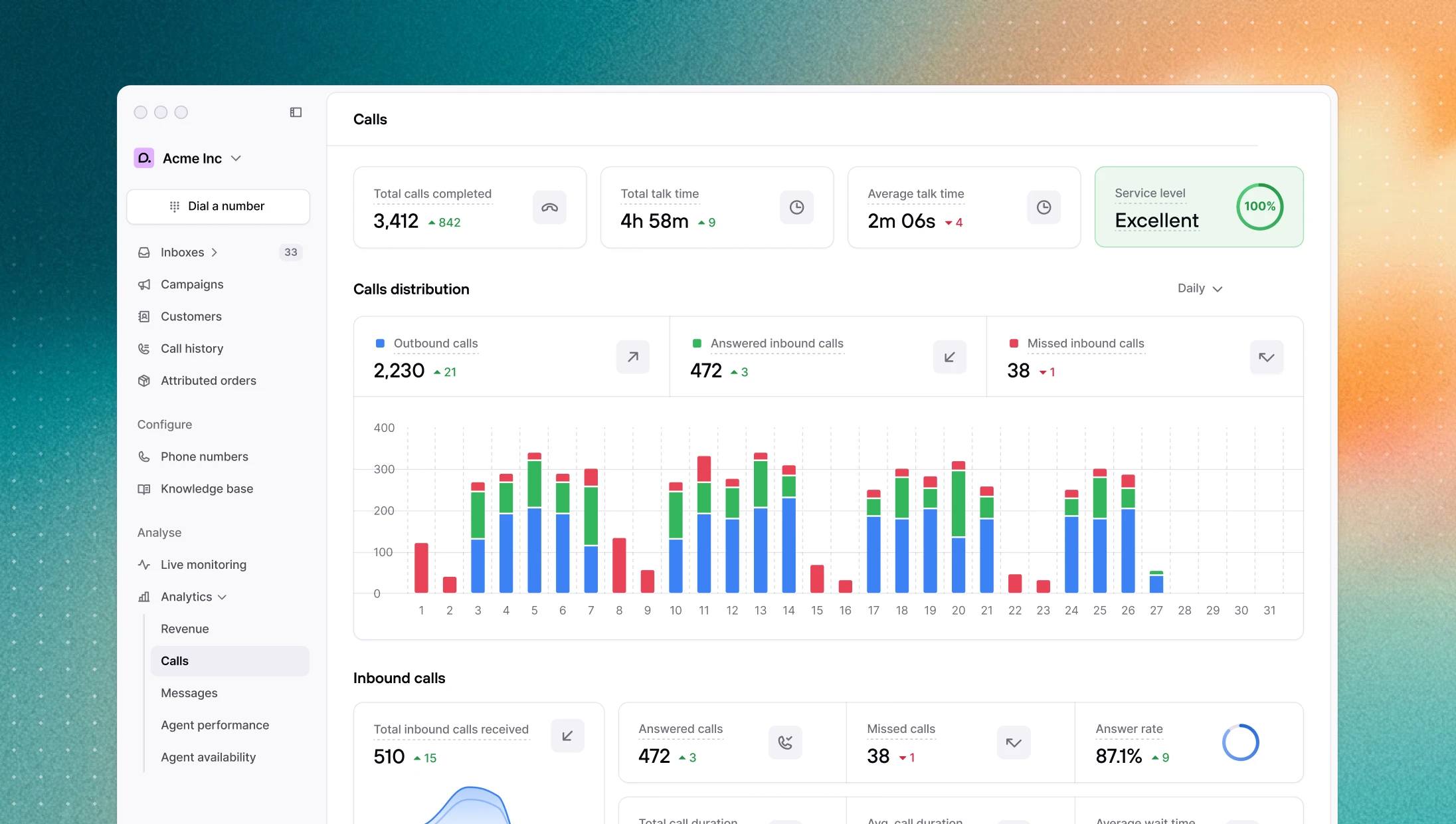
Consio has always had an analytics page. Over time, as the product grew, it became a comprehensive but dense table of numbers (useful for looking up a specific metric, but hard to read at a glance or spot a trend in). So we rebuilt it from scratch.
The new analytics section replaces it with three dedicated pages: Revenue, Calls, and Messages, each one built around the questions that actually matter to your team.
Revenue analytics
The question every team running outbound asks at some point is simple: is this actually working? Not in terms of calls made or messages sent, but in terms of money.
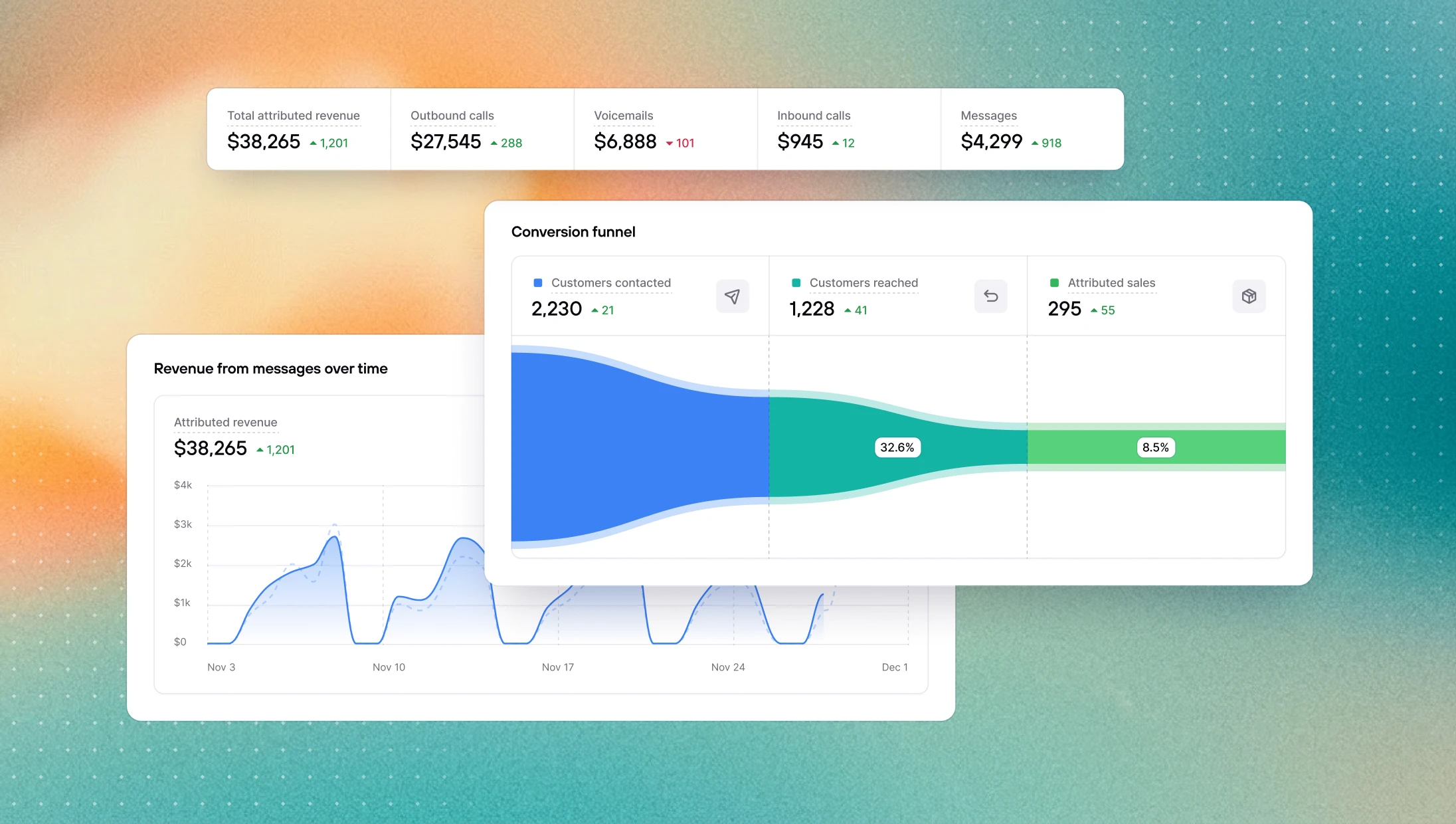
The Revenue page is built around that question. You can see how attributed revenue breaks down by channel and how it moves over time, with the current period and the previous one plotted together so trends and anomalies jump out immediately. Further down, a conversion funnel shows exactly where in the process people drop off, from customers contacted, to customers reached, to attributed sales — and with conversion rates at each step. If you're struggling to convert, it tells you whether the problem is reach or pitch.
Calls analytics
Call activity generates a lot of numbers. The hard part is knowing which ones to pay attention to.
The Calls page surfaces what matters: answer rate, connection rate, average wait time, service level. A stacked bar chart breaks down your call volume day by day across the selected period, with outbound, answered inbound, and missed inbound color-coded. As a result, a day with a spike in missed calls is immediately visible. Inbound and outbound are then broken out into their own sections, because mixing the two into a single view rarely tells you anything useful.
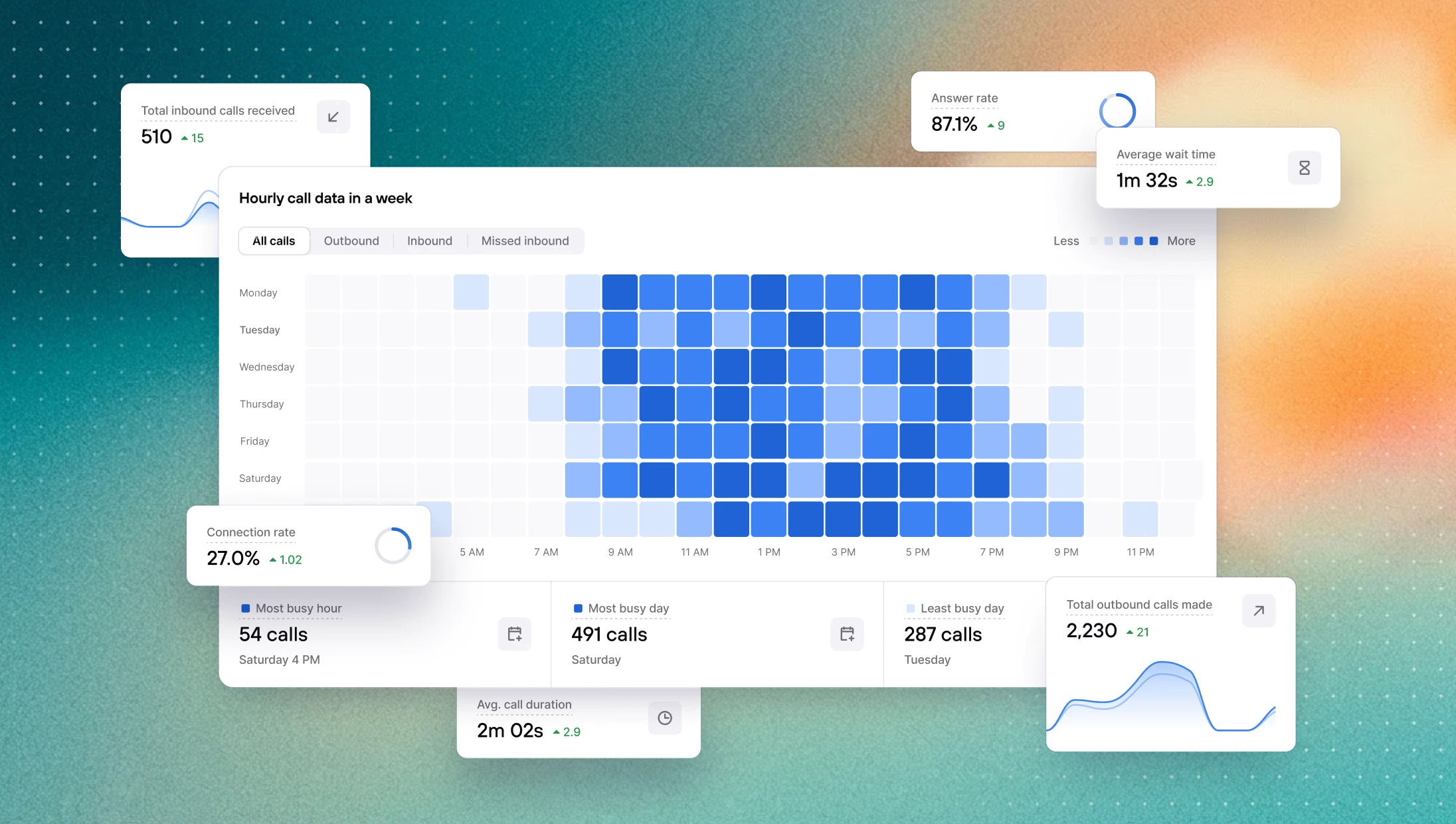
Thanks our new weekly heatmap that shows call volume by hour across every day of the week, you'll now be able to answer the question teams always ask eventually: when are our customers actually calling, and are we available when they do?
Messages
SMS is often the part of the operation that gets the least scrutiny, partly because the data was always buried.
The Messages page brings it to the surface: delivery rate, reply rate, sent vs. received breakdown, all compared against the previous period. If your delivery rate is quietly dropping or your reply rate is lower than it should be, this is where you'll see it before it becomes a real problem.
→ View your messages analytics
AI agent voice upgraded
AI agents now use ElevenLabs V3 as their default voice model. The improvement is most noticeable when reading out order numbers, tracking codes, or other sequences of digits, which V3 handles significantly more clearly than V2. Overall voice quality is also cleaner and more natural.
AI agents answer order questions more naturally
AI agents now come into every call with recent order data already loaded in context. This means agents no longer need to run a tool call just to answer a basic question like "what's my order status?" — the information is already there. Calls feel more fluid, and agents spend less time doing unnecessary lookups.
Other improvements
Agent availability: time spent in each availability status is now displayed in hours and minutes instead of days, making the data easier to read at a glance.
Calls: fixed a reliability issue where conference calls would sometimes create a duplicate session, leaving a participant stuck in an empty conference.