What’s new
An overview of the newest Consio phone features, AI Voice Agent enhancements, UI refinements, and bug fixes.
What’s new
An overview of the newest Consio phone features, AI Voice Agent enhancements, UI refinements, and bug fixes.
What’s new
An overview of the newest Consio phone features, AI Voice Agent enhancements, UI refinements, and bug fixes.
We've got great news to share: Consio is now integrated with Re:amaze.
The goal of this integration is simple: bring your calls into Re:amaze, where your support team already handles customer conversations, so agents keep the full context of every interaction without switching tools.

What you're getting, starting today
Automatic conversation creation: every completed call in Consio creates a Re:amaze conversation, whether the call is inbound or outbound.
Conversation updates:
the customer is identified and linked in Re:amaze when a matching profile exists,
call details are added as a message: "A new call was completed on Consio", including the customer, agent, duration, direction, and phone number,
when the call is logged, a message is added: "Call was logged on Consio.", including the disposition and agent notes,
when the AI summary is ready, another message is added: "Call was summarized on Consio.", including the conversation summary and next steps,
[voicemails are posted in the conversation, and missed call transcripts are available directly in Re:amaze - à confirmer]
Re:amaze → Consio link: agents open the complete call record in Consio in one click whenever they need the recording, transcript, or additional context.
Why it's useful
Everything in one place: calls now live in Re:amaze alongside your emails, live chat, social, and SMS conversations.
Less manual work: conversation creation, call details, dispositions, notes, and AI summaries are added automatically after every completed call.
More context: agents understand what happened on the call and what needs to happen next without listening to the full recording.
Faster follow-ups: the AI summary and next steps let support teams continue the conversation immediately.
We've got great news to share: Consio is now integrated with Re:amaze.
The goal of this integration is simple: bring your calls into Re:amaze, where your support team already handles customer conversations, so agents keep the full context of every interaction without switching tools.
What you're getting, starting today
Automatic conversation creation: every completed call in Consio creates a Re:amaze conversation, whether the call is inbound or outbound.
Conversation updates:
the customer is identified and linked in Re:amaze when a matching profile exists,
call details are added as a message: "A new call was completed on Consio", including the customer, agent, duration, direction, and phone number,
when the call is logged, a message is added: "Call was logged on Consio.", including the disposition and agent notes,
when the AI summary is ready, another message is added: "Call was summarized on Consio.", including the conversation summary and next steps,
[voicemails are posted in the conversation, and missed call transcripts are available directly in Re:amaze - à confirmer]
Re:amaze → Consio link: agents open the complete call record in Consio in one click whenever they need the recording, transcript, or additional context.
Why it's useful
Everything in one place: calls now live in Re:amaze alongside your emails, live chat, social, and SMS conversations.
Less manual work: conversation creation, call details, dispositions, notes, and AI summaries are added automatically after every completed call.
More context: agents understand what happened on the call and what needs to happen next without listening to the full recording.
Faster follow-ups: the AI summary and next steps let support teams continue the conversation immediately.
We've got great news to share: Consio is now integrated with Re:amaze.
The goal of this integration is simple: bring your calls into Re:amaze, where your support team already handles customer conversations, so agents keep the full context of every interaction without switching tools.
What you're getting, starting today
Automatic conversation creation: every completed call in Consio creates a Re:amaze conversation, whether the call is inbound or outbound.
Conversation updates:
the customer is identified and linked in Re:amaze when a matching profile exists,
call details are added as a message: "A new call was completed on Consio", including the customer, agent, duration, direction, and phone number,
when the call is logged, a message is added: "Call was logged on Consio.", including the disposition and agent notes,
when the AI summary is ready, another message is added: "Call was summarized on Consio.", including the conversation summary and next steps,
[voicemails are posted in the conversation, and missed call transcripts are available directly in Re:amaze - à confirmer]
Re:amaze → Consio link: agents open the complete call record in Consio in one click whenever they need the recording, transcript, or additional context.
Why it's useful
Everything in one place: calls now live in Re:amaze alongside your emails, live chat, social, and SMS conversations.
Less manual work: conversation creation, call details, dispositions, notes, and AI summaries are added automatically after every completed call.
More context: agents understand what happened on the call and what needs to happen next without listening to the full recording.
Faster follow-ups: the AI summary and next steps let support teams continue the conversation immediately.
We've got great news to share: Consio is now integrated with Re:amaze.
The goal of this integration is simple: bring your calls into Re:amaze, where your support team already handles customer conversations, so agents keep the full context of every interaction without switching tools.
What you're getting, starting today
Automatic conversation creation: every completed call in Consio creates a Re:amaze conversation, whether the call is inbound or outbound.
Conversation updates:
the customer is identified and linked in Re:amaze when a matching profile exists,
call details are added as a message: "A new call was completed on Consio", including the customer, agent, duration, direction, and phone number,
when the call is logged, a message is added: "Call was logged on Consio.", including the disposition and agent notes,
when the AI summary is ready, another message is added: "Call was summarized on Consio.", including the conversation summary and next steps,
[voicemails are posted in the conversation, and missed call transcripts are available directly in Re:amaze - à confirmer]
Re:amaze → Consio link: agents open the complete call record in Consio in one click whenever they need the recording, transcript, or additional context.
Why it's useful
Everything in one place: calls now live in Re:amaze alongside your emails, live chat, social, and SMS conversations.
Less manual work: conversation creation, call details, dispositions, notes, and AI summaries are added automatically after every completed call.
More context: agents understand what happened on the call and what needs to happen next without listening to the full recording.
Faster follow-ups: the AI summary and next steps let support teams continue the conversation immediately.

AI agents now schedule callbacks for your team
When a call needs a person : after hours, everyone busy, or the caller simply asks to be reached later, your AI books a callback task, reads the time back to the caller in their own timezone, and closes the call with a Callback requested disposition.
The callback lands in Tasks like any other piece of work, marked as created by the AI so you can tell it apart from what your team booked by hand. Nothing sits in a transcript waiting to be noticed.
It is on by default for Generalist, Support and Inbound Sales agents, and available to switch on for Outbound Sales, Receptionist and Custom agents under AI Agent → Actions → Schedule a callback.
Calls now stay in queue while the phone is still ringing
A queued caller used to leave the queue the moment a call was assigned to an agent, before anyone had actually picked up. Now they stay in the queue until the call is answered. Agents get the full ring window, and the queue reflects what is really happening on the line, including when a caller has already gone through to voicemail.
Agents can also now answer a queued caller straight from the dialer, without switching to Live Monitoring first. If you are already on the dialer between calls, the next caller is one click away.
Tasks opens on the work that is yours
The Tasks page now opens on My tasks, everything assigned to you, plus anything unassigned, instead of the whole team's list. Switching views is a single dropdown: My tasks, Unassigned, Everyone, or a specific teammate or team.
Status filtering is now a clean Open / Done / Canceled picker, and you can filter by who created a task, including tasks created by your AI agents. Handy now that the AI books its own callbacks.
Other improvements
Order webhooks:
order.attributedevents now include the products on the order and a product count, so downstream tools get the line-item detail without a second API call.Webhook reliability: endpoints that keep failing to receive deliveries are now deactivated automatically instead of retrying indefinitely. → Manage webhooks
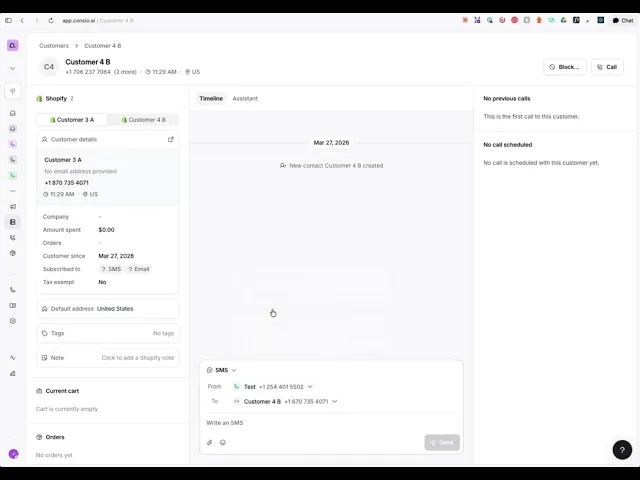
Call details from anywhere: open the call details drawer directly from a customer conversation, instead of going back to call history.
Draft order guardrail: the AI can no longer create an empty draft order with no products on it.
Devices: browser sessions now appear alongside registered mobile devices, with an accurate last-seen time.
AI agents now schedule callbacks for your team
When a call needs a person : after hours, everyone busy, or the caller simply asks to be reached later, your AI books a callback task, reads the time back to the caller in their own timezone, and closes the call with a Callback requested disposition.
The callback lands in Tasks like any other piece of work, marked as created by the AI so you can tell it apart from what your team booked by hand. Nothing sits in a transcript waiting to be noticed.
It is on by default for Generalist, Support and Inbound Sales agents, and available to switch on for Outbound Sales, Receptionist and Custom agents under AI Agent → Actions → Schedule a callback.
Calls now stay in queue while the phone is still ringing
A queued caller used to leave the queue the moment a call was assigned to an agent, before anyone had actually picked up. Now they stay in the queue until the call is answered. Agents get the full ring window, and the queue reflects what is really happening on the line, including when a caller has already gone through to voicemail.
Agents can also now answer a queued caller straight from the dialer, without switching to Live Monitoring first. If you are already on the dialer between calls, the next caller is one click away.
Tasks opens on the work that is yours
The Tasks page now opens on My tasks, everything assigned to you, plus anything unassigned, instead of the whole team's list. Switching views is a single dropdown: My tasks, Unassigned, Everyone, or a specific teammate or team.
Status filtering is now a clean Open / Done / Canceled picker, and you can filter by who created a task, including tasks created by your AI agents. Handy now that the AI books its own callbacks.
Other improvements
Order webhooks:
order.attributedevents now include the products on the order and a product count, so downstream tools get the line-item detail without a second API call.Webhook reliability: endpoints that keep failing to receive deliveries are now deactivated automatically instead of retrying indefinitely. → Manage webhooks
Call details from anywhere: open the call details drawer directly from a customer conversation, instead of going back to call history.
Draft order guardrail: the AI can no longer create an empty draft order with no products on it.
Devices: browser sessions now appear alongside registered mobile devices, with an accurate last-seen time.
AI agents now schedule callbacks for your team
When a call needs a person : after hours, everyone busy, or the caller simply asks to be reached later, your AI books a callback task, reads the time back to the caller in their own timezone, and closes the call with a Callback requested disposition.
The callback lands in Tasks like any other piece of work, marked as created by the AI so you can tell it apart from what your team booked by hand. Nothing sits in a transcript waiting to be noticed.
It is on by default for Generalist, Support and Inbound Sales agents, and available to switch on for Outbound Sales, Receptionist and Custom agents under AI Agent → Actions → Schedule a callback.
Calls now stay in queue while the phone is still ringing
A queued caller used to leave the queue the moment a call was assigned to an agent, before anyone had actually picked up. Now they stay in the queue until the call is answered. Agents get the full ring window, and the queue reflects what is really happening on the line, including when a caller has already gone through to voicemail.
Agents can also now answer a queued caller straight from the dialer, without switching to Live Monitoring first. If you are already on the dialer between calls, the next caller is one click away.
Tasks opens on the work that is yours
The Tasks page now opens on My tasks, everything assigned to you, plus anything unassigned, instead of the whole team's list. Switching views is a single dropdown: My tasks, Unassigned, Everyone, or a specific teammate or team.
Status filtering is now a clean Open / Done / Canceled picker, and you can filter by who created a task, including tasks created by your AI agents. Handy now that the AI books its own callbacks.
Other improvements
Order webhooks:
order.attributedevents now include the products on the order and a product count, so downstream tools get the line-item detail without a second API call.Webhook reliability: endpoints that keep failing to receive deliveries are now deactivated automatically instead of retrying indefinitely. → Manage webhooks
Call details from anywhere: open the call details drawer directly from a customer conversation, instead of going back to call history.
Draft order guardrail: the AI can no longer create an empty draft order with no products on it.
Devices: browser sessions now appear alongside registered mobile devices, with an accurate last-seen time.
AI agents now schedule callbacks for your team
When a call needs a person : after hours, everyone busy, or the caller simply asks to be reached later, your AI books a callback task, reads the time back to the caller in their own timezone, and closes the call with a Callback requested disposition.
The callback lands in Tasks like any other piece of work, marked as created by the AI so you can tell it apart from what your team booked by hand. Nothing sits in a transcript waiting to be noticed.
It is on by default for Generalist, Support and Inbound Sales agents, and available to switch on for Outbound Sales, Receptionist and Custom agents under AI Agent → Actions → Schedule a callback.
Calls now stay in queue while the phone is still ringing
A queued caller used to leave the queue the moment a call was assigned to an agent, before anyone had actually picked up. Now they stay in the queue until the call is answered. Agents get the full ring window, and the queue reflects what is really happening on the line, including when a caller has already gone through to voicemail.
Agents can also now answer a queued caller straight from the dialer, without switching to Live Monitoring first. If you are already on the dialer between calls, the next caller is one click away.
Tasks opens on the work that is yours
The Tasks page now opens on My tasks, everything assigned to you, plus anything unassigned, instead of the whole team's list. Switching views is a single dropdown: My tasks, Unassigned, Everyone, or a specific teammate or team.
Status filtering is now a clean Open / Done / Canceled picker, and you can filter by who created a task, including tasks created by your AI agents. Handy now that the AI books its own callbacks.
Other improvements
Order webhooks:
order.attributedevents now include the products on the order and a product count, so downstream tools get the line-item detail without a second API call.Webhook reliability: endpoints that keep failing to receive deliveries are now deactivated automatically instead of retrying indefinitely. → Manage webhooks
Call details from anywhere: open the call details drawer directly from a customer conversation, instead of going back to call history.
Draft order guardrail: the AI can no longer create an empty draft order with no products on it.
Devices: browser sessions now appear alongside registered mobile devices, with an accurate last-seen time.
For as long as Consio has existed, your AI agent has been waiting for the phone to ring. That changes today. Your agent can now pick up the phone itself and call your customers.

Point it at any Shopify or Klaviyo segment
Abandoned checkouts, churn risk, failed payments, VIPs, replenishment, browse abandonment, B2B. Pick the segment, assign the agent, and it works the list on its own, around the clock.
Your segments stay in sync, so every campaign calls the current list rather than last week's.
Written for the segment and the objective
An agent calling an abandoned cart has a different job from one saving a failed payment, and it now sounds like it.
Each campaign gets its own opening, its own objective, and its own rules about how far to carry the conversation. Your inbound line stays exactly as it is.
It knows the customer before it dials
The cart, the full purchase history, every previous call and message, and your policies are all loaded before the phone rings.
No introductions, no asking the customer to repeat what they already told you. The conversation picks up where the relationship left off.
A human takes over the moment it matters
When the customer asks for a person, or the order is worth one, the agent transfers the call live to your team with the conversation and the context attached.
Nobody gets stuck with a bot, and nobody has to call back.
It has what it takes to close
A call is only worth placing if it can end in a sale, so your agent goes out with the tools to get there.
It searches your catalog with live stock levels in hand, pitches what you can actually ship, and offers alternatives when something has run out.
When the customer is ready, it creates the draft order and texts the checkout link straight to the phone it's calling, even when you have no email on file.
Every outbound call comes back to you
Outbound calls land in the same place as everything else. Recording, transcript, AI summary, disposition, and any order the call produced all sit on the customer timeline, so you can see what the agent said, what the customer answered, and what it earned you.
For as long as Consio has existed, your AI agent has been waiting for the phone to ring. That changes today. Your agent can now pick up the phone itself and call your customers.
Point it at any Shopify or Klaviyo segment
Abandoned checkouts, churn risk, failed payments, VIPs, replenishment, browse abandonment, B2B. Pick the segment, assign the agent, and it works the list on its own, around the clock.
Your segments stay in sync, so every campaign calls the current list rather than last week's.
Written for the segment and the objective
An agent calling an abandoned cart has a different job from one saving a failed payment, and it now sounds like it.
Each campaign gets its own opening, its own objective, and its own rules about how far to carry the conversation. Your inbound line stays exactly as it is.
It knows the customer before it dials
The cart, the full purchase history, every previous call and message, and your policies are all loaded before the phone rings.
No introductions, no asking the customer to repeat what they already told you. The conversation picks up where the relationship left off.
A human takes over the moment it matters
When the customer asks for a person, or the order is worth one, the agent transfers the call live to your team with the conversation and the context attached.
Nobody gets stuck with a bot, and nobody has to call back.
It has what it takes to close
A call is only worth placing if it can end in a sale, so your agent goes out with the tools to get there.
It searches your catalog with live stock levels in hand, pitches what you can actually ship, and offers alternatives when something has run out.
When the customer is ready, it creates the draft order and texts the checkout link straight to the phone it's calling, even when you have no email on file.
Every outbound call comes back to you
Outbound calls land in the same place as everything else. Recording, transcript, AI summary, disposition, and any order the call produced all sit on the customer timeline, so you can see what the agent said, what the customer answered, and what it earned you.
For as long as Consio has existed, your AI agent has been waiting for the phone to ring. That changes today. Your agent can now pick up the phone itself and call your customers.
Point it at any Shopify or Klaviyo segment
Abandoned checkouts, churn risk, failed payments, VIPs, replenishment, browse abandonment, B2B. Pick the segment, assign the agent, and it works the list on its own, around the clock.
Your segments stay in sync, so every campaign calls the current list rather than last week's.
Written for the segment and the objective
An agent calling an abandoned cart has a different job from one saving a failed payment, and it now sounds like it.
Each campaign gets its own opening, its own objective, and its own rules about how far to carry the conversation. Your inbound line stays exactly as it is.
It knows the customer before it dials
The cart, the full purchase history, every previous call and message, and your policies are all loaded before the phone rings.
No introductions, no asking the customer to repeat what they already told you. The conversation picks up where the relationship left off.
A human takes over the moment it matters
When the customer asks for a person, or the order is worth one, the agent transfers the call live to your team with the conversation and the context attached.
Nobody gets stuck with a bot, and nobody has to call back.
It has what it takes to close
A call is only worth placing if it can end in a sale, so your agent goes out with the tools to get there.
It searches your catalog with live stock levels in hand, pitches what you can actually ship, and offers alternatives when something has run out.
When the customer is ready, it creates the draft order and texts the checkout link straight to the phone it's calling, even when you have no email on file.
Every outbound call comes back to you
Outbound calls land in the same place as everything else. Recording, transcript, AI summary, disposition, and any order the call produced all sit on the customer timeline, so you can see what the agent said, what the customer answered, and what it earned you.
For as long as Consio has existed, your AI agent has been waiting for the phone to ring. That changes today. Your agent can now pick up the phone itself and call your customers.
Point it at any Shopify or Klaviyo segment
Abandoned checkouts, churn risk, failed payments, VIPs, replenishment, browse abandonment, B2B. Pick the segment, assign the agent, and it works the list on its own, around the clock.
Your segments stay in sync, so every campaign calls the current list rather than last week's.
Written for the segment and the objective
An agent calling an abandoned cart has a different job from one saving a failed payment, and it now sounds like it.
Each campaign gets its own opening, its own objective, and its own rules about how far to carry the conversation. Your inbound line stays exactly as it is.
It knows the customer before it dials
The cart, the full purchase history, every previous call and message, and your policies are all loaded before the phone rings.
No introductions, no asking the customer to repeat what they already told you. The conversation picks up where the relationship left off.
A human takes over the moment it matters
When the customer asks for a person, or the order is worth one, the agent transfers the call live to your team with the conversation and the context attached.
Nobody gets stuck with a bot, and nobody has to call back.
It has what it takes to close
A call is only worth placing if it can end in a sale, so your agent goes out with the tools to get there.
It searches your catalog with live stock levels in hand, pitches what you can actually ship, and offers alternatives when something has run out.
When the customer is ready, it creates the draft order and texts the checkout link straight to the phone it's calling, even when you have no email on file.
Every outbound call comes back to you
Outbound calls land in the same place as everything else. Recording, transcript, AI summary, disposition, and any order the call produced all sit on the customer timeline, so you can see what the agent said, what the customer answered, and what it earned you.

Your AI agent can now create a draft order and send the payment link by SMS, even when you don't have the customer's email on file.
If your workspace has an SMS-enabled number, the link goes out by text by default; if not, it falls back to email automatically. The agent knows exactly what was sent, so it can tell the customer on the spot instead of hitting a dead end.
Fewer abandoned checkouts, and more revenue attributed to your calls.
Your AI agent knows what's in stock
Your agent now checks live inventory before it speaks. It knows whether a product is in stock, out of stock, or running low, steers callers toward what you can actually ship, and suggests in-stock alternatives instead of promising something that isn't there.
It also won't build a draft order around an out-of-stock product unless you allow it. The guardrail is on by default, and you can switch to permitting out-of-stock orders per workspace if that fits how you sell.
Stay on top of every follow-up with Tasks
New Tasks give your team a clean way to track what's owed to each customer. Create a task from its own dedicated page or on the fly right from the dialer while you're still on the call.
Scheduled tasks show up as a banner inside the customer conversation, so the next person to pick it up sees exactly what was promised, and there's now a Tasks tab on the customer profile for the full history.
More in the public API
The public API keeps expanding. You can now pull customer details, access call recordings and full call details, subscribe to a call.recorded webhook that hands you a direct download URL, attach media to outbound SMS (MMS), and send messages on behalf of a specific agent by email. Everything's in the docs.
Other improvements
Notes tab: internal notes now live in a dedicated Notes tab on the dialer, customer details, and inbox conversation, with a count badge and inline add, edit, copy, and delete.
Smarter call routing: the "one by one" ringing strategy has a new option to stop always returning a caller to the last agent they spoke with, and route to the longest-waiting agent instead.
Abandoned calls: callers who hang up before connecting now get a dedicated "abandoned" status and disposition, so your reporting separates them from missed calls.
Mobile device management: see the devices signed in to your account and sign any of them out, with mobile logins that now outlast your web session.
Bigger knowledge base: your AI agent can draw on more knowledge sources than before.
Readable store names: Consio now shows your Shopify store name instead of an internal ID.
Your AI agent can now create a draft order and send the payment link by SMS, even when you don't have the customer's email on file.
If your workspace has an SMS-enabled number, the link goes out by text by default; if not, it falls back to email automatically. The agent knows exactly what was sent, so it can tell the customer on the spot instead of hitting a dead end.
Fewer abandoned checkouts, and more revenue attributed to your calls.
Your AI agent knows what's in stock
Your agent now checks live inventory before it speaks. It knows whether a product is in stock, out of stock, or running low, steers callers toward what you can actually ship, and suggests in-stock alternatives instead of promising something that isn't there.
It also won't build a draft order around an out-of-stock product unless you allow it. The guardrail is on by default, and you can switch to permitting out-of-stock orders per workspace if that fits how you sell.
Stay on top of every follow-up with Tasks
New Tasks give your team a clean way to track what's owed to each customer. Create a task from its own dedicated page or on the fly right from the dialer while you're still on the call.
Scheduled tasks show up as a banner inside the customer conversation, so the next person to pick it up sees exactly what was promised, and there's now a Tasks tab on the customer profile for the full history.
More in the public API
The public API keeps expanding. You can now pull customer details, access call recordings and full call details, subscribe to a call.recorded webhook that hands you a direct download URL, attach media to outbound SMS (MMS), and send messages on behalf of a specific agent by email. Everything's in the docs.
Other improvements
Notes tab: internal notes now live in a dedicated Notes tab on the dialer, customer details, and inbox conversation, with a count badge and inline add, edit, copy, and delete.
Smarter call routing: the "one by one" ringing strategy has a new option to stop always returning a caller to the last agent they spoke with, and route to the longest-waiting agent instead.
Abandoned calls: callers who hang up before connecting now get a dedicated "abandoned" status and disposition, so your reporting separates them from missed calls.
Mobile device management: see the devices signed in to your account and sign any of them out, with mobile logins that now outlast your web session.
Bigger knowledge base: your AI agent can draw on more knowledge sources than before.
Readable store names: Consio now shows your Shopify store name instead of an internal ID.
Your AI agent can now create a draft order and send the payment link by SMS, even when you don't have the customer's email on file.
If your workspace has an SMS-enabled number, the link goes out by text by default; if not, it falls back to email automatically. The agent knows exactly what was sent, so it can tell the customer on the spot instead of hitting a dead end.
Fewer abandoned checkouts, and more revenue attributed to your calls.
Your AI agent knows what's in stock
Your agent now checks live inventory before it speaks. It knows whether a product is in stock, out of stock, or running low, steers callers toward what you can actually ship, and suggests in-stock alternatives instead of promising something that isn't there.
It also won't build a draft order around an out-of-stock product unless you allow it. The guardrail is on by default, and you can switch to permitting out-of-stock orders per workspace if that fits how you sell.
Stay on top of every follow-up with Tasks
New Tasks give your team a clean way to track what's owed to each customer. Create a task from its own dedicated page or on the fly right from the dialer while you're still on the call.
Scheduled tasks show up as a banner inside the customer conversation, so the next person to pick it up sees exactly what was promised, and there's now a Tasks tab on the customer profile for the full history.
More in the public API
The public API keeps expanding. You can now pull customer details, access call recordings and full call details, subscribe to a call.recorded webhook that hands you a direct download URL, attach media to outbound SMS (MMS), and send messages on behalf of a specific agent by email. Everything's in the docs.
Other improvements
Notes tab: internal notes now live in a dedicated Notes tab on the dialer, customer details, and inbox conversation, with a count badge and inline add, edit, copy, and delete.
Smarter call routing: the "one by one" ringing strategy has a new option to stop always returning a caller to the last agent they spoke with, and route to the longest-waiting agent instead.
Abandoned calls: callers who hang up before connecting now get a dedicated "abandoned" status and disposition, so your reporting separates them from missed calls.
Mobile device management: see the devices signed in to your account and sign any of them out, with mobile logins that now outlast your web session.
Bigger knowledge base: your AI agent can draw on more knowledge sources than before.
Readable store names: Consio now shows your Shopify store name instead of an internal ID.
Your AI agent can now create a draft order and send the payment link by SMS, even when you don't have the customer's email on file.
If your workspace has an SMS-enabled number, the link goes out by text by default; if not, it falls back to email automatically. The agent knows exactly what was sent, so it can tell the customer on the spot instead of hitting a dead end.
Fewer abandoned checkouts, and more revenue attributed to your calls.
Your AI agent knows what's in stock
Your agent now checks live inventory before it speaks. It knows whether a product is in stock, out of stock, or running low, steers callers toward what you can actually ship, and suggests in-stock alternatives instead of promising something that isn't there.
It also won't build a draft order around an out-of-stock product unless you allow it. The guardrail is on by default, and you can switch to permitting out-of-stock orders per workspace if that fits how you sell.
Stay on top of every follow-up with Tasks
New Tasks give your team a clean way to track what's owed to each customer. Create a task from its own dedicated page or on the fly right from the dialer while you're still on the call.
Scheduled tasks show up as a banner inside the customer conversation, so the next person to pick it up sees exactly what was promised, and there's now a Tasks tab on the customer profile for the full history.
More in the public API
The public API keeps expanding. You can now pull customer details, access call recordings and full call details, subscribe to a call.recorded webhook that hands you a direct download URL, attach media to outbound SMS (MMS), and send messages on behalf of a specific agent by email. Everything's in the docs.
Other improvements
Notes tab: internal notes now live in a dedicated Notes tab on the dialer, customer details, and inbox conversation, with a count badge and inline add, edit, copy, and delete.
Smarter call routing: the "one by one" ringing strategy has a new option to stop always returning a caller to the last agent they spoke with, and route to the longest-waiting agent instead.
Abandoned calls: callers who hang up before connecting now get a dedicated "abandoned" status and disposition, so your reporting separates them from missed calls.
Mobile device management: see the devices signed in to your account and sign any of them out, with mobile logins that now outlast your web session.
Bigger knowledge base: your AI agent can draw on more knowledge sources than before.
Readable store names: Consio now shows your Shopify store name instead of an internal ID.
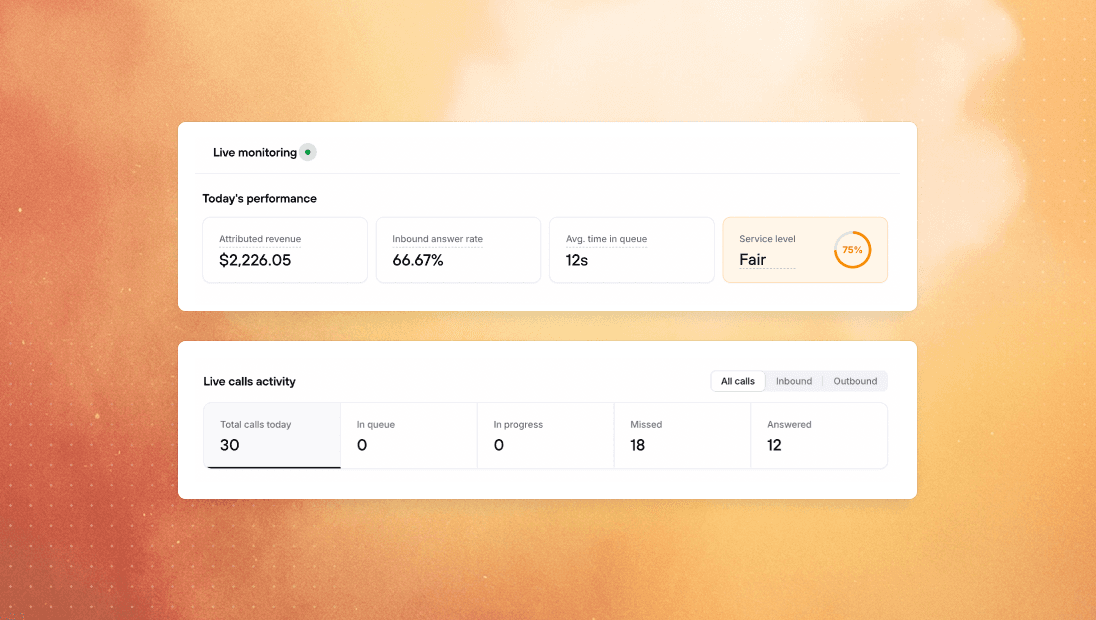
When every agent is busy, inbound callers no longer fall straight through. You can now hold callers in a queue until an agent becomes available or the maximum wait time is reached.
Live Monitoring shows the queue as it builds, including how many callers are waiting and how long each one has been there. Agents can also pick up the longest-waiting caller directly from Live Monitoring.
We also added after-call work, so agents aren't immediately sent another call while they're still wrapping up the previous one. It clears when the call is logged or the agent leaves the dialer, with an optional timer as a backstop.
Your AI agent can now cancel orders
Order cancellations no longer have to mean a transfer or a support ticket. Your AI agent can now cancel an order directly during the call.
You control the guardrails. By default, the AI only cancels unfulfilled orders within a configurable cancellation window. Cancellations issue a refund by default, restock inventory, and can be restricted based on order tags.
Webhooks are now fully live
Last month we launched the public API. Now Consio can push events to your systems automatically as they happen, without polling.
Webhooks are available for inbound messages, outbound message delivery and failures, completed calls, call summaries, and attributed orders. MMS images and attachments are delivered through secure links.
The public API has also expanded with endpoints for workspace phone numbers and users, making it easier to connect Consio activity back to the right resources in your own systems.
Other improvements
Richpanel integration: Richpanel now has a native Consio channel, bringing calls and SMS into the workspace where support teams already work. Agents can see call dispositions, notes, AI summaries, and reply to SMS without switching tabs.
AI agents: support and sales agents now use more specialized instructions, giving support calls a stronger resolution focus and sales calls better product discovery and conversion behavior.
Mobile: the dialer, customer pages, settings, and dialogs now work better on smaller screens, with native call controls and a keypad for calls on the go.
Inbound routing: registered mobile devices can now receive routed calls even when the agent doesn’t have an active browser session.
Business hours: AI agents now read the workspace’s configured business hours directly, making answers about opening times and transfer availability more reliable.
When every agent is busy, inbound callers no longer fall straight through. You can now hold callers in a queue until an agent becomes available or the maximum wait time is reached.
Live Monitoring shows the queue as it builds, including how many callers are waiting and how long each one has been there. Agents can also pick up the longest-waiting caller directly from Live Monitoring.
We also added after-call work, so agents aren't immediately sent another call while they're still wrapping up the previous one. It clears when the call is logged or the agent leaves the dialer, with an optional timer as a backstop.
Your AI agent can now cancel orders
Order cancellations no longer have to mean a transfer or a support ticket. Your AI agent can now cancel an order directly during the call.
You control the guardrails. By default, the AI only cancels unfulfilled orders within a configurable cancellation window. Cancellations issue a refund by default, restock inventory, and can be restricted based on order tags.
Webhooks are now fully live
Last month we launched the public API. Now Consio can push events to your systems automatically as they happen, without polling.
Webhooks are available for inbound messages, outbound message delivery and failures, completed calls, call summaries, and attributed orders. MMS images and attachments are delivered through secure links.
The public API has also expanded with endpoints for workspace phone numbers and users, making it easier to connect Consio activity back to the right resources in your own systems.
Other improvements
Richpanel integration: Richpanel now has a native Consio channel, bringing calls and SMS into the workspace where support teams already work. Agents can see call dispositions, notes, AI summaries, and reply to SMS without switching tabs.
AI agents: support and sales agents now use more specialized instructions, giving support calls a stronger resolution focus and sales calls better product discovery and conversion behavior.
Mobile: the dialer, customer pages, settings, and dialogs now work better on smaller screens, with native call controls and a keypad for calls on the go.
Inbound routing: registered mobile devices can now receive routed calls even when the agent doesn’t have an active browser session.
Business hours: AI agents now read the workspace’s configured business hours directly, making answers about opening times and transfer availability more reliable.
When every agent is busy, inbound callers no longer fall straight through. You can now hold callers in a queue until an agent becomes available or the maximum wait time is reached.
Live Monitoring shows the queue as it builds, including how many callers are waiting and how long each one has been there. Agents can also pick up the longest-waiting caller directly from Live Monitoring.
We also added after-call work, so agents aren't immediately sent another call while they're still wrapping up the previous one. It clears when the call is logged or the agent leaves the dialer, with an optional timer as a backstop.
Your AI agent can now cancel orders
Order cancellations no longer have to mean a transfer or a support ticket. Your AI agent can now cancel an order directly during the call.
You control the guardrails. By default, the AI only cancels unfulfilled orders within a configurable cancellation window. Cancellations issue a refund by default, restock inventory, and can be restricted based on order tags.
Webhooks are now fully live
Last month we launched the public API. Now Consio can push events to your systems automatically as they happen, without polling.
Webhooks are available for inbound messages, outbound message delivery and failures, completed calls, call summaries, and attributed orders. MMS images and attachments are delivered through secure links.
The public API has also expanded with endpoints for workspace phone numbers and users, making it easier to connect Consio activity back to the right resources in your own systems.
Other improvements
Richpanel integration: Richpanel now has a native Consio channel, bringing calls and SMS into the workspace where support teams already work. Agents can see call dispositions, notes, AI summaries, and reply to SMS without switching tabs.
AI agents: support and sales agents now use more specialized instructions, giving support calls a stronger resolution focus and sales calls better product discovery and conversion behavior.
Mobile: the dialer, customer pages, settings, and dialogs now work better on smaller screens, with native call controls and a keypad for calls on the go.
Inbound routing: registered mobile devices can now receive routed calls even when the agent doesn’t have an active browser session.
Business hours: AI agents now read the workspace’s configured business hours directly, making answers about opening times and transfer availability more reliable.
When every agent is busy, inbound callers no longer fall straight through. You can now hold callers in a queue until an agent becomes available or the maximum wait time is reached.
Live Monitoring shows the queue as it builds, including how many callers are waiting and how long each one has been there. Agents can also pick up the longest-waiting caller directly from Live Monitoring.
We also added after-call work, so agents aren't immediately sent another call while they're still wrapping up the previous one. It clears when the call is logged or the agent leaves the dialer, with an optional timer as a backstop.
Your AI agent can now cancel orders
Order cancellations no longer have to mean a transfer or a support ticket. Your AI agent can now cancel an order directly during the call.
You control the guardrails. By default, the AI only cancels unfulfilled orders within a configurable cancellation window. Cancellations issue a refund by default, restock inventory, and can be restricted based on order tags.
Webhooks are now fully live
Last month we launched the public API. Now Consio can push events to your systems automatically as they happen, without polling.
Webhooks are available for inbound messages, outbound message delivery and failures, completed calls, call summaries, and attributed orders. MMS images and attachments are delivered through secure links.
The public API has also expanded with endpoints for workspace phone numbers and users, making it easier to connect Consio activity back to the right resources in your own systems.
Other improvements
Richpanel integration: Richpanel now has a native Consio channel, bringing calls and SMS into the workspace where support teams already work. Agents can see call dispositions, notes, AI summaries, and reply to SMS without switching tabs.
AI agents: support and sales agents now use more specialized instructions, giving support calls a stronger resolution focus and sales calls better product discovery and conversion behavior.
Mobile: the dialer, customer pages, settings, and dialogs now work better on smaller screens, with native call controls and a keypad for calls on the go.
Inbound routing: registered mobile devices can now receive routed calls even when the agent doesn’t have an active browser session.
Business hours: AI agents now read the workspace’s configured business hours directly, making answers about opening times and transfer availability more reliable.
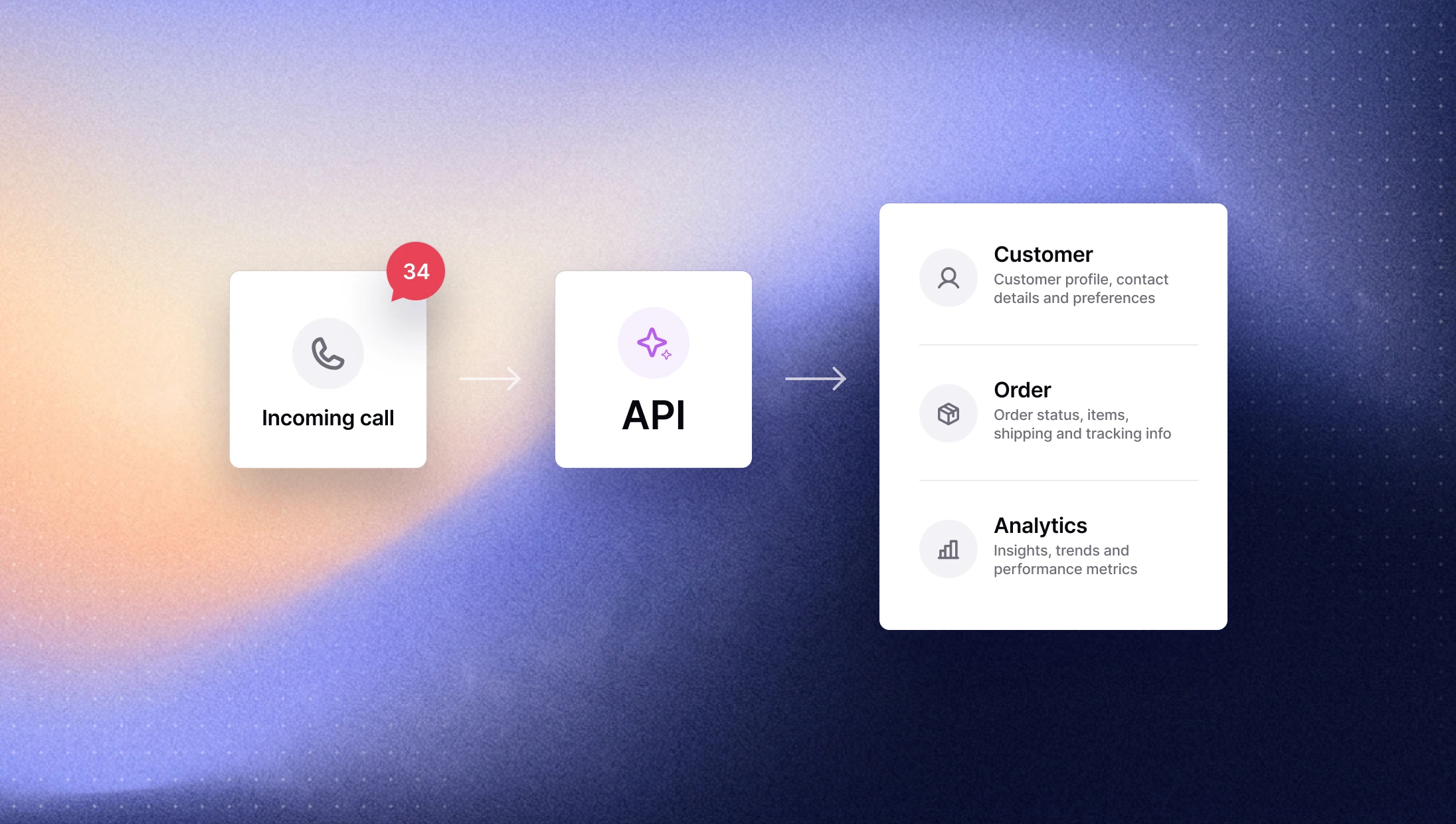
You can now connect Consio to your own applications and workflows through our public REST API. Generate an API key from your settings to securely access completed calls, attributed orders, call transcripts, and SMS messages.
You can also send SMS through the API and check their delivery status. Webhooks are coming next, so external systems will soon be able to react automatically to calls and messages.
→ Explore the API
Smarter phone number selection for SMS
Sending an SMS is now easier when customers or workspaces use multiple phone numbers.
Consio automatically selects the most relevant sending line and recipient number based on recent calls and messages. Agents can still change either one before sending.
→ Open your inbox
Automatic handling for STOP and UNSUBSCRIBE
When a customer replies with STOP or UNSUBSCRIBE, Consio automatically closes the conversation and blocks future outbound calls and SMS. If the customer messages again later, the restriction is automatically removed. Customers manually blocked by an agent remain blocked.
Other improvements
eDesk integration: Consio can now create tickets in a selected eDesk channel after completed inbound and outbound calls, with call details and a direct link back to Consio.
Gorgias customer matching: when a call creates a Gorgias ticket, Consio now looks for an existing customer by phone number first, then by email, and only creates a new customer if neither is found.
Call history: call duration is now displayed directly in the call history table, and calls can be sorted by duration.
You can now connect Consio to your own applications and workflows through our public REST API. Generate an API key from your settings to securely access completed calls, attributed orders, call transcripts, and SMS messages.
You can also send SMS through the API and check their delivery status. Webhooks are coming next, so external systems will soon be able to react automatically to calls and messages.
→ Explore the API
Smarter phone number selection for SMS
Sending an SMS is now easier when customers or workspaces use multiple phone numbers.
Consio automatically selects the most relevant sending line and recipient number based on recent calls and messages. Agents can still change either one before sending.
→ Open your inbox
Automatic handling for STOP and UNSUBSCRIBE
When a customer replies with STOP or UNSUBSCRIBE, Consio automatically closes the conversation and blocks future outbound calls and SMS. If the customer messages again later, the restriction is automatically removed. Customers manually blocked by an agent remain blocked.
Other improvements
eDesk integration: Consio can now create tickets in a selected eDesk channel after completed inbound and outbound calls, with call details and a direct link back to Consio.
Gorgias customer matching: when a call creates a Gorgias ticket, Consio now looks for an existing customer by phone number first, then by email, and only creates a new customer if neither is found.
Call history: call duration is now displayed directly in the call history table, and calls can be sorted by duration.
You can now connect Consio to your own applications and workflows through our public REST API. Generate an API key from your settings to securely access completed calls, attributed orders, call transcripts, and SMS messages.
You can also send SMS through the API and check their delivery status. Webhooks are coming next, so external systems will soon be able to react automatically to calls and messages.
→ Explore the API
Smarter phone number selection for SMS
Sending an SMS is now easier when customers or workspaces use multiple phone numbers.
Consio automatically selects the most relevant sending line and recipient number based on recent calls and messages. Agents can still change either one before sending.
→ Open your inbox
Automatic handling for STOP and UNSUBSCRIBE
When a customer replies with STOP or UNSUBSCRIBE, Consio automatically closes the conversation and blocks future outbound calls and SMS. If the customer messages again later, the restriction is automatically removed. Customers manually blocked by an agent remain blocked.
Other improvements
eDesk integration: Consio can now create tickets in a selected eDesk channel after completed inbound and outbound calls, with call details and a direct link back to Consio.
Gorgias customer matching: when a call creates a Gorgias ticket, Consio now looks for an existing customer by phone number first, then by email, and only creates a new customer if neither is found.
Call history: call duration is now displayed directly in the call history table, and calls can be sorted by duration.
You can now connect Consio to your own applications and workflows through our public REST API. Generate an API key from your settings to securely access completed calls, attributed orders, call transcripts, and SMS messages.
You can also send SMS through the API and check their delivery status. Webhooks are coming next, so external systems will soon be able to react automatically to calls and messages.
→ Explore the API
Smarter phone number selection for SMS
Sending an SMS is now easier when customers or workspaces use multiple phone numbers.
Consio automatically selects the most relevant sending line and recipient number based on recent calls and messages. Agents can still change either one before sending.
→ Open your inbox
Automatic handling for STOP and UNSUBSCRIBE
When a customer replies with STOP or UNSUBSCRIBE, Consio automatically closes the conversation and blocks future outbound calls and SMS. If the customer messages again later, the restriction is automatically removed. Customers manually blocked by an agent remain blocked.
Other improvements
eDesk integration: Consio can now create tickets in a selected eDesk channel after completed inbound and outbound calls, with call details and a direct link back to Consio.
Gorgias customer matching: when a call creates a Gorgias ticket, Consio now looks for an existing customer by phone number first, then by email, and only creates a new customer if neither is found.
Call history: call duration is now displayed directly in the call history table, and calls can be sorted by duration.
We’ve got great news to share: Consio is now integrated with eDesk.
The goal of this integration is simple: bring your calls into eDesk tickets, where your support team already works, so agents can keep the full context of every customer interaction without switching tools.
What you’re getting, starting today
Automatic ticket creation: every completed call in Consio creates an eDesk ticket, whether the call is inbound or outbound.
Ticket updates:
The customer is identified and linked in eDesk when a matching profile exists.
Call details are added as a note: “A new call was completed on Consio”, including the customer, agent, duration, direction, and phone number.
When the call is logged, a new note is added: “Call was logged on Consio.”, including the disposition and agent notes.
When the AI summary is ready, another note is added: “Call was summarized on Consio.”, including the conversation summary and next steps.
eDesk → Consio link: agents can open the complete call record in Consio in one click whenever they need the recording, transcript, or additional context.
Why it’s useful
Everything in one place: calls now live in eDesk alongside your emails, marketplace messages, live chat, and other customer support tickets.
Less manual work: ticket creation, call details, dispositions, notes, and AI summaries are added automatically after every completed call.
More context: agents can understand what happened during the call and what needs to happen next without listening to the full recording.
Faster follow-ups: the AI-generated summary and next steps help support teams continue the conversation immediately.

We’ve got great news to share: Consio is now integrated with eDesk.
The goal of this integration is simple: bring your calls into eDesk tickets, where your support team already works, so agents can keep the full context of every customer interaction without switching tools.
What you’re getting, starting today
Automatic ticket creation: every completed call in Consio creates an eDesk ticket, whether the call is inbound or outbound.
Ticket updates:
The customer is identified and linked in eDesk when a matching profile exists.
Call details are added as a note: “A new call was completed on Consio”, including the customer, agent, duration, direction, and phone number.
When the call is logged, a new note is added: “Call was logged on Consio.”, including the disposition and agent notes.
When the AI summary is ready, another note is added: “Call was summarized on Consio.”, including the conversation summary and next steps.
eDesk → Consio link: agents can open the complete call record in Consio in one click whenever they need the recording, transcript, or additional context.
Why it’s useful
Everything in one place: calls now live in eDesk alongside your emails, marketplace messages, live chat, and other customer support tickets.
Less manual work: ticket creation, call details, dispositions, notes, and AI summaries are added automatically after every completed call.
More context: agents can understand what happened during the call and what needs to happen next without listening to the full recording.
Faster follow-ups: the AI-generated summary and next steps help support teams continue the conversation immediately.
We’ve got great news to share: Consio is now integrated with eDesk.
The goal of this integration is simple: bring your calls into eDesk tickets, where your support team already works, so agents can keep the full context of every customer interaction without switching tools.
What you’re getting, starting today
Automatic ticket creation: every completed call in Consio creates an eDesk ticket, whether the call is inbound or outbound.
Ticket updates:
The customer is identified and linked in eDesk when a matching profile exists.
Call details are added as a note: “A new call was completed on Consio”, including the customer, agent, duration, direction, and phone number.
When the call is logged, a new note is added: “Call was logged on Consio.”, including the disposition and agent notes.
When the AI summary is ready, another note is added: “Call was summarized on Consio.”, including the conversation summary and next steps.
eDesk → Consio link: agents can open the complete call record in Consio in one click whenever they need the recording, transcript, or additional context.
Why it’s useful
Everything in one place: calls now live in eDesk alongside your emails, marketplace messages, live chat, and other customer support tickets.
Less manual work: ticket creation, call details, dispositions, notes, and AI summaries are added automatically after every completed call.
More context: agents can understand what happened during the call and what needs to happen next without listening to the full recording.
Faster follow-ups: the AI-generated summary and next steps help support teams continue the conversation immediately.
We’ve got great news to share: Consio is now integrated with eDesk.
The goal of this integration is simple: bring your calls into eDesk tickets, where your support team already works, so agents can keep the full context of every customer interaction without switching tools.
What you’re getting, starting today
Automatic ticket creation: every completed call in Consio creates an eDesk ticket, whether the call is inbound or outbound.
Ticket updates:
The customer is identified and linked in eDesk when a matching profile exists.
Call details are added as a note: “A new call was completed on Consio”, including the customer, agent, duration, direction, and phone number.
When the call is logged, a new note is added: “Call was logged on Consio.”, including the disposition and agent notes.
When the AI summary is ready, another note is added: “Call was summarized on Consio.”, including the conversation summary and next steps.
eDesk → Consio link: agents can open the complete call record in Consio in one click whenever they need the recording, transcript, or additional context.
Why it’s useful
Everything in one place: calls now live in eDesk alongside your emails, marketplace messages, live chat, and other customer support tickets.
Less manual work: ticket creation, call details, dispositions, notes, and AI summaries are added automatically after every completed call.
More context: agents can understand what happened during the call and what needs to happen next without listening to the full recording.
Faster follow-ups: the AI-generated summary and next steps help support teams continue the conversation immediately.
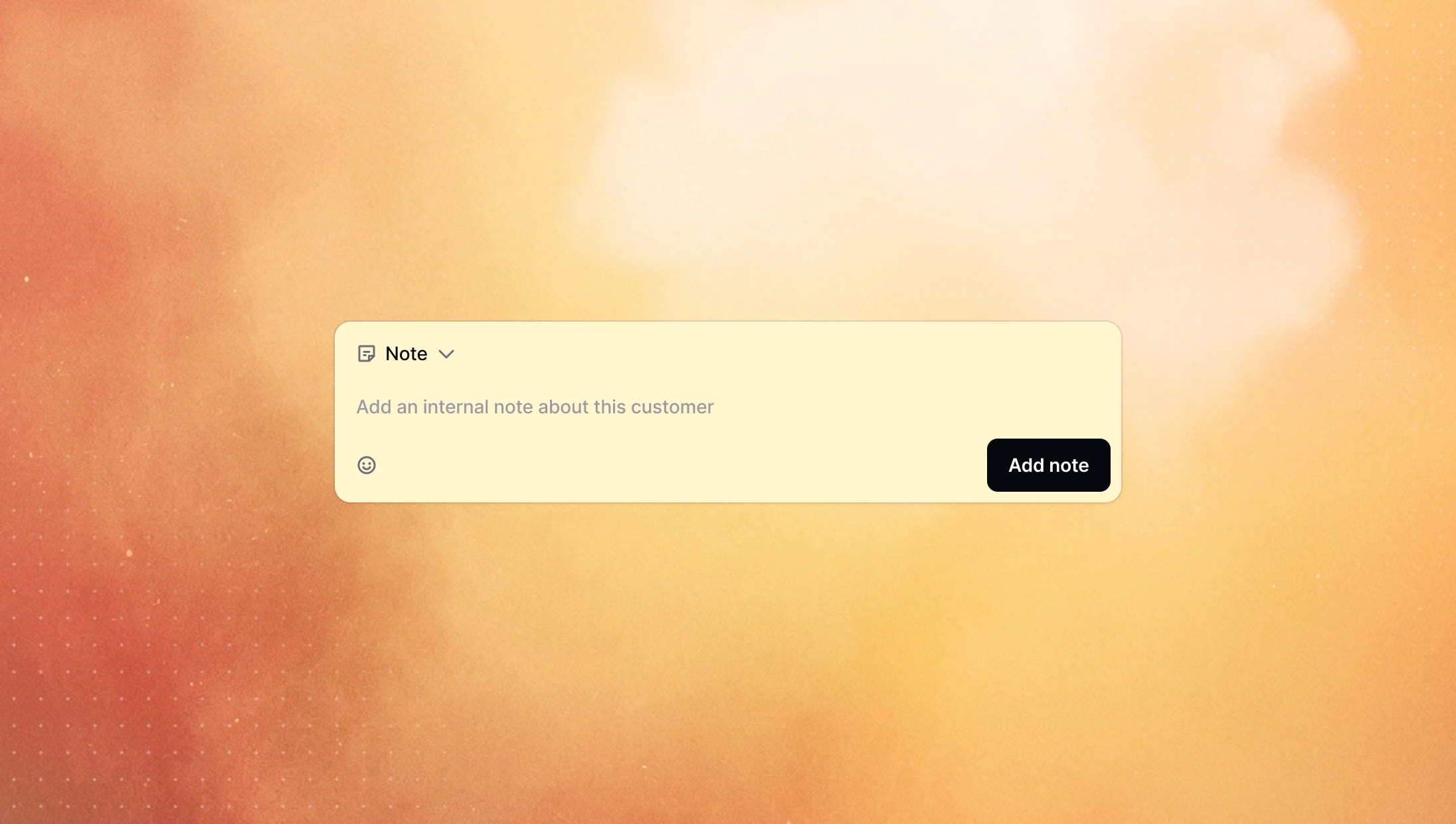
You can now leave internal notes directly on the customer timeline. They sit alongside calls and messages, so anyone who opens the customer sees the full picture at a glance and knows exactly where things stand before they reach out.
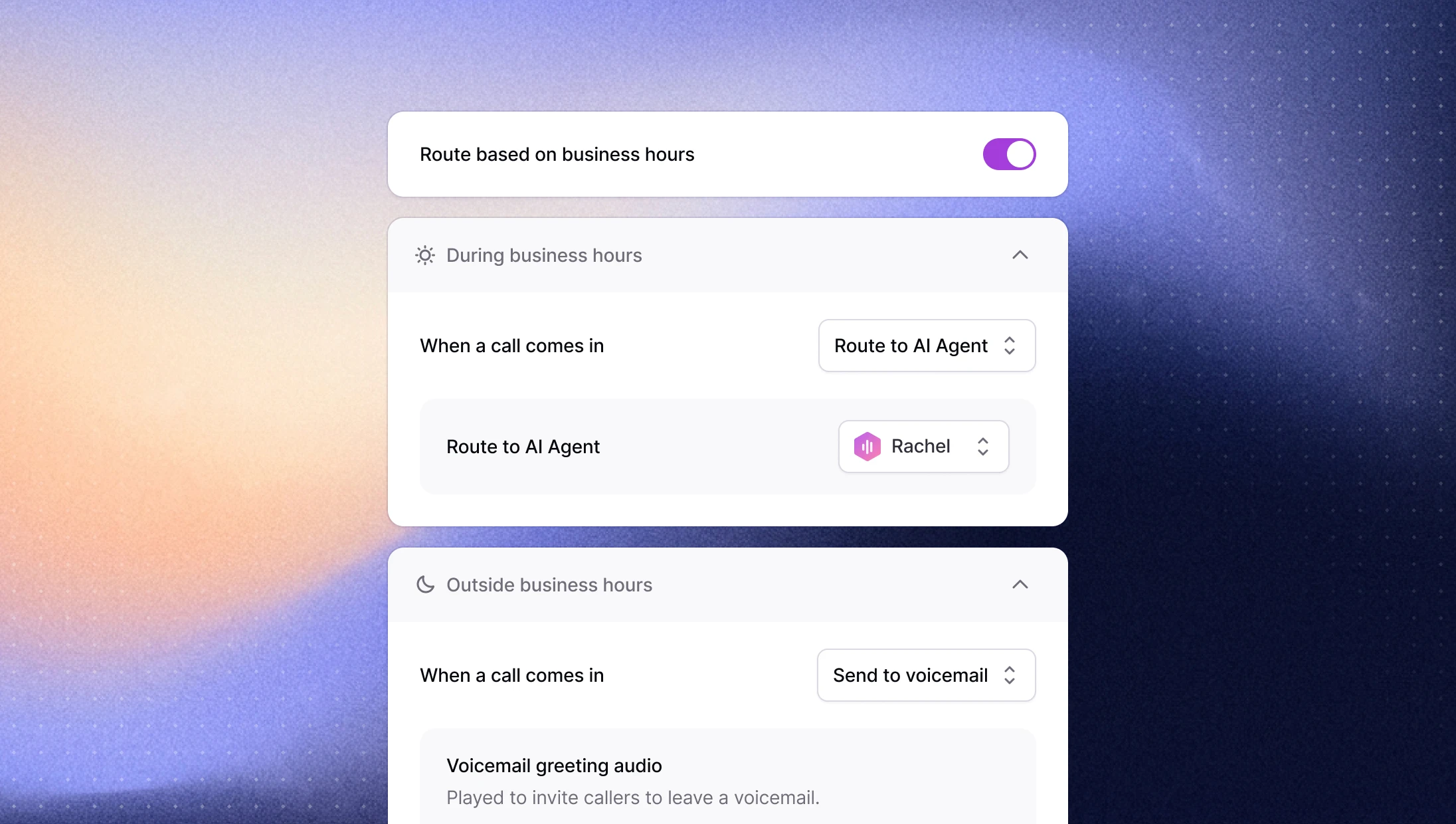
Route inbound calls by business hours
Calls that come in at 2pm and 2am rarely deserve the same treatment, but until now they got it. You can now route inbound calls differently during and outside your business hours, so after-hours callers can be sent somewhere appropriate instead of hitting the same path as everyone else.
Set your timezone and working hours in General Settings, then head to Calls Routing and toggle on routing based on business hours to customize each case.
→ Set it up in your calls routing settings
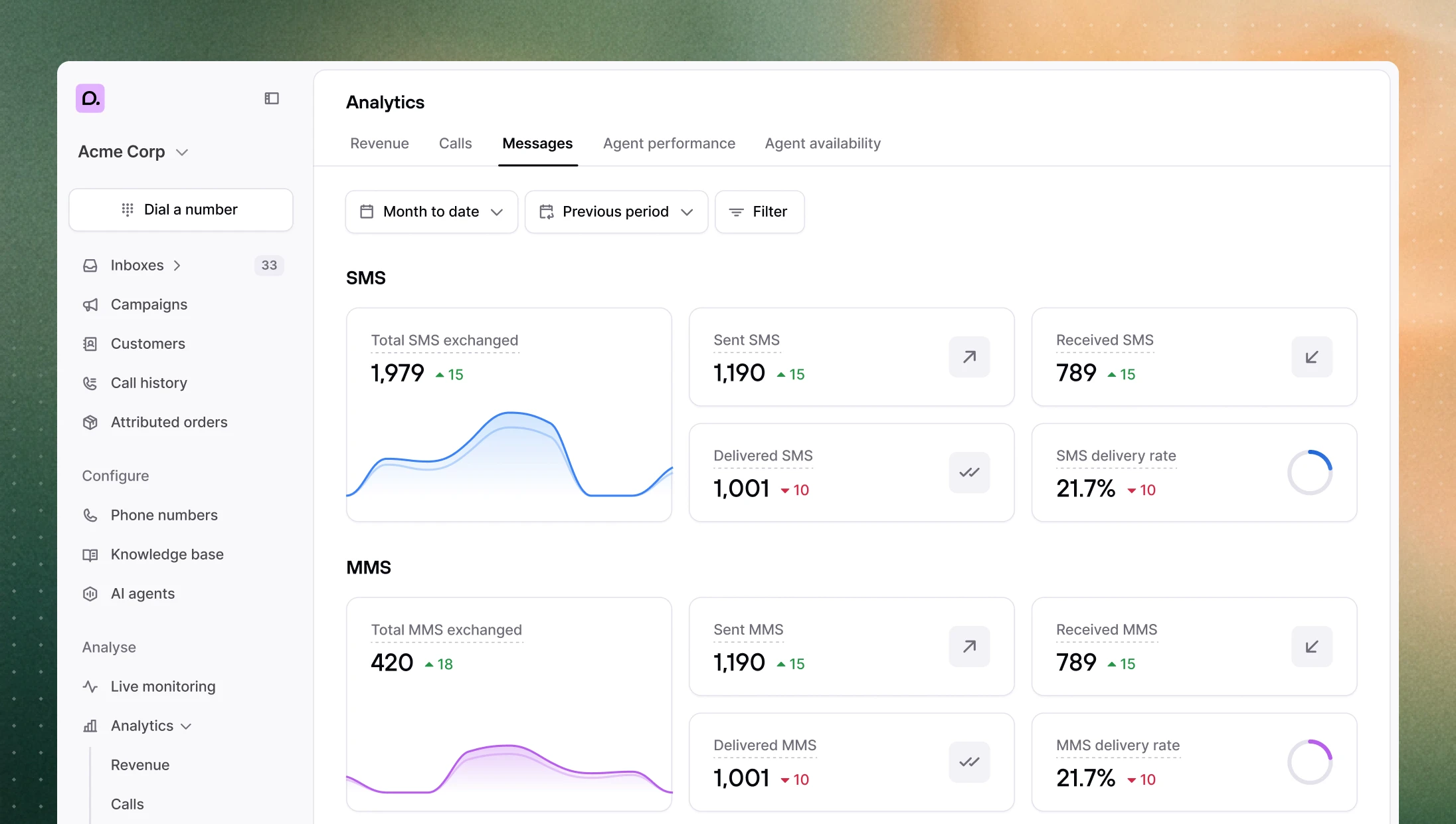
A deeper analytics suite
The new analytics suite got a substantial expansion over the past few weeks with new metrics, new tracking, and a faster page to work in.
MMS tracking: a dedicated section under Analytics > Messages, with messages carrying one or more media attachments tracked automatically.
Revenue at a glance: the revenue page now shows the average revenue, average order value, and conversion rate.
Last-touch attribution: choose between first-touch (credits the earliest qualifying interaction) and last-touch (credits the most recent) per workspace. Existing workspaces keep first-touch by default.
Agent availability breakdown: see agent availability measured against your business hours.
Export attributed orders: pull your attributed orders out for deeper analysis.
Cleaner attributed orders: $0 orders are hidden, refunded orders show with a strikethrough and drop out of the stats, and orders attributed to an AI agent now appear correctly, with a filter to isolate them.
Easier navigation: the filter bar stays pinned as you scroll, section tabs sit at the top of the page, the call history table can be filtered by phone number, and revenue funnel segments now have hover tooltips with clearer stage labels.
More reliable AI agents
Agents got noticeably steadier on the tasks that matter most during a live call.
Draft orders: creating a draft order mid-call is far more reliable, with the agent now identifying the customer first before building the order.
Faster order lookups: finding an existing order is quicker, especially on large accounts where lookups used to lag.
Broader catalog search: multi-word product searches like "red sweater" now return items matching either word rather than only exact matches on every word, so the agent has better options to pull from.
Other improvements
Gorgias customer matching: when a call creates a Gorgias ticket, Consio now matches it to the right customer by phone number first, then by email, and only creates a new customer if neither turns up, cutting down on duplicate contacts.
Call drawer: the call details drawer now scrolls as a single panel with a fixed top bar, plus arrows to move between calls and a button to copy a direct link to a call.
Incoming and transfer dialogs: the company name now shows on incoming call and transfer dialogs.
Customer timeline: you can now see which Shopify profile placed an order, and a new event records when a customer is added to the blocklist.
Call stats: short AI calls where the caller hangs up are no longer counted as missed calls.
You can now leave internal notes directly on the customer timeline. They sit alongside calls and messages, so anyone who opens the customer sees the full picture at a glance and knows exactly where things stand before they reach out.
Route inbound calls by business hours
Calls that come in at 2pm and 2am rarely deserve the same treatment, but until now they got it. You can now route inbound calls differently during and outside your business hours, so after-hours callers can be sent somewhere appropriate instead of hitting the same path as everyone else.
Set your timezone and working hours in General Settings, then head to Calls Routing and toggle on routing based on business hours to customize each case.
→ Set it up in your calls routing settings
A deeper analytics suite
The new analytics suite got a substantial expansion over the past few weeks with new metrics, new tracking, and a faster page to work in.
MMS tracking: a dedicated section under Analytics > Messages, with messages carrying one or more media attachments tracked automatically.
Revenue at a glance: the revenue page now shows the average revenue, average order value, and conversion rate.
Last-touch attribution: choose between first-touch (credits the earliest qualifying interaction) and last-touch (credits the most recent) per workspace. Existing workspaces keep first-touch by default.
Agent availability breakdown: see agent availability measured against your business hours.
Export attributed orders: pull your attributed orders out for deeper analysis.
Cleaner attributed orders: $0 orders are hidden, refunded orders show with a strikethrough and drop out of the stats, and orders attributed to an AI agent now appear correctly, with a filter to isolate them.
Easier navigation: the filter bar stays pinned as you scroll, section tabs sit at the top of the page, the call history table can be filtered by phone number, and revenue funnel segments now have hover tooltips with clearer stage labels.
More reliable AI agents
Agents got noticeably steadier on the tasks that matter most during a live call.
Draft orders: creating a draft order mid-call is far more reliable, with the agent now identifying the customer first before building the order.
Faster order lookups: finding an existing order is quicker, especially on large accounts where lookups used to lag.
Broader catalog search: multi-word product searches like "red sweater" now return items matching either word rather than only exact matches on every word, so the agent has better options to pull from.
Other improvements
Gorgias customer matching: when a call creates a Gorgias ticket, Consio now matches it to the right customer by phone number first, then by email, and only creates a new customer if neither turns up, cutting down on duplicate contacts.
Call drawer: the call details drawer now scrolls as a single panel with a fixed top bar, plus arrows to move between calls and a button to copy a direct link to a call.
Incoming and transfer dialogs: the company name now shows on incoming call and transfer dialogs.
Customer timeline: you can now see which Shopify profile placed an order, and a new event records when a customer is added to the blocklist.
Call stats: short AI calls where the caller hangs up are no longer counted as missed calls.
You can now leave internal notes directly on the customer timeline. They sit alongside calls and messages, so anyone who opens the customer sees the full picture at a glance and knows exactly where things stand before they reach out.
Route inbound calls by business hours
Calls that come in at 2pm and 2am rarely deserve the same treatment, but until now they got it. You can now route inbound calls differently during and outside your business hours, so after-hours callers can be sent somewhere appropriate instead of hitting the same path as everyone else.
Set your timezone and working hours in General Settings, then head to Calls Routing and toggle on routing based on business hours to customize each case.
→ Set it up in your calls routing settings
A deeper analytics suite
The new analytics suite got a substantial expansion over the past few weeks with new metrics, new tracking, and a faster page to work in.
MMS tracking: a dedicated section under Analytics > Messages, with messages carrying one or more media attachments tracked automatically.
Revenue at a glance: the revenue page now shows the average revenue, average order value, and conversion rate.
Last-touch attribution: choose between first-touch (credits the earliest qualifying interaction) and last-touch (credits the most recent) per workspace. Existing workspaces keep first-touch by default.
Agent availability breakdown: see agent availability measured against your business hours.
Export attributed orders: pull your attributed orders out for deeper analysis.
Cleaner attributed orders: $0 orders are hidden, refunded orders show with a strikethrough and drop out of the stats, and orders attributed to an AI agent now appear correctly, with a filter to isolate them.
Easier navigation: the filter bar stays pinned as you scroll, section tabs sit at the top of the page, the call history table can be filtered by phone number, and revenue funnel segments now have hover tooltips with clearer stage labels.
More reliable AI agents
Agents got noticeably steadier on the tasks that matter most during a live call.
Draft orders: creating a draft order mid-call is far more reliable, with the agent now identifying the customer first before building the order.
Faster order lookups: finding an existing order is quicker, especially on large accounts where lookups used to lag.
Broader catalog search: multi-word product searches like "red sweater" now return items matching either word rather than only exact matches on every word, so the agent has better options to pull from.
Other improvements
Gorgias customer matching: when a call creates a Gorgias ticket, Consio now matches it to the right customer by phone number first, then by email, and only creates a new customer if neither turns up, cutting down on duplicate contacts.
Call drawer: the call details drawer now scrolls as a single panel with a fixed top bar, plus arrows to move between calls and a button to copy a direct link to a call.
Incoming and transfer dialogs: the company name now shows on incoming call and transfer dialogs.
Customer timeline: you can now see which Shopify profile placed an order, and a new event records when a customer is added to the blocklist.
Call stats: short AI calls where the caller hangs up are no longer counted as missed calls.
You can now leave internal notes directly on the customer timeline. They sit alongside calls and messages, so anyone who opens the customer sees the full picture at a glance and knows exactly where things stand before they reach out.
Route inbound calls by business hours
Calls that come in at 2pm and 2am rarely deserve the same treatment, but until now they got it. You can now route inbound calls differently during and outside your business hours, so after-hours callers can be sent somewhere appropriate instead of hitting the same path as everyone else.
Set your timezone and working hours in General Settings, then head to Calls Routing and toggle on routing based on business hours to customize each case.
→ Set it up in your calls routing settings
A deeper analytics suite
The new analytics suite got a substantial expansion over the past few weeks with new metrics, new tracking, and a faster page to work in.
MMS tracking: a dedicated section under Analytics > Messages, with messages carrying one or more media attachments tracked automatically.
Revenue at a glance: the revenue page now shows the average revenue, average order value, and conversion rate.
Last-touch attribution: choose between first-touch (credits the earliest qualifying interaction) and last-touch (credits the most recent) per workspace. Existing workspaces keep first-touch by default.
Agent availability breakdown: see agent availability measured against your business hours.
Export attributed orders: pull your attributed orders out for deeper analysis.
Cleaner attributed orders: $0 orders are hidden, refunded orders show with a strikethrough and drop out of the stats, and orders attributed to an AI agent now appear correctly, with a filter to isolate them.
Easier navigation: the filter bar stays pinned as you scroll, section tabs sit at the top of the page, the call history table can be filtered by phone number, and revenue funnel segments now have hover tooltips with clearer stage labels.
More reliable AI agents
Agents got noticeably steadier on the tasks that matter most during a live call.
Draft orders: creating a draft order mid-call is far more reliable, with the agent now identifying the customer first before building the order.
Faster order lookups: finding an existing order is quicker, especially on large accounts where lookups used to lag.
Broader catalog search: multi-word product searches like "red sweater" now return items matching either word rather than only exact matches on every word, so the agent has better options to pull from.
Other improvements
Gorgias customer matching: when a call creates a Gorgias ticket, Consio now matches it to the right customer by phone number first, then by email, and only creates a new customer if neither turns up, cutting down on duplicate contacts.
Call drawer: the call details drawer now scrolls as a single panel with a fixed top bar, plus arrows to move between calls and a button to copy a direct link to a call.
Incoming and transfer dialogs: the company name now shows on incoming call and transfer dialogs.
Customer timeline: you can now see which Shopify profile placed an order, and a new event records when a customer is added to the blocklist.
Call stats: short AI calls where the caller hangs up are no longer counted as missed calls.
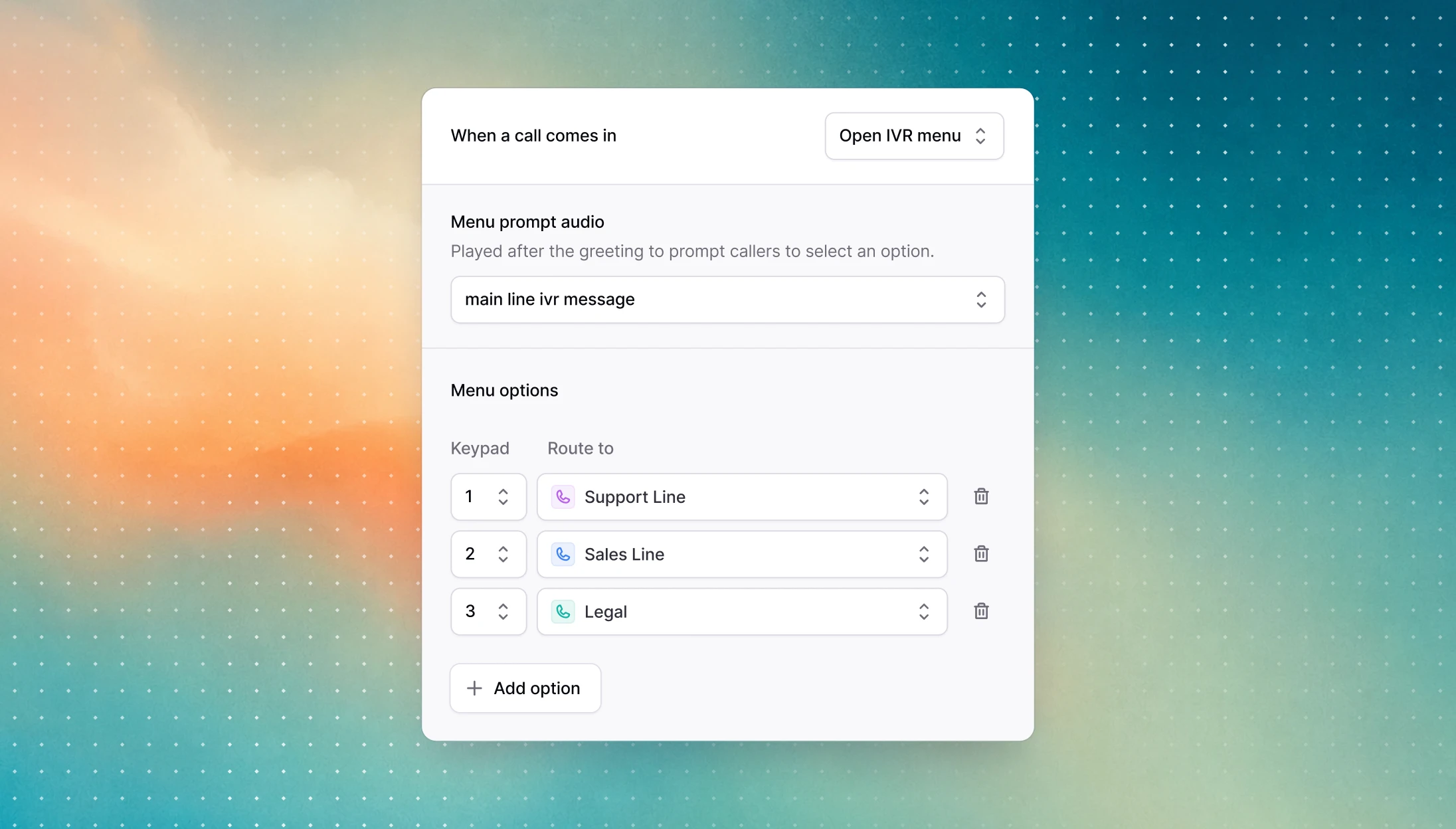
Your AI voice agents have always been able to act as an interactive voice agent on inbound calls. Plenty of you asked for the classic version too, so we added it: a keypad IVR menu you set up at the phone number level, with a prompt that reads out the options and each digit mapped to a destination, either another Consio number or any external number.
→ Set it up in your phone number settings
Product images and redesigned order cards
Consio now displays product images across the app, so reps and AI agents can see what a customer bought. The order, checkout, and draft cards also got a refresh, with clearer status badges and the variant name shown under the product name. If images are missing for a workspace, a quick Shopify reconnect resyncs them.
Call transcripts now include external transfers
When a call is transferred to an external number, that portion of the conversation is no longer a black box. The external transfer leg now appears in the transcript, under its own external phone number section in the Transcript tab.
Other improvements
Customer timeline: new Linked and Merged events show when profiles are connected (a new Shopify or Klaviyo profile) or combined (two customers sharing an email or phone), each with a snapshot of what triggered it.
Attribution: you can now use a 3-day attribution window for attributable events, for a more accurate read on what drove conversions.
Call transcripts: the external transfer leg now appears in the transcript, under its own section in the Transcript tab.
AI transfers: call transfers initiated by AI agents are more reliable, with fewer dropped or malformed attempts.
Messages: links in SMS are now styled and clickable, opening in a new tab when tapped.
Inbox: MMS attachments (images, GIFs, and PDFs) now show previews in the conversation list.
Call hold: hold music no longer plays on the agent's side, only the caller hears it.
AI agents: order lookups now accept valid 4-digit zip codes, such as Australian postcodes.
AI agents: agents now get cleaner context from previous calls and SMS exchanges, with the current call no longer duplicated and past interactions sorted most recent first.
AI agents: fixed a case where agents texted the wrong product link.
Phone numbers: mobile numbers are now labeled correctly instead of showing as toll free.
Inbound calls: calls now route correctly even when a workspace has no Shopify integration connected.
Dialer: fixed a freeze that could happen after sending a call to voicemail.
Shopify sync: product syncs handle Shopify rate limits gracefully instead of failing.
Customer profiles: you can now change your user name in your personal preferences.
Your AI voice agents have always been able to act as an interactive voice agent on inbound calls. Plenty of you asked for the classic version too, so we added it: a keypad IVR menu you set up at the phone number level, with a prompt that reads out the options and each digit mapped to a destination, either another Consio number or any external number.
→ Set it up in your phone number settings
Product images and redesigned order cards
Consio now displays product images across the app, so reps and AI agents can see what a customer bought. The order, checkout, and draft cards also got a refresh, with clearer status badges and the variant name shown under the product name. If images are missing for a workspace, a quick Shopify reconnect resyncs them.
Call transcripts now include external transfers
When a call is transferred to an external number, that portion of the conversation is no longer a black box. The external transfer leg now appears in the transcript, under its own external phone number section in the Transcript tab.
Other improvements
Customer timeline: new Linked and Merged events show when profiles are connected (a new Shopify or Klaviyo profile) or combined (two customers sharing an email or phone), each with a snapshot of what triggered it.
Attribution: you can now use a 3-day attribution window for attributable events, for a more accurate read on what drove conversions.
Call transcripts: the external transfer leg now appears in the transcript, under its own section in the Transcript tab.
AI transfers: call transfers initiated by AI agents are more reliable, with fewer dropped or malformed attempts.
Messages: links in SMS are now styled and clickable, opening in a new tab when tapped.
Inbox: MMS attachments (images, GIFs, and PDFs) now show previews in the conversation list.
Call hold: hold music no longer plays on the agent's side, only the caller hears it.
AI agents: order lookups now accept valid 4-digit zip codes, such as Australian postcodes.
AI agents: agents now get cleaner context from previous calls and SMS exchanges, with the current call no longer duplicated and past interactions sorted most recent first.
AI agents: fixed a case where agents texted the wrong product link.
Phone numbers: mobile numbers are now labeled correctly instead of showing as toll free.
Inbound calls: calls now route correctly even when a workspace has no Shopify integration connected.
Dialer: fixed a freeze that could happen after sending a call to voicemail.
Shopify sync: product syncs handle Shopify rate limits gracefully instead of failing.
Customer profiles: you can now change your user name in your personal preferences.
Your AI voice agents have always been able to act as an interactive voice agent on inbound calls. Plenty of you asked for the classic version too, so we added it: a keypad IVR menu you set up at the phone number level, with a prompt that reads out the options and each digit mapped to a destination, either another Consio number or any external number.
→ Set it up in your phone number settings
Product images and redesigned order cards
Consio now displays product images across the app, so reps and AI agents can see what a customer bought. The order, checkout, and draft cards also got a refresh, with clearer status badges and the variant name shown under the product name. If images are missing for a workspace, a quick Shopify reconnect resyncs them.
Call transcripts now include external transfers
When a call is transferred to an external number, that portion of the conversation is no longer a black box. The external transfer leg now appears in the transcript, under its own external phone number section in the Transcript tab.
Other improvements
Customer timeline: new Linked and Merged events show when profiles are connected (a new Shopify or Klaviyo profile) or combined (two customers sharing an email or phone), each with a snapshot of what triggered it.
Attribution: you can now use a 3-day attribution window for attributable events, for a more accurate read on what drove conversions.
Call transcripts: the external transfer leg now appears in the transcript, under its own section in the Transcript tab.
AI transfers: call transfers initiated by AI agents are more reliable, with fewer dropped or malformed attempts.
Messages: links in SMS are now styled and clickable, opening in a new tab when tapped.
Inbox: MMS attachments (images, GIFs, and PDFs) now show previews in the conversation list.
Call hold: hold music no longer plays on the agent's side, only the caller hears it.
AI agents: order lookups now accept valid 4-digit zip codes, such as Australian postcodes.
AI agents: agents now get cleaner context from previous calls and SMS exchanges, with the current call no longer duplicated and past interactions sorted most recent first.
AI agents: fixed a case where agents texted the wrong product link.
Phone numbers: mobile numbers are now labeled correctly instead of showing as toll free.
Inbound calls: calls now route correctly even when a workspace has no Shopify integration connected.
Dialer: fixed a freeze that could happen after sending a call to voicemail.
Shopify sync: product syncs handle Shopify rate limits gracefully instead of failing.
Customer profiles: you can now change your user name in your personal preferences.
Your AI voice agents have always been able to act as an interactive voice agent on inbound calls. Plenty of you asked for the classic version too, so we added it: a keypad IVR menu you set up at the phone number level, with a prompt that reads out the options and each digit mapped to a destination, either another Consio number or any external number.
→ Set it up in your phone number settings
Product images and redesigned order cards
Consio now displays product images across the app, so reps and AI agents can see what a customer bought. The order, checkout, and draft cards also got a refresh, with clearer status badges and the variant name shown under the product name. If images are missing for a workspace, a quick Shopify reconnect resyncs them.
Call transcripts now include external transfers
When a call is transferred to an external number, that portion of the conversation is no longer a black box. The external transfer leg now appears in the transcript, under its own external phone number section in the Transcript tab.
Other improvements
Customer timeline: new Linked and Merged events show when profiles are connected (a new Shopify or Klaviyo profile) or combined (two customers sharing an email or phone), each with a snapshot of what triggered it.
Attribution: you can now use a 3-day attribution window for attributable events, for a more accurate read on what drove conversions.
Call transcripts: the external transfer leg now appears in the transcript, under its own section in the Transcript tab.
AI transfers: call transfers initiated by AI agents are more reliable, with fewer dropped or malformed attempts.
Messages: links in SMS are now styled and clickable, opening in a new tab when tapped.
Inbox: MMS attachments (images, GIFs, and PDFs) now show previews in the conversation list.
Call hold: hold music no longer plays on the agent's side, only the caller hears it.
AI agents: order lookups now accept valid 4-digit zip codes, such as Australian postcodes.
AI agents: agents now get cleaner context from previous calls and SMS exchanges, with the current call no longer duplicated and past interactions sorted most recent first.
AI agents: fixed a case where agents texted the wrong product link.
Phone numbers: mobile numbers are now labeled correctly instead of showing as toll free.
Inbound calls: calls now route correctly even when a workspace has no Shopify integration connected.
Dialer: fixed a freeze that could happen after sending a call to voicemail.
Shopify sync: product syncs handle Shopify rate limits gracefully instead of failing.
Customer profiles: you can now change your user name in your personal preferences.
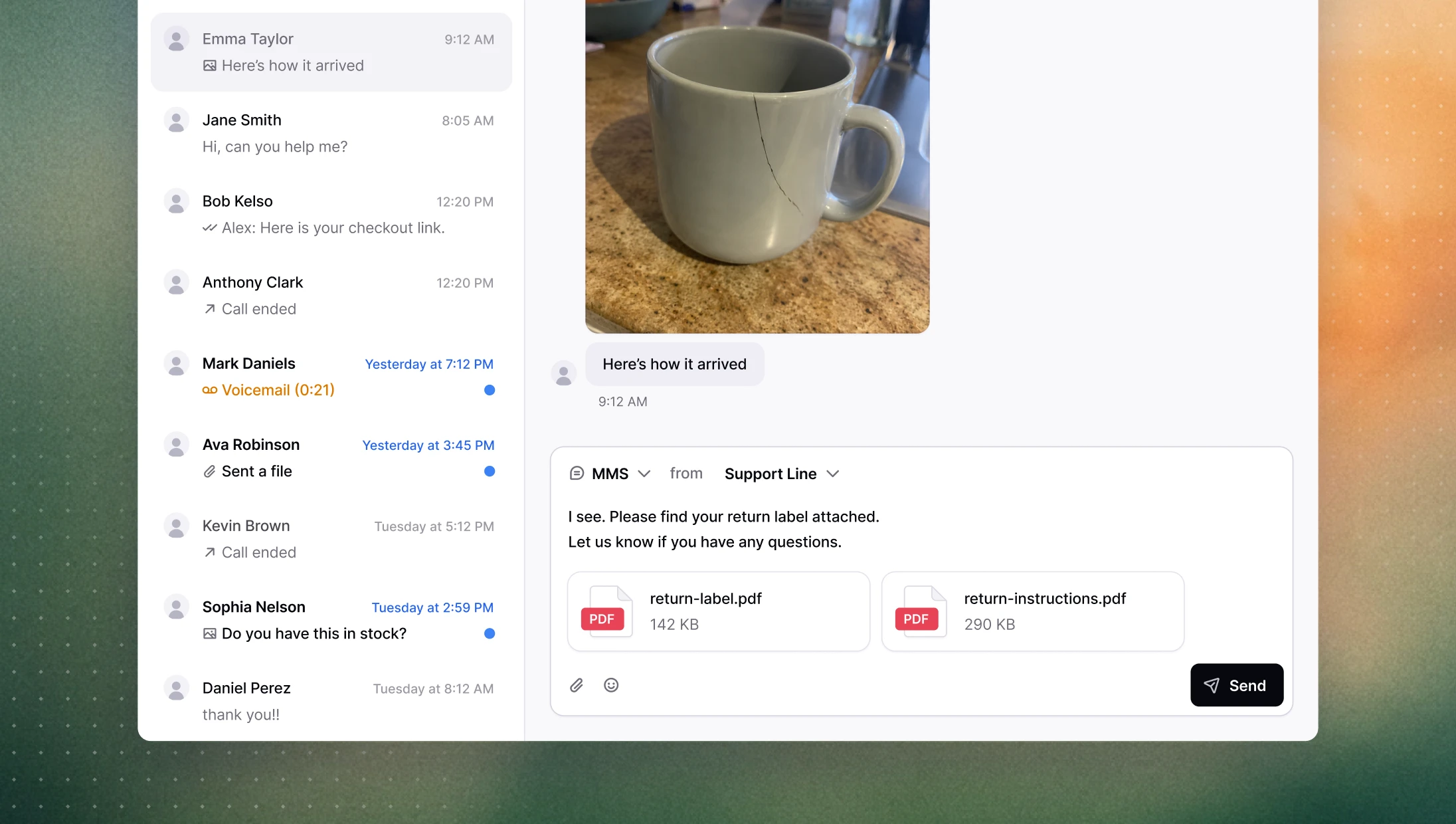
Send images and files over MMS
You asked, we listened. Sending a photo, a return label, or a PDF during a conversation used to mean stepping outside Consio entirely. Now agents can send files directly from the message composer, without breaking their flow. Upload via the paperclip icon, drag and drop, or paste from clipboard. Supported formats are JPG, PNG, GIF, and PDF, with a 5 MB limit per file and up to 10 files at a time.
→ Open a conversation to try it
Put a call on hold
Sometimes an agent needs a moment — to check something, loop in a colleague, or just gather their thoughts — without dropping the call or leaving the customer in silence. Agents can now put any live call on hold: the customer hears hold music, the state is logged, and the agent resumes when ready. Works on both inbound and outbound calls.
Recording controls: pause, resume, delete
The recording button during a call now pauses and resumes the recording rather than stopping it permanently. This matters in practice: agents often need to step away from recording mid-call without losing everything. And for cases where a recording needs to be removed after the fact (like a customer opting out) a delete option is now available directly from the recording menu.
Other improvements
Shopify customer notes: you can now edit a customer's Shopify note directly in Consio, and changes sync back to Shopify in real time.
Overmerge protection: customer records are no longer merged based on phone numbers that appear across too many profiles, reducing false merges from shared or dummy numbers.
Emoji picker: agents can now insert emojis from an in-app picker in the message composer.
Outbound call dispositions: "Issue resolved" is now available as a disposition on outbound calls.
Sales funnel: loading time on large workspaces has been reduced significantly.
Send images and files over MMS
You asked, we listened. Sending a photo, a return label, or a PDF during a conversation used to mean stepping outside Consio entirely. Now agents can send files directly from the message composer, without breaking their flow. Upload via the paperclip icon, drag and drop, or paste from clipboard. Supported formats are JPG, PNG, GIF, and PDF, with a 5 MB limit per file and up to 10 files at a time.
→ Open a conversation to try it
Put a call on hold
Sometimes an agent needs a moment — to check something, loop in a colleague, or just gather their thoughts — without dropping the call or leaving the customer in silence. Agents can now put any live call on hold: the customer hears hold music, the state is logged, and the agent resumes when ready. Works on both inbound and outbound calls.
Recording controls: pause, resume, delete
The recording button during a call now pauses and resumes the recording rather than stopping it permanently. This matters in practice: agents often need to step away from recording mid-call without losing everything. And for cases where a recording needs to be removed after the fact (like a customer opting out) a delete option is now available directly from the recording menu.
Other improvements
Shopify customer notes: you can now edit a customer's Shopify note directly in Consio, and changes sync back to Shopify in real time.
Overmerge protection: customer records are no longer merged based on phone numbers that appear across too many profiles, reducing false merges from shared or dummy numbers.
Emoji picker: agents can now insert emojis from an in-app picker in the message composer.
Outbound call dispositions: "Issue resolved" is now available as a disposition on outbound calls.
Sales funnel: loading time on large workspaces has been reduced significantly.
Send images and files over MMS
You asked, we listened. Sending a photo, a return label, or a PDF during a conversation used to mean stepping outside Consio entirely. Now agents can send files directly from the message composer, without breaking their flow. Upload via the paperclip icon, drag and drop, or paste from clipboard. Supported formats are JPG, PNG, GIF, and PDF, with a 5 MB limit per file and up to 10 files at a time.
→ Open a conversation to try it
Put a call on hold
Sometimes an agent needs a moment — to check something, loop in a colleague, or just gather their thoughts — without dropping the call or leaving the customer in silence. Agents can now put any live call on hold: the customer hears hold music, the state is logged, and the agent resumes when ready. Works on both inbound and outbound calls.
Recording controls: pause, resume, delete
The recording button during a call now pauses and resumes the recording rather than stopping it permanently. This matters in practice: agents often need to step away from recording mid-call without losing everything. And for cases where a recording needs to be removed after the fact (like a customer opting out) a delete option is now available directly from the recording menu.
Other improvements
Shopify customer notes: you can now edit a customer's Shopify note directly in Consio, and changes sync back to Shopify in real time.
Overmerge protection: customer records are no longer merged based on phone numbers that appear across too many profiles, reducing false merges from shared or dummy numbers.
Emoji picker: agents can now insert emojis from an in-app picker in the message composer.
Outbound call dispositions: "Issue resolved" is now available as a disposition on outbound calls.
Sales funnel: loading time on large workspaces has been reduced significantly.
Send images and files over MMS
You asked, we listened. Sending a photo, a return label, or a PDF during a conversation used to mean stepping outside Consio entirely. Now agents can send files directly from the message composer, without breaking their flow. Upload via the paperclip icon, drag and drop, or paste from clipboard. Supported formats are JPG, PNG, GIF, and PDF, with a 5 MB limit per file and up to 10 files at a time.
→ Open a conversation to try it
Put a call on hold
Sometimes an agent needs a moment — to check something, loop in a colleague, or just gather their thoughts — without dropping the call or leaving the customer in silence. Agents can now put any live call on hold: the customer hears hold music, the state is logged, and the agent resumes when ready. Works on both inbound and outbound calls.
Recording controls: pause, resume, delete
The recording button during a call now pauses and resumes the recording rather than stopping it permanently. This matters in practice: agents often need to step away from recording mid-call without losing everything. And for cases where a recording needs to be removed after the fact (like a customer opting out) a delete option is now available directly from the recording menu.
Other improvements
Shopify customer notes: you can now edit a customer's Shopify note directly in Consio, and changes sync back to Shopify in real time.
Overmerge protection: customer records are no longer merged based on phone numbers that appear across too many profiles, reducing false merges from shared or dummy numbers.
Emoji picker: agents can now insert emojis from an in-app picker in the message composer.
Outbound call dispositions: "Issue resolved" is now available as a disposition on outbound calls.
Sales funnel: loading time on large workspaces has been reduced significantly.
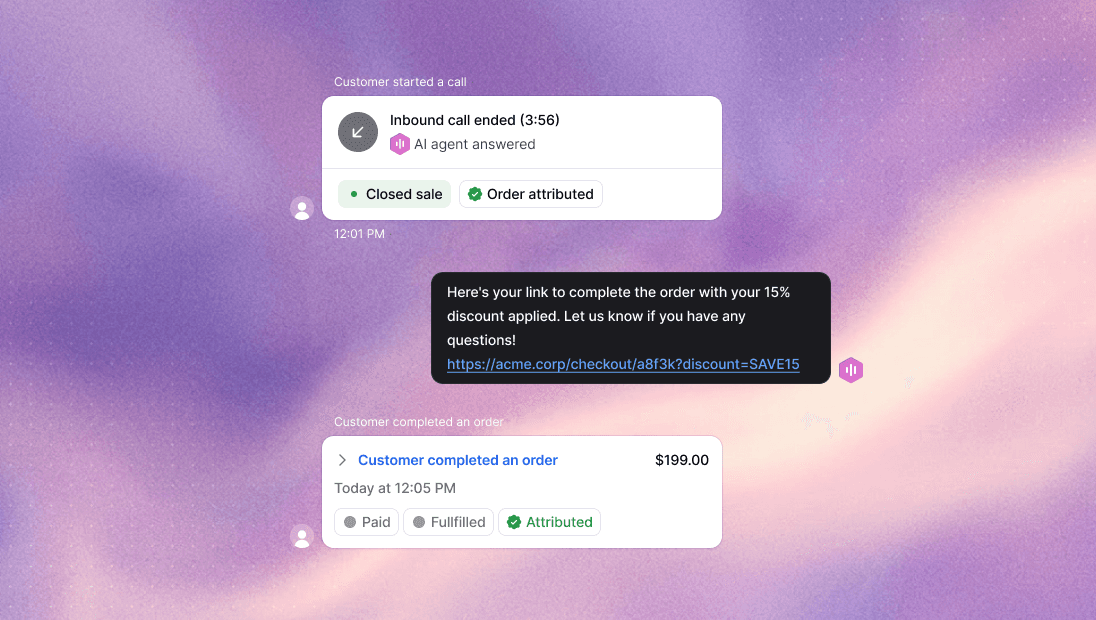
AI agents can now create draft orders during a call
When a customer calls ready to buy, your AI agent can now create a draft order on the spot, without a human agent stepping in. The AI agent selects the product requested by the customer, applies a discount code if configured, and generates a Shopify draft order that's ready for the customer to complete.
This is the first time Consio's AI agents go beyond support and into sales. Instead of ending a call with "I'll have someone follow up," the agent can move the customer directly toward a purchase — while they're still on the line and motivated.
This is a v0: we're monitoring calls closely and will improve product selection, variant matching, and failure handling in the next iteration.
→ Configure it in your AI agent settings
Smarter AI agent behavior
A few improvements to how AI agents handle calls:
Skip turn: the agent now waits for a customer response when needed, rather than filling silence with prompts.
Transfer announcements: agents always tell the customer before initiating a transfer.
No more 10-minute cutoff: calls are no longer automatically ended at 10 minutes.
Knowledge base improvements
Your AI agent's knowledge base now pulls from a wider range of sources. You can add any website: your help center, a third-party FAQ, a Shopify store page… and the agent will learn from it.
Analytics: filters, granularity, and chart polish
Several improvements have landed since the analytics launch:
Filters: Revenue, Calls, and Messages pages can now be filtered by agent, phone number, and campaign. Filters carry over when switching tabs.
Granularity: charts now support hourly, daily, and weekly views, with smart defaults based on the selected date range.
Navigation: analytics sections are now accessible directly from the sidebar rather than buried under a single tab.
Chart improvements: hover states on the heatmap, snapping tooltips on line and area charts, and interactive bar chart highlighting.
Default sorting: Agent Performance sorts by total calls; Agent Availability sorts by work time.
AI agents can now create draft orders during a call
When a customer calls ready to buy, your AI agent can now create a draft order on the spot, without a human agent stepping in. The AI agent selects the product requested by the customer, applies a discount code if configured, and generates a Shopify draft order that's ready for the customer to complete.
This is the first time Consio's AI agents go beyond support and into sales. Instead of ending a call with "I'll have someone follow up," the agent can move the customer directly toward a purchase — while they're still on the line and motivated.
This is a v0: we're monitoring calls closely and will improve product selection, variant matching, and failure handling in the next iteration.
→ Configure it in your AI agent settings
Smarter AI agent behavior
A few improvements to how AI agents handle calls:
Skip turn: the agent now waits for a customer response when needed, rather than filling silence with prompts.
Transfer announcements: agents always tell the customer before initiating a transfer.
No more 10-minute cutoff: calls are no longer automatically ended at 10 minutes.
Knowledge base improvements
Your AI agent's knowledge base now pulls from a wider range of sources. You can add any website: your help center, a third-party FAQ, a Shopify store page… and the agent will learn from it.
Analytics: filters, granularity, and chart polish
Several improvements have landed since the analytics launch:
Filters: Revenue, Calls, and Messages pages can now be filtered by agent, phone number, and campaign. Filters carry over when switching tabs.
Granularity: charts now support hourly, daily, and weekly views, with smart defaults based on the selected date range.
Navigation: analytics sections are now accessible directly from the sidebar rather than buried under a single tab.
Chart improvements: hover states on the heatmap, snapping tooltips on line and area charts, and interactive bar chart highlighting.
Default sorting: Agent Performance sorts by total calls; Agent Availability sorts by work time.
AI agents can now create draft orders during a call
When a customer calls ready to buy, your AI agent can now create a draft order on the spot, without a human agent stepping in. The AI agent selects the product requested by the customer, applies a discount code if configured, and generates a Shopify draft order that's ready for the customer to complete.
This is the first time Consio's AI agents go beyond support and into sales. Instead of ending a call with "I'll have someone follow up," the agent can move the customer directly toward a purchase — while they're still on the line and motivated.
This is a v0: we're monitoring calls closely and will improve product selection, variant matching, and failure handling in the next iteration.
→ Configure it in your AI agent settings
Smarter AI agent behavior
A few improvements to how AI agents handle calls:
Skip turn: the agent now waits for a customer response when needed, rather than filling silence with prompts.
Transfer announcements: agents always tell the customer before initiating a transfer.
No more 10-minute cutoff: calls are no longer automatically ended at 10 minutes.
Knowledge base improvements
Your AI agent's knowledge base now pulls from a wider range of sources. You can add any website: your help center, a third-party FAQ, a Shopify store page… and the agent will learn from it.
Analytics: filters, granularity, and chart polish
Several improvements have landed since the analytics launch:
Filters: Revenue, Calls, and Messages pages can now be filtered by agent, phone number, and campaign. Filters carry over when switching tabs.
Granularity: charts now support hourly, daily, and weekly views, with smart defaults based on the selected date range.
Navigation: analytics sections are now accessible directly from the sidebar rather than buried under a single tab.
Chart improvements: hover states on the heatmap, snapping tooltips on line and area charts, and interactive bar chart highlighting.
Default sorting: Agent Performance sorts by total calls; Agent Availability sorts by work time.
AI agents can now create draft orders during a call
When a customer calls ready to buy, your AI agent can now create a draft order on the spot, without a human agent stepping in. The AI agent selects the product requested by the customer, applies a discount code if configured, and generates a Shopify draft order that's ready for the customer to complete.
This is the first time Consio's AI agents go beyond support and into sales. Instead of ending a call with "I'll have someone follow up," the agent can move the customer directly toward a purchase — while they're still on the line and motivated.
This is a v0: we're monitoring calls closely and will improve product selection, variant matching, and failure handling in the next iteration.
→ Configure it in your AI agent settings
Smarter AI agent behavior
A few improvements to how AI agents handle calls:
Skip turn: the agent now waits for a customer response when needed, rather than filling silence with prompts.
Transfer announcements: agents always tell the customer before initiating a transfer.
No more 10-minute cutoff: calls are no longer automatically ended at 10 minutes.
Knowledge base improvements
Your AI agent's knowledge base now pulls from a wider range of sources. You can add any website: your help center, a third-party FAQ, a Shopify store page… and the agent will learn from it.
Analytics: filters, granularity, and chart polish
Several improvements have landed since the analytics launch:
Filters: Revenue, Calls, and Messages pages can now be filtered by agent, phone number, and campaign. Filters carry over when switching tabs.
Granularity: charts now support hourly, daily, and weekly views, with smart defaults based on the selected date range.
Navigation: analytics sections are now accessible directly from the sidebar rather than buried under a single tab.
Chart improvements: hover states on the heatmap, snapping tooltips on line and area charts, and interactive bar chart highlighting.
Default sorting: Agent Performance sorts by total calls; Agent Availability sorts by work time.
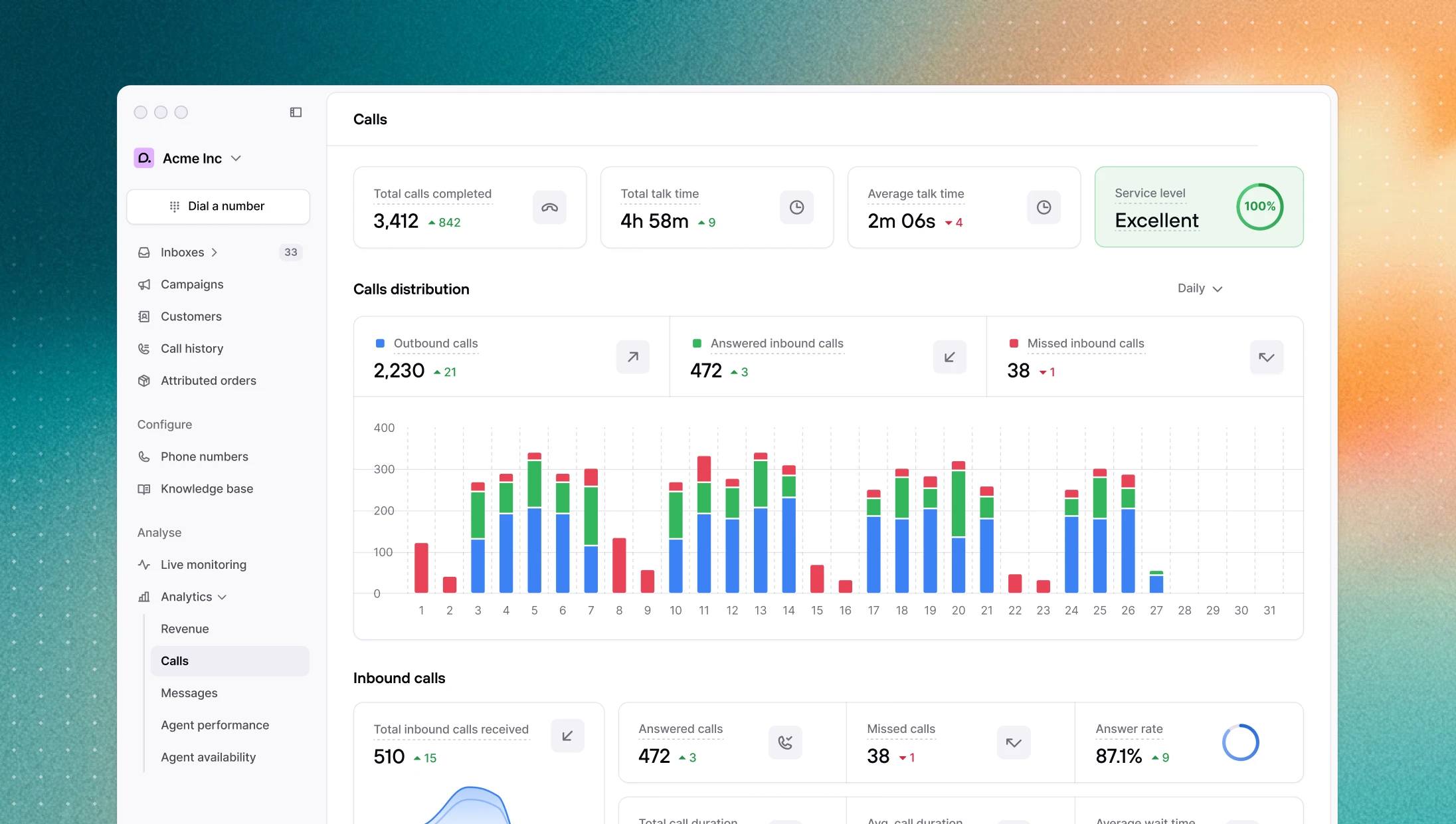
Consio has always had an analytics page. Over time, as the product grew, it became a comprehensive but dense table of numbers (useful for looking up a specific metric, but hard to read at a glance or spot a trend in). So we rebuilt it from scratch.
The new analytics section replaces it with three dedicated pages: Revenue, Calls, and Messages, each one built around the questions that actually matter to your team.
Revenue analytics
The question every team running outbound asks at some point is simple: is this actually working? Not in terms of calls made or messages sent, but in terms of money.
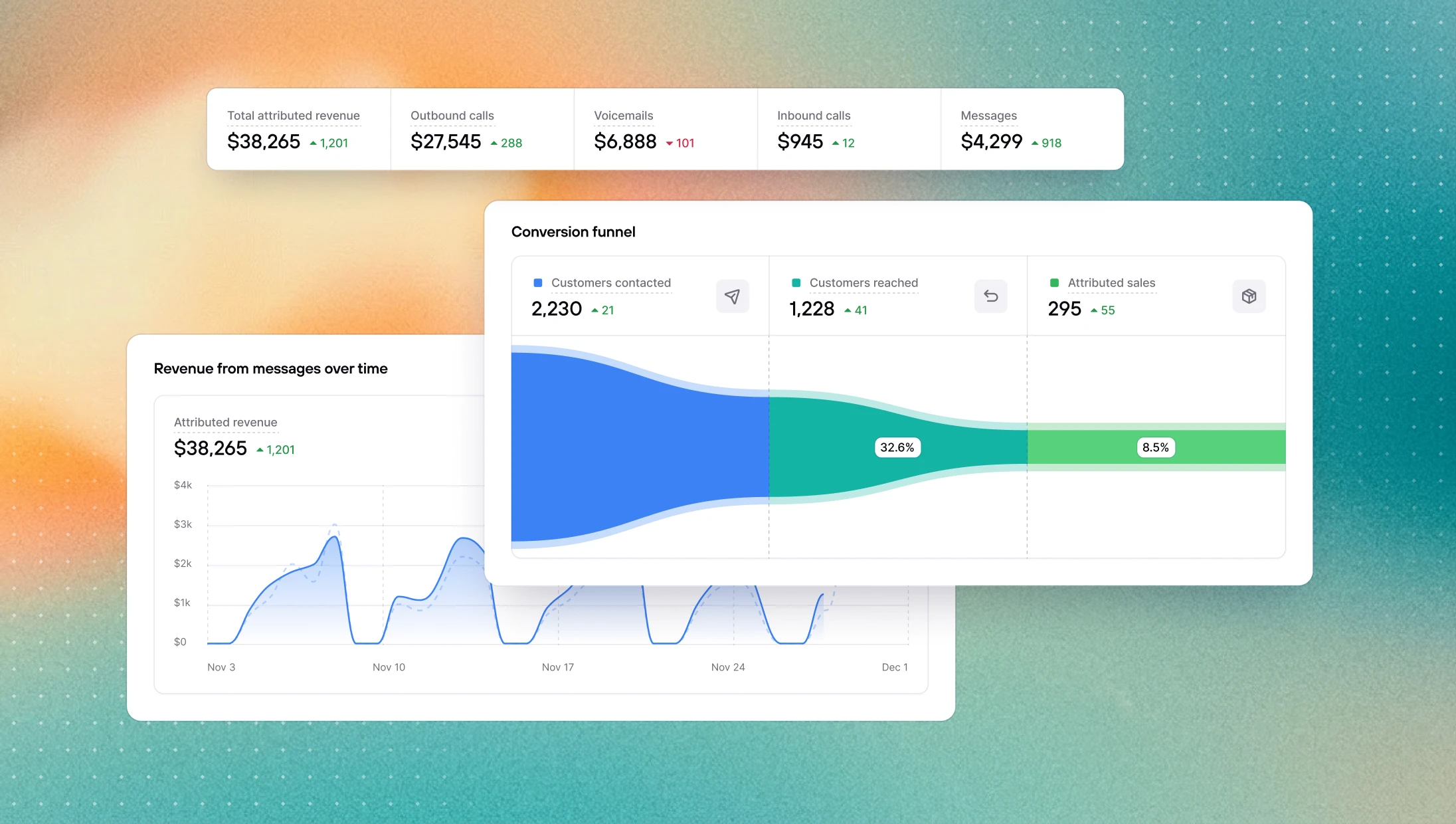
The Revenue page is built around that question. You can see how attributed revenue breaks down by channel and how it moves over time, with the current period and the previous one plotted together so trends and anomalies jump out immediately. Further down, a conversion funnel shows exactly where in the process people drop off, from customers contacted, to customers reached, to attributed sales — and with conversion rates at each step. If you're struggling to convert, it tells you whether the problem is reach or pitch.
Calls analytics
Call activity generates a lot of numbers. The hard part is knowing which ones to pay attention to.
The Calls page surfaces what matters: answer rate, connection rate, average wait time, service level. A stacked bar chart breaks down your call volume day by day across the selected period, with outbound, answered inbound, and missed inbound color-coded. As a result, a day with a spike in missed calls is immediately visible. Inbound and outbound are then broken out into their own sections, because mixing the two into a single view rarely tells you anything useful.
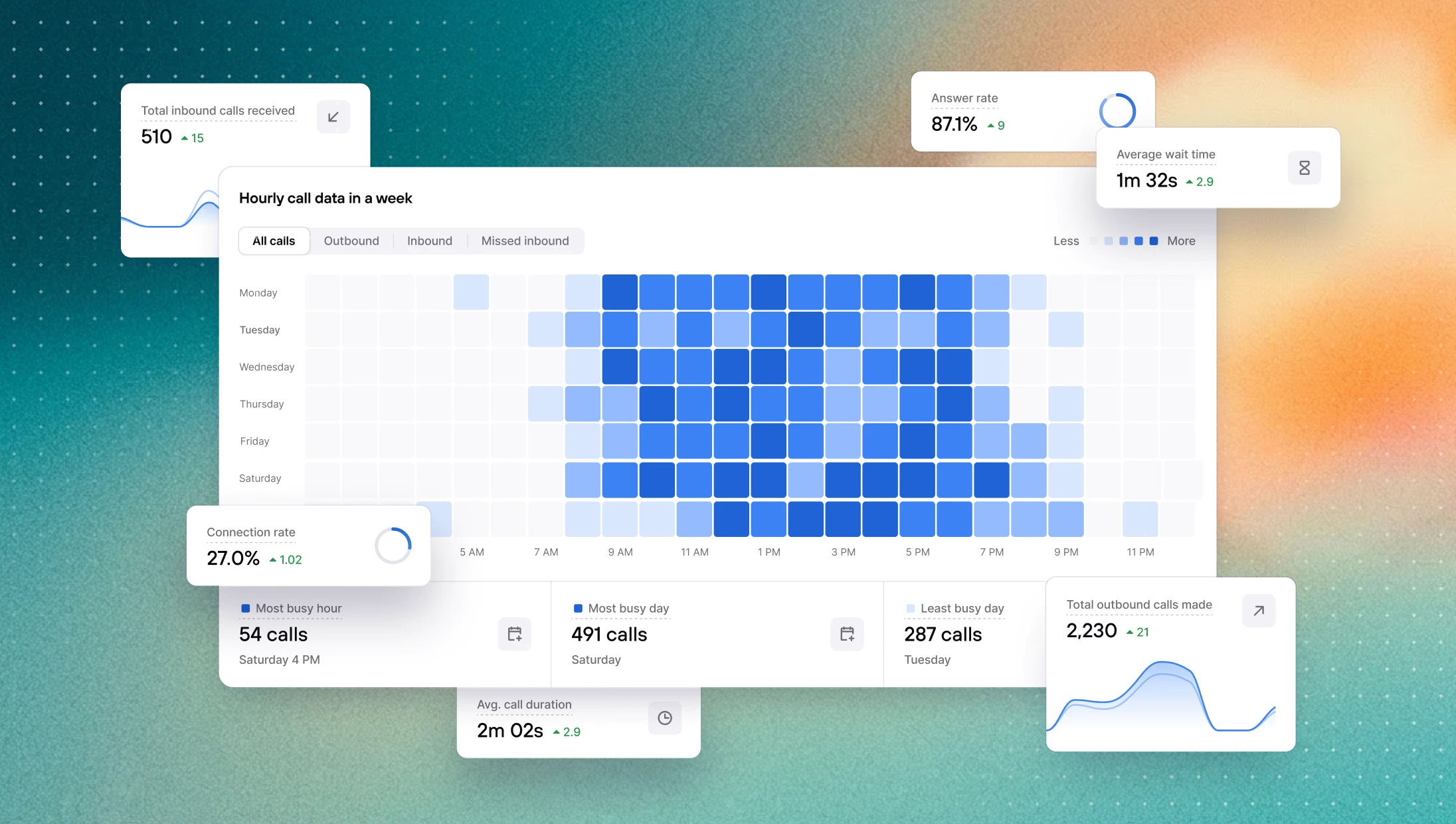
Thanks our new weekly heatmap that shows call volume by hour across every day of the week, you'll now be able to answer the question teams always ask eventually: when are our customers actually calling, and are we available when they do?
Messages
SMS is often the part of the operation that gets the least scrutiny, partly because the data was always buried.
The Messages page brings it to the surface: delivery rate, reply rate, sent vs. received breakdown, all compared against the previous period. If your delivery rate is quietly dropping or your reply rate is lower than it should be, this is where you'll see it before it becomes a real problem.
→ View your messages analytics
AI agent voice upgraded
AI agents now use ElevenLabs V3 as their default voice model. The improvement is most noticeable when reading out order numbers, tracking codes, or other sequences of digits, which V3 handles significantly more clearly than V2. Overall voice quality is also cleaner and more natural.
AI agents answer order questions more naturally
AI agents now come into every call with recent order data already loaded in context. This means agents no longer need to run a tool call just to answer a basic question like "what's my order status?" — the information is already there. Calls feel more fluid, and agents spend less time doing unnecessary lookups.
Other improvements
Agent availability: time spent in each availability status is now displayed in hours and minutes instead of days, making the data easier to read at a glance.
Calls: fixed a reliability issue where conference calls would sometimes create a duplicate session, leaving a participant stuck in an empty conference.
Consio has always had an analytics page. Over time, as the product grew, it became a comprehensive but dense table of numbers (useful for looking up a specific metric, but hard to read at a glance or spot a trend in). So we rebuilt it from scratch.
The new analytics section replaces it with three dedicated pages: Revenue, Calls, and Messages, each one built around the questions that actually matter to your team.
Revenue analytics
The question every team running outbound asks at some point is simple: is this actually working? Not in terms of calls made or messages sent, but in terms of money.
The Revenue page is built around that question. You can see how attributed revenue breaks down by channel and how it moves over time, with the current period and the previous one plotted together so trends and anomalies jump out immediately. Further down, a conversion funnel shows exactly where in the process people drop off, from customers contacted, to customers reached, to attributed sales — and with conversion rates at each step. If you're struggling to convert, it tells you whether the problem is reach or pitch.
Calls analytics
Call activity generates a lot of numbers. The hard part is knowing which ones to pay attention to.
The Calls page surfaces what matters: answer rate, connection rate, average wait time, service level. A stacked bar chart breaks down your call volume day by day across the selected period, with outbound, answered inbound, and missed inbound color-coded. As a result, a day with a spike in missed calls is immediately visible. Inbound and outbound are then broken out into their own sections, because mixing the two into a single view rarely tells you anything useful.
Thanks our new weekly heatmap that shows call volume by hour across every day of the week, you'll now be able to answer the question teams always ask eventually: when are our customers actually calling, and are we available when they do?
Messages
SMS is often the part of the operation that gets the least scrutiny, partly because the data was always buried.
The Messages page brings it to the surface: delivery rate, reply rate, sent vs. received breakdown, all compared against the previous period. If your delivery rate is quietly dropping or your reply rate is lower than it should be, this is where you'll see it before it becomes a real problem.
→ View your messages analytics
AI agent voice upgraded
AI agents now use ElevenLabs V3 as their default voice model. The improvement is most noticeable when reading out order numbers, tracking codes, or other sequences of digits, which V3 handles significantly more clearly than V2. Overall voice quality is also cleaner and more natural.
AI agents answer order questions more naturally
AI agents now come into every call with recent order data already loaded in context. This means agents no longer need to run a tool call just to answer a basic question like "what's my order status?" — the information is already there. Calls feel more fluid, and agents spend less time doing unnecessary lookups.
Other improvements
Agent availability: time spent in each availability status is now displayed in hours and minutes instead of days, making the data easier to read at a glance.
Calls: fixed a reliability issue where conference calls would sometimes create a duplicate session, leaving a participant stuck in an empty conference.
Consio has always had an analytics page. Over time, as the product grew, it became a comprehensive but dense table of numbers (useful for looking up a specific metric, but hard to read at a glance or spot a trend in). So we rebuilt it from scratch.
The new analytics section replaces it with three dedicated pages: Revenue, Calls, and Messages, each one built around the questions that actually matter to your team.
Revenue analytics
The question every team running outbound asks at some point is simple: is this actually working? Not in terms of calls made or messages sent, but in terms of money.
The Revenue page is built around that question. You can see how attributed revenue breaks down by channel and how it moves over time, with the current period and the previous one plotted together so trends and anomalies jump out immediately. Further down, a conversion funnel shows exactly where in the process people drop off, from customers contacted, to customers reached, to attributed sales — and with conversion rates at each step. If you're struggling to convert, it tells you whether the problem is reach or pitch.
Calls analytics
Call activity generates a lot of numbers. The hard part is knowing which ones to pay attention to.
The Calls page surfaces what matters: answer rate, connection rate, average wait time, service level. A stacked bar chart breaks down your call volume day by day across the selected period, with outbound, answered inbound, and missed inbound color-coded. As a result, a day with a spike in missed calls is immediately visible. Inbound and outbound are then broken out into their own sections, because mixing the two into a single view rarely tells you anything useful.
Thanks our new weekly heatmap that shows call volume by hour across every day of the week, you'll now be able to answer the question teams always ask eventually: when are our customers actually calling, and are we available when they do?
Messages
SMS is often the part of the operation that gets the least scrutiny, partly because the data was always buried.
The Messages page brings it to the surface: delivery rate, reply rate, sent vs. received breakdown, all compared against the previous period. If your delivery rate is quietly dropping or your reply rate is lower than it should be, this is where you'll see it before it becomes a real problem.
→ View your messages analytics
AI agent voice upgraded
AI agents now use ElevenLabs V3 as their default voice model. The improvement is most noticeable when reading out order numbers, tracking codes, or other sequences of digits, which V3 handles significantly more clearly than V2. Overall voice quality is also cleaner and more natural.
AI agents answer order questions more naturally
AI agents now come into every call with recent order data already loaded in context. This means agents no longer need to run a tool call just to answer a basic question like "what's my order status?" — the information is already there. Calls feel more fluid, and agents spend less time doing unnecessary lookups.
Other improvements
Agent availability: time spent in each availability status is now displayed in hours and minutes instead of days, making the data easier to read at a glance.
Calls: fixed a reliability issue where conference calls would sometimes create a duplicate session, leaving a participant stuck in an empty conference.
Consio has always had an analytics page. Over time, as the product grew, it became a comprehensive but dense table of numbers (useful for looking up a specific metric, but hard to read at a glance or spot a trend in). So we rebuilt it from scratch.
The new analytics section replaces it with three dedicated pages: Revenue, Calls, and Messages, each one built around the questions that actually matter to your team.
Revenue analytics
The question every team running outbound asks at some point is simple: is this actually working? Not in terms of calls made or messages sent, but in terms of money.
The Revenue page is built around that question. You can see how attributed revenue breaks down by channel and how it moves over time, with the current period and the previous one plotted together so trends and anomalies jump out immediately. Further down, a conversion funnel shows exactly where in the process people drop off, from customers contacted, to customers reached, to attributed sales — and with conversion rates at each step. If you're struggling to convert, it tells you whether the problem is reach or pitch.
Calls analytics
Call activity generates a lot of numbers. The hard part is knowing which ones to pay attention to.
The Calls page surfaces what matters: answer rate, connection rate, average wait time, service level. A stacked bar chart breaks down your call volume day by day across the selected period, with outbound, answered inbound, and missed inbound color-coded. As a result, a day with a spike in missed calls is immediately visible. Inbound and outbound are then broken out into their own sections, because mixing the two into a single view rarely tells you anything useful.
Thanks our new weekly heatmap that shows call volume by hour across every day of the week, you'll now be able to answer the question teams always ask eventually: when are our customers actually calling, and are we available when they do?
Messages
SMS is often the part of the operation that gets the least scrutiny, partly because the data was always buried.
The Messages page brings it to the surface: delivery rate, reply rate, sent vs. received breakdown, all compared against the previous period. If your delivery rate is quietly dropping or your reply rate is lower than it should be, this is where you'll see it before it becomes a real problem.
→ View your messages analytics
AI agent voice upgraded
AI agents now use ElevenLabs V3 as their default voice model. The improvement is most noticeable when reading out order numbers, tracking codes, or other sequences of digits, which V3 handles significantly more clearly than V2. Overall voice quality is also cleaner and more natural.
AI agents answer order questions more naturally
AI agents now come into every call with recent order data already loaded in context. This means agents no longer need to run a tool call just to answer a basic question like "what's my order status?" — the information is already there. Calls feel more fluid, and agents spend less time doing unnecessary lookups.
Other improvements
Agent availability: time spent in each availability status is now displayed in hours and minutes instead of days, making the data easier to read at a glance.
Calls: fixed a reliability issue where conference calls would sometimes create a duplicate session, leaving a participant stuck in an empty conference.
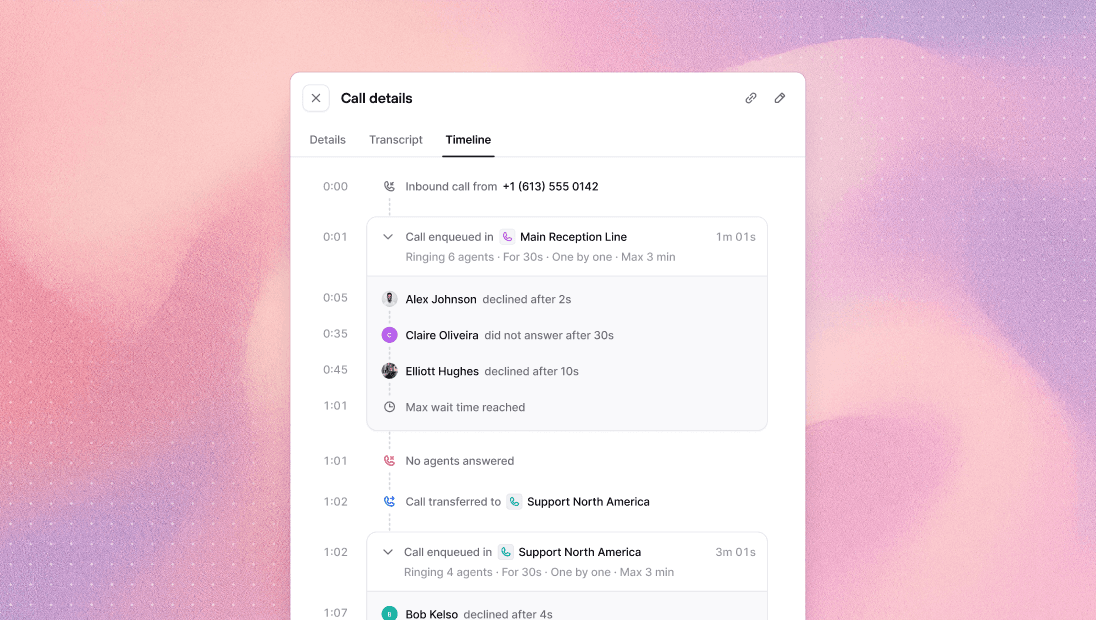
The call drawer now includes a detailed timeline of everything that happened during call routing: who was rung, for how long, whether they were available or declined, and when fallback was triggered. Useful for understanding exactly what happened on any call, without having to ask the team.
Round-robin routing
Before this change, inbound calls were assigned to agents at random, which in practice meant the same agent often got rung multiple times in a row while others sat idle. Calls are now distributed using a round-robin strategy: when no previous agent relationship exists, the agent who has waited longest since their last completed call is rung first. Fairer distribution, less burnout.
AI agents end silent calls sooner
When a customer picks up but doesn't engage (i.e. no response after the greeting, no reply to follow-up prompts), the AI agent now ends the call after roughly 20 to 25 seconds or 2 to 3 unanswered prompts. Previously, these calls would run for much longer, wasting time and credits. The agent gives the customer a chance to respond, warns once, then ends cleanly.
Other improvements
App load: the app now loads noticeably faster. You probably never noticed it was slow, but we did.
AI agents: fixed a bug where the scroll was blocked in the transfer calls configuration popup, preventing agents from saving new instructions.
Customer profile: fixed a regression where clicking to copy a customer field had stopped working.
Klaviyo: segments were sometimes created with the wrong event source. Now they always use the correct Shopify events and updated date ranges.
Klaviyo: fixed a bug where checkboxes in the Klaviyo widget edit mode were not responding to clicks.
Dialer: fixed a bug where an agent's phone kept ringing after the customer had already hung up.
The call drawer now includes a detailed timeline of everything that happened during call routing: who was rung, for how long, whether they were available or declined, and when fallback was triggered. Useful for understanding exactly what happened on any call, without having to ask the team.
Round-robin routing
Before this change, inbound calls were assigned to agents at random, which in practice meant the same agent often got rung multiple times in a row while others sat idle. Calls are now distributed using a round-robin strategy: when no previous agent relationship exists, the agent who has waited longest since their last completed call is rung first. Fairer distribution, less burnout.
AI agents end silent calls sooner
When a customer picks up but doesn't engage (i.e. no response after the greeting, no reply to follow-up prompts), the AI agent now ends the call after roughly 20 to 25 seconds or 2 to 3 unanswered prompts. Previously, these calls would run for much longer, wasting time and credits. The agent gives the customer a chance to respond, warns once, then ends cleanly.
Other improvements
App load: the app now loads noticeably faster. You probably never noticed it was slow, but we did.
AI agents: fixed a bug where the scroll was blocked in the transfer calls configuration popup, preventing agents from saving new instructions.
Customer profile: fixed a regression where clicking to copy a customer field had stopped working.
Klaviyo: segments were sometimes created with the wrong event source. Now they always use the correct Shopify events and updated date ranges.
Klaviyo: fixed a bug where checkboxes in the Klaviyo widget edit mode were not responding to clicks.
Dialer: fixed a bug where an agent's phone kept ringing after the customer had already hung up.
The call drawer now includes a detailed timeline of everything that happened during call routing: who was rung, for how long, whether they were available or declined, and when fallback was triggered. Useful for understanding exactly what happened on any call, without having to ask the team.
Round-robin routing
Before this change, inbound calls were assigned to agents at random, which in practice meant the same agent often got rung multiple times in a row while others sat idle. Calls are now distributed using a round-robin strategy: when no previous agent relationship exists, the agent who has waited longest since their last completed call is rung first. Fairer distribution, less burnout.
AI agents end silent calls sooner
When a customer picks up but doesn't engage (i.e. no response after the greeting, no reply to follow-up prompts), the AI agent now ends the call after roughly 20 to 25 seconds or 2 to 3 unanswered prompts. Previously, these calls would run for much longer, wasting time and credits. The agent gives the customer a chance to respond, warns once, then ends cleanly.
Other improvements
App load: the app now loads noticeably faster. You probably never noticed it was slow, but we did.
AI agents: fixed a bug where the scroll was blocked in the transfer calls configuration popup, preventing agents from saving new instructions.
Customer profile: fixed a regression where clicking to copy a customer field had stopped working.
Klaviyo: segments were sometimes created with the wrong event source. Now they always use the correct Shopify events and updated date ranges.
Klaviyo: fixed a bug where checkboxes in the Klaviyo widget edit mode were not responding to clicks.
Dialer: fixed a bug where an agent's phone kept ringing after the customer had already hung up.
The call drawer now includes a detailed timeline of everything that happened during call routing: who was rung, for how long, whether they were available or declined, and when fallback was triggered. Useful for understanding exactly what happened on any call, without having to ask the team.
Round-robin routing
Before this change, inbound calls were assigned to agents at random, which in practice meant the same agent often got rung multiple times in a row while others sat idle. Calls are now distributed using a round-robin strategy: when no previous agent relationship exists, the agent who has waited longest since their last completed call is rung first. Fairer distribution, less burnout.
AI agents end silent calls sooner
When a customer picks up but doesn't engage (i.e. no response after the greeting, no reply to follow-up prompts), the AI agent now ends the call after roughly 20 to 25 seconds or 2 to 3 unanswered prompts. Previously, these calls would run for much longer, wasting time and credits. The agent gives the customer a chance to respond, warns once, then ends cleanly.
Other improvements
App load: the app now loads noticeably faster. You probably never noticed it was slow, but we did.
AI agents: fixed a bug where the scroll was blocked in the transfer calls configuration popup, preventing agents from saving new instructions.
Customer profile: fixed a regression where clicking to copy a customer field had stopped working.
Klaviyo: segments were sometimes created with the wrong event source. Now they always use the correct Shopify events and updated date ranges.
Klaviyo: fixed a bug where checkboxes in the Klaviyo widget edit mode were not responding to clicks.
Dialer: fixed a bug where an agent's phone kept ringing after the customer had already hung up.
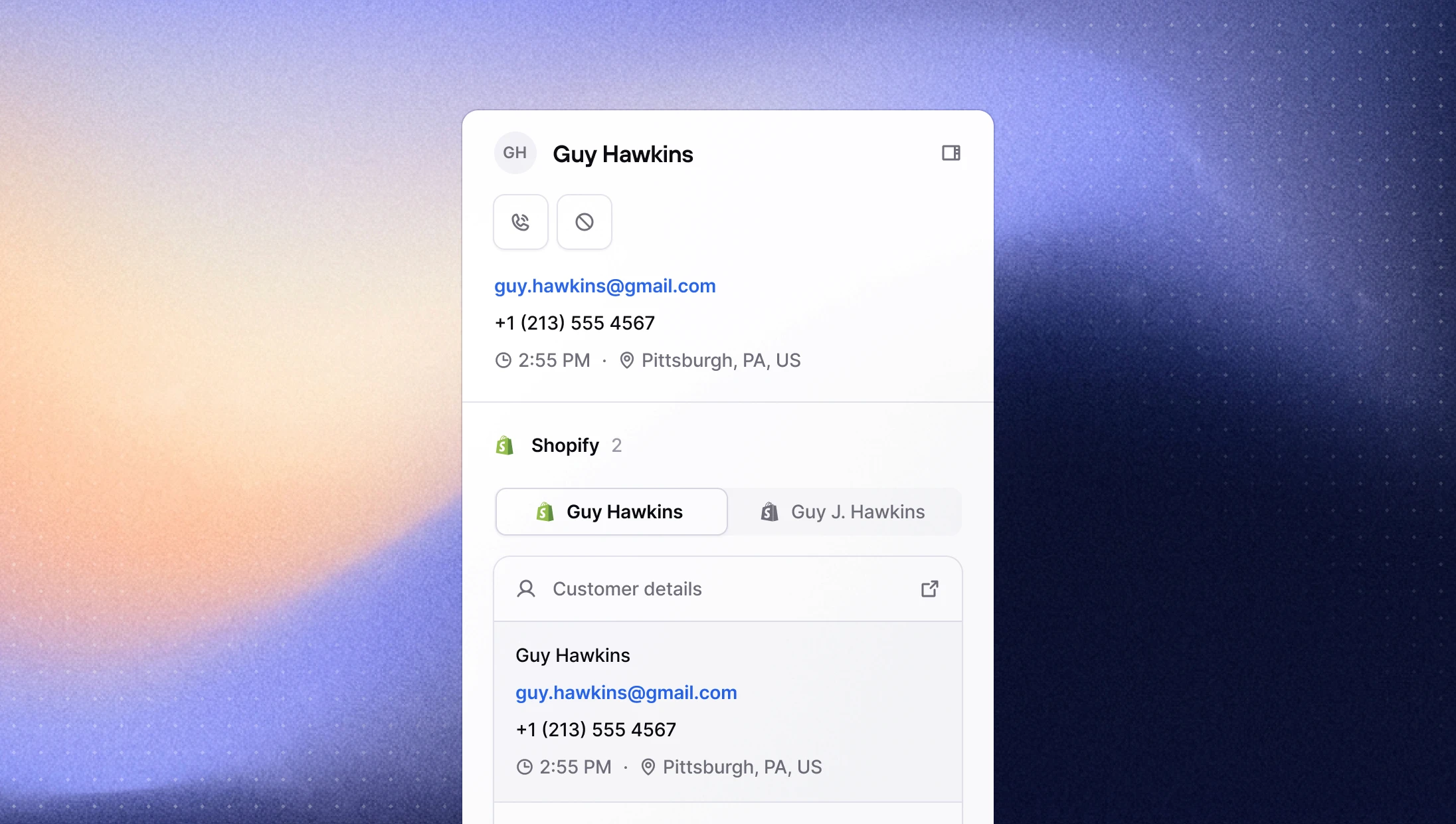
Consio contacts can now be linked to multiple Shopify profiles. Customers who have more than one Shopify account are automatically merged into a single Consio contact, giving you a complete view of their history across all their profiles. Agents can switch between linked Shopify and Klaviyo profiles directly from the sidebar, so nothing gets missed regardless of which account the customer used to place their last order.
This should significantly reduce duplicate contacts across your workspace, and improve attribution when a customer calls from a number associated with a different Shopify profile than the one they ordered with.
Agent availability breakdown
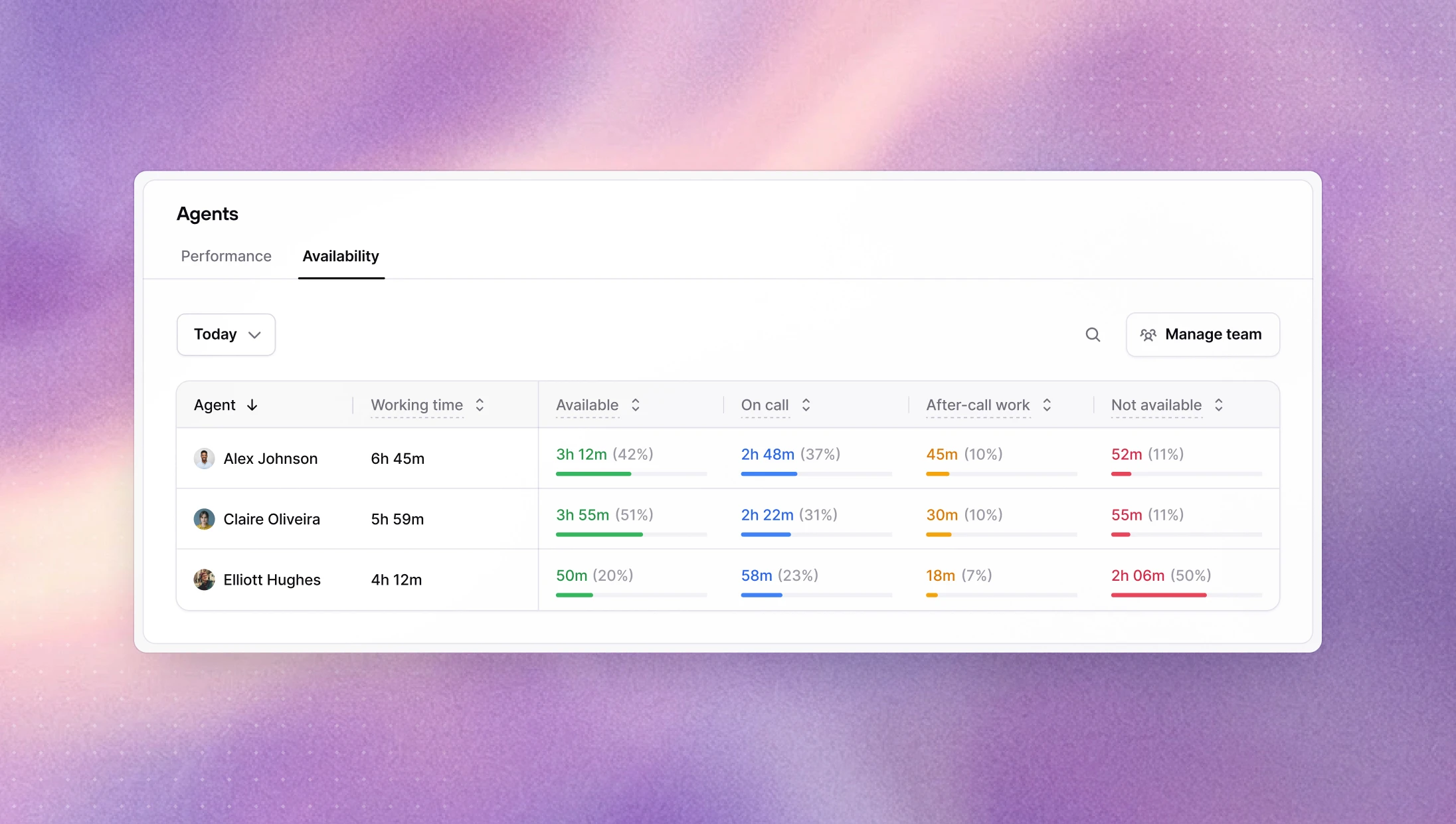
A new Availability tab on the Agents page shows how much time each agent spent in each availability status over a selected period. Managers can now identify agents who are frequently unavailable during business hours without having to dig through individual call logs.
→ View agent availability on Consio
AI agents can now see recent SMS exchanges with a customer
AI agents now have access to recent SMS exchanges with a customer at the start of every call. The context includes inbound and outbound messages from the last 90 days, capped at 10 messages. This gives agents much better continuity when a customer has already been interacting over text, without needing to ask what was already discussed.
Other improvements
AI agents: AI agents now use the new inbound call dispositions introduced last week,
Warm leadandSpam.Inbox: AI-sent SMS messages are now displayed with a different background color in the conversation timeline, making it easier to tell them apart from human-sent messages.
Dialer: Customers can now be added to the blocklist directly from the dialer screen, without leaving the call flow.
Dialer: Fixed a bug where deleted calls were showing up in the dialer queue, sometimes leaving agents with no callable number.
Login: The one-time login code is now included in the email subject line, making it faster to retrieve without opening the email body.
Onboarding: Several friction points in the sign-up and OTP flow have been fixed, including back navigation, a clearer workspace creation step, and better handling of edge cases.
Live monitoring: Suspended and invited users no longer appear in the live monitoring view.
Billing: Fixed a bug where resubscribing after a plan cancellation would fail.
Consio contacts can now be linked to multiple Shopify profiles. Customers who have more than one Shopify account are automatically merged into a single Consio contact, giving you a complete view of their history across all their profiles. Agents can switch between linked Shopify and Klaviyo profiles directly from the sidebar, so nothing gets missed regardless of which account the customer used to place their last order.
This should significantly reduce duplicate contacts across your workspace, and improve attribution when a customer calls from a number associated with a different Shopify profile than the one they ordered with.
Agent availability breakdown
A new Availability tab on the Agents page shows how much time each agent spent in each availability status over a selected period. Managers can now identify agents who are frequently unavailable during business hours without having to dig through individual call logs.
→ View agent availability on Consio
AI agents can now see recent SMS exchanges with a customer
AI agents now have access to recent SMS exchanges with a customer at the start of every call. The context includes inbound and outbound messages from the last 90 days, capped at 10 messages. This gives agents much better continuity when a customer has already been interacting over text, without needing to ask what was already discussed.
Other improvements
AI agents: AI agents now use the new inbound call dispositions introduced last week,
Warm leadandSpam.Inbox: AI-sent SMS messages are now displayed with a different background color in the conversation timeline, making it easier to tell them apart from human-sent messages.
Dialer: Customers can now be added to the blocklist directly from the dialer screen, without leaving the call flow.
Dialer: Fixed a bug where deleted calls were showing up in the dialer queue, sometimes leaving agents with no callable number.
Login: The one-time login code is now included in the email subject line, making it faster to retrieve without opening the email body.
Onboarding: Several friction points in the sign-up and OTP flow have been fixed, including back navigation, a clearer workspace creation step, and better handling of edge cases.
Live monitoring: Suspended and invited users no longer appear in the live monitoring view.
Billing: Fixed a bug where resubscribing after a plan cancellation would fail.
Consio contacts can now be linked to multiple Shopify profiles. Customers who have more than one Shopify account are automatically merged into a single Consio contact, giving you a complete view of their history across all their profiles. Agents can switch between linked Shopify and Klaviyo profiles directly from the sidebar, so nothing gets missed regardless of which account the customer used to place their last order.
This should significantly reduce duplicate contacts across your workspace, and improve attribution when a customer calls from a number associated with a different Shopify profile than the one they ordered with.
Agent availability breakdown
A new Availability tab on the Agents page shows how much time each agent spent in each availability status over a selected period. Managers can now identify agents who are frequently unavailable during business hours without having to dig through individual call logs.
→ View agent availability on Consio
AI agents can now see recent SMS exchanges with a customer
AI agents now have access to recent SMS exchanges with a customer at the start of every call. The context includes inbound and outbound messages from the last 90 days, capped at 10 messages. This gives agents much better continuity when a customer has already been interacting over text, without needing to ask what was already discussed.
Other improvements
AI agents: AI agents now use the new inbound call dispositions introduced last week,
Warm leadandSpam.Inbox: AI-sent SMS messages are now displayed with a different background color in the conversation timeline, making it easier to tell them apart from human-sent messages.
Dialer: Customers can now be added to the blocklist directly from the dialer screen, without leaving the call flow.
Dialer: Fixed a bug where deleted calls were showing up in the dialer queue, sometimes leaving agents with no callable number.
Login: The one-time login code is now included in the email subject line, making it faster to retrieve without opening the email body.
Onboarding: Several friction points in the sign-up and OTP flow have been fixed, including back navigation, a clearer workspace creation step, and better handling of edge cases.
Live monitoring: Suspended and invited users no longer appear in the live monitoring view.
Billing: Fixed a bug where resubscribing after a plan cancellation would fail.
Consio contacts can now be linked to multiple Shopify profiles. Customers who have more than one Shopify account are automatically merged into a single Consio contact, giving you a complete view of their history across all their profiles. Agents can switch between linked Shopify and Klaviyo profiles directly from the sidebar, so nothing gets missed regardless of which account the customer used to place their last order.
This should significantly reduce duplicate contacts across your workspace, and improve attribution when a customer calls from a number associated with a different Shopify profile than the one they ordered with.
Agent availability breakdown
A new Availability tab on the Agents page shows how much time each agent spent in each availability status over a selected period. Managers can now identify agents who are frequently unavailable during business hours without having to dig through individual call logs.
→ View agent availability on Consio
AI agents can now see recent SMS exchanges with a customer
AI agents now have access to recent SMS exchanges with a customer at the start of every call. The context includes inbound and outbound messages from the last 90 days, capped at 10 messages. This gives agents much better continuity when a customer has already been interacting over text, without needing to ask what was already discussed.
Other improvements
AI agents: AI agents now use the new inbound call dispositions introduced last week,
Warm leadandSpam.Inbox: AI-sent SMS messages are now displayed with a different background color in the conversation timeline, making it easier to tell them apart from human-sent messages.
Dialer: Customers can now be added to the blocklist directly from the dialer screen, without leaving the call flow.
Dialer: Fixed a bug where deleted calls were showing up in the dialer queue, sometimes leaving agents with no callable number.
Login: The one-time login code is now included in the email subject line, making it faster to retrieve without opening the email body.
Onboarding: Several friction points in the sign-up and OTP flow have been fixed, including back navigation, a clearer workspace creation step, and better handling of edge cases.
Live monitoring: Suspended and invited users no longer appear in the live monitoring view.
Billing: Fixed a bug where resubscribing after a plan cancellation would fail.
The Shopify customer sidebar has been redesigned from the ground up to make it easier to find the right information at a glance. The layout is cleaner and more structured, and we added a lot of new Shopify fields that were not visible before so agents have the full picture without having to open it in Shopify.
Consider this the end of "let me just check that in Shopify real quick".
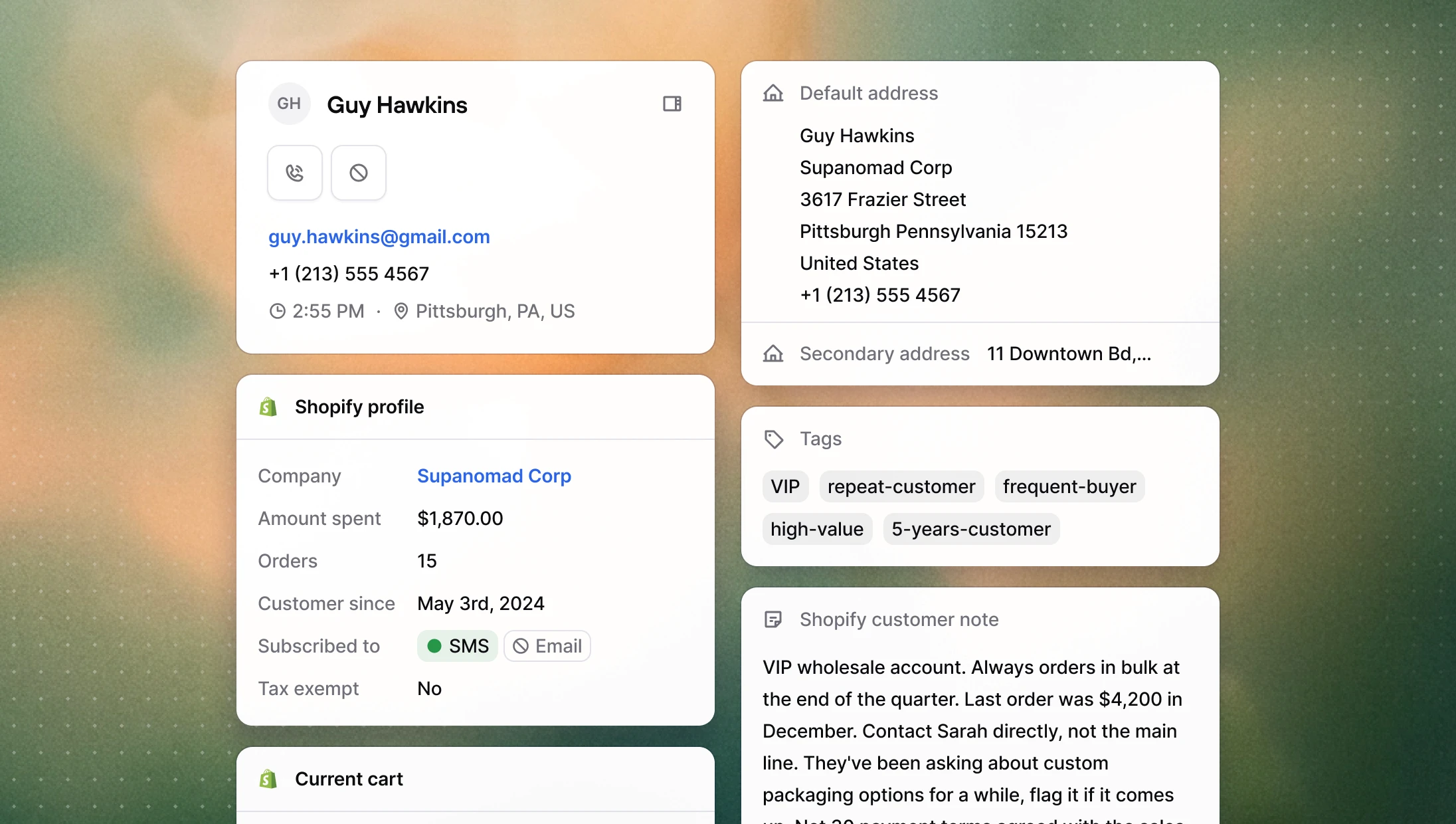
Here's what was added:
Addresses: a new collapsible section showing all Shopify addresses, with individual field copy buttons and a one-click option to copy the full formatted address.
Tags: customer tags from Shopify, displayed read-only.
Customer note: the internal note attached to the customer in Shopify.
Marketing consent: SMS and email subscription status, so agents know whether a customer can be contacted on those channels.
Tax exempt: whether the customer is marked as tax exempt in Shopify.
Company: the customer's associated Shopify company, with a direct link to open it in Shopify admin.
New dispositions for inbound calls
Three new call dispositions are now available for all calls:
Issue resolved: for calls where the customer's request was fully handled.
Warm lead: for contacts who showed interest but didn't convert and no follow-up was scheduled yet.
Spam: for irrelevant inbound calls. Selecting it automatically adds the number to your blocklist.
Waiting music presets
Custom waiting music now includes a selection of built-in presets to choose from, in addition to uploading your own file. Your customers might actually enjoy being kept waiting for once 🪇
→ Configure it in your phone number settings
Other improvements
Dialer: Navigating away or closing the tab while a call is unlogged now triggers a warning, so calls are less likely to remain unlogged.
Dialer: Fixed a bug where call disposition notes couldn't be saved for contacts with a follow-up already scheduled.
Phone numbers: Fixed an issue where customer phone numbers were sometimes formatted incorrectly on outbound calls.
The Shopify customer sidebar has been redesigned from the ground up to make it easier to find the right information at a glance. The layout is cleaner and more structured, and we added a lot of new Shopify fields that were not visible before so agents have the full picture without having to open it in Shopify.
Consider this the end of "let me just check that in Shopify real quick".
Here's what was added:
Addresses: a new collapsible section showing all Shopify addresses, with individual field copy buttons and a one-click option to copy the full formatted address.
Tags: customer tags from Shopify, displayed read-only.
Customer note: the internal note attached to the customer in Shopify.
Marketing consent: SMS and email subscription status, so agents know whether a customer can be contacted on those channels.
Tax exempt: whether the customer is marked as tax exempt in Shopify.
Company: the customer's associated Shopify company, with a direct link to open it in Shopify admin.
New dispositions for inbound calls
Three new call dispositions are now available for all calls:
Issue resolved: for calls where the customer's request was fully handled.
Warm lead: for contacts who showed interest but didn't convert and no follow-up was scheduled yet.
Spam: for irrelevant inbound calls. Selecting it automatically adds the number to your blocklist.
Waiting music presets
Custom waiting music now includes a selection of built-in presets to choose from, in addition to uploading your own file. Your customers might actually enjoy being kept waiting for once 🪇
→ Configure it in your phone number settings
Other improvements
Dialer: Navigating away or closing the tab while a call is unlogged now triggers a warning, so calls are less likely to remain unlogged.
Dialer: Fixed a bug where call disposition notes couldn't be saved for contacts with a follow-up already scheduled.
Phone numbers: Fixed an issue where customer phone numbers were sometimes formatted incorrectly on outbound calls.
The Shopify customer sidebar has been redesigned from the ground up to make it easier to find the right information at a glance. The layout is cleaner and more structured, and we added a lot of new Shopify fields that were not visible before so agents have the full picture without having to open it in Shopify.
Consider this the end of "let me just check that in Shopify real quick".
Here's what was added:
Addresses: a new collapsible section showing all Shopify addresses, with individual field copy buttons and a one-click option to copy the full formatted address.
Tags: customer tags from Shopify, displayed read-only.
Customer note: the internal note attached to the customer in Shopify.
Marketing consent: SMS and email subscription status, so agents know whether a customer can be contacted on those channels.
Tax exempt: whether the customer is marked as tax exempt in Shopify.
Company: the customer's associated Shopify company, with a direct link to open it in Shopify admin.
New dispositions for inbound calls
Three new call dispositions are now available for all calls:
Issue resolved: for calls where the customer's request was fully handled.
Warm lead: for contacts who showed interest but didn't convert and no follow-up was scheduled yet.
Spam: for irrelevant inbound calls. Selecting it automatically adds the number to your blocklist.
Waiting music presets
Custom waiting music now includes a selection of built-in presets to choose from, in addition to uploading your own file. Your customers might actually enjoy being kept waiting for once 🪇
→ Configure it in your phone number settings
Other improvements
Dialer: Navigating away or closing the tab while a call is unlogged now triggers a warning, so calls are less likely to remain unlogged.
Dialer: Fixed a bug where call disposition notes couldn't be saved for contacts with a follow-up already scheduled.
Phone numbers: Fixed an issue where customer phone numbers were sometimes formatted incorrectly on outbound calls.
The Shopify customer sidebar has been redesigned from the ground up to make it easier to find the right information at a glance. The layout is cleaner and more structured, and we added a lot of new Shopify fields that were not visible before so agents have the full picture without having to open it in Shopify.
Consider this the end of "let me just check that in Shopify real quick".
Here's what was added:
Addresses: a new collapsible section showing all Shopify addresses, with individual field copy buttons and a one-click option to copy the full formatted address.
Tags: customer tags from Shopify, displayed read-only.
Customer note: the internal note attached to the customer in Shopify.
Marketing consent: SMS and email subscription status, so agents know whether a customer can be contacted on those channels.
Tax exempt: whether the customer is marked as tax exempt in Shopify.
Company: the customer's associated Shopify company, with a direct link to open it in Shopify admin.
New dispositions for inbound calls
Three new call dispositions are now available for all calls:
Issue resolved: for calls where the customer's request was fully handled.
Warm lead: for contacts who showed interest but didn't convert and no follow-up was scheduled yet.
Spam: for irrelevant inbound calls. Selecting it automatically adds the number to your blocklist.
Waiting music presets
Custom waiting music now includes a selection of built-in presets to choose from, in addition to uploading your own file. Your customers might actually enjoy being kept waiting for once 🪇
→ Configure it in your phone number settings
Other improvements
Dialer: Navigating away or closing the tab while a call is unlogged now triggers a warning, so calls are less likely to remain unlogged.
Dialer: Fixed a bug where call disposition notes couldn't be saved for contacts with a follow-up already scheduled.
Phone numbers: Fixed an issue where customer phone numbers were sometimes formatted incorrectly on outbound calls.
You can now view your entire call history across all inboxes and campaigns from a single page. Filter by date, agent, direction, campaign, or whether an order was attributed to the call, and export the results to CSV with all the call details and transcripts. Previously, calls were only visible at the inbox or campaign level, with no way to get a cross-workspace view or extract the data.
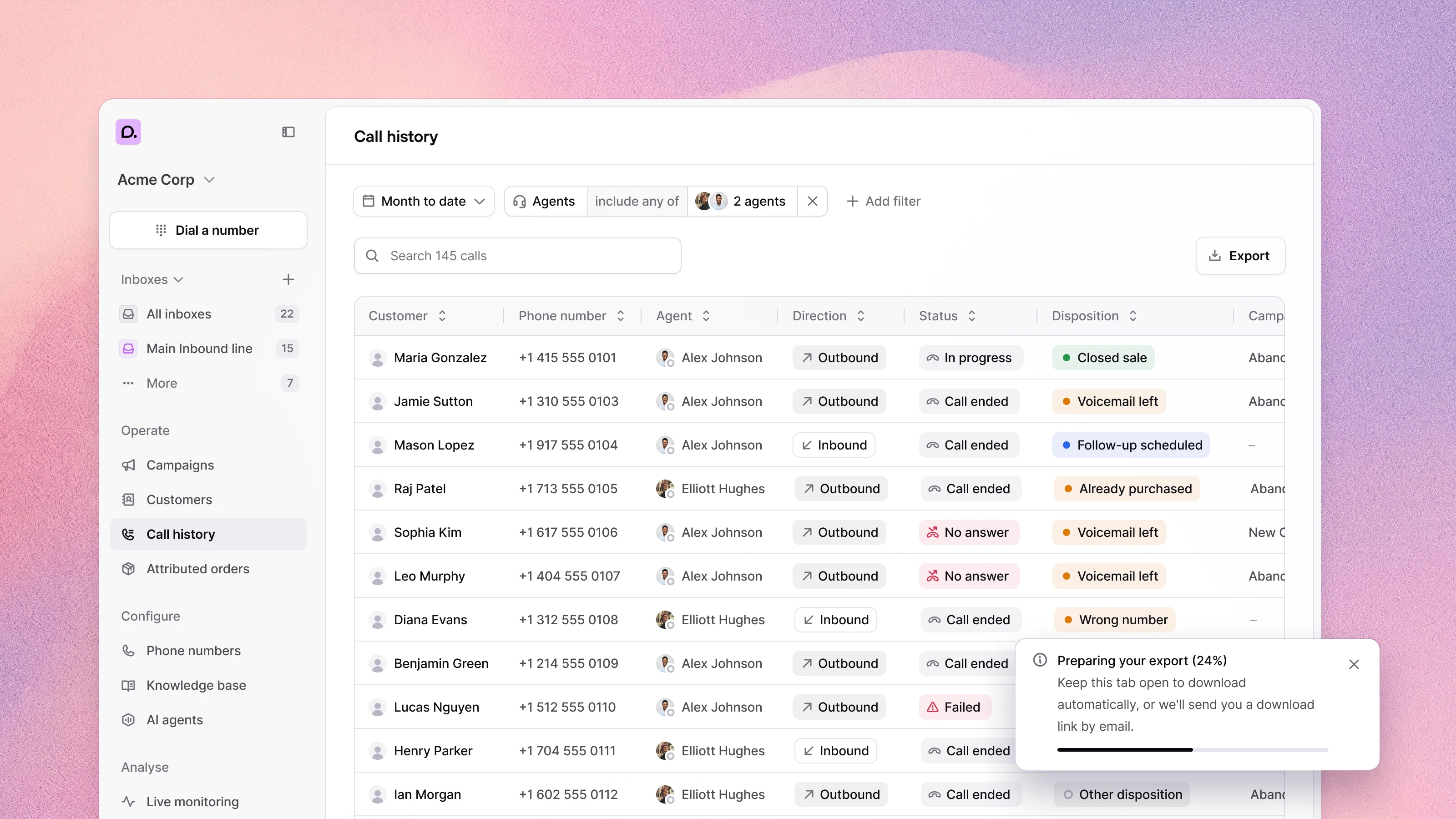
Custom waiting music for inbound calls
You can now choose what callers hear while they wait instead of the default audio. Pick any track from your audio library or upload your own file, and configure it per phone number.
→ Configure it in your phone number settings
Other improvements
AI agents: AI agents now return more accurate results when a customer asks about their order.
Dialer: Calls were sometimes automatically logged as "no answer" in cases where they shouldn't have been. This is now fixed.
Knowledge base: Tables in articles now render correctly in the editor.
Phone numbers: CNAM registration now shows the specific reason for rejection instead of a generic error message.
Phone numbers: Merchants outside the US and Canada can now register phone numbers without hitting a blocked trust registration step.
You can now view your entire call history across all inboxes and campaigns from a single page. Filter by date, agent, direction, campaign, or whether an order was attributed to the call, and export the results to CSV with all the call details and transcripts. Previously, calls were only visible at the inbox or campaign level, with no way to get a cross-workspace view or extract the data.
Custom waiting music for inbound calls
You can now choose what callers hear while they wait instead of the default audio. Pick any track from your audio library or upload your own file, and configure it per phone number.
→ Configure it in your phone number settings
Other improvements
AI agents: AI agents now return more accurate results when a customer asks about their order.
Dialer: Calls were sometimes automatically logged as "no answer" in cases where they shouldn't have been. This is now fixed.
Knowledge base: Tables in articles now render correctly in the editor.
Phone numbers: CNAM registration now shows the specific reason for rejection instead of a generic error message.
Phone numbers: Merchants outside the US and Canada can now register phone numbers without hitting a blocked trust registration step.
You can now view your entire call history across all inboxes and campaigns from a single page. Filter by date, agent, direction, campaign, or whether an order was attributed to the call, and export the results to CSV with all the call details and transcripts. Previously, calls were only visible at the inbox or campaign level, with no way to get a cross-workspace view or extract the data.
Custom waiting music for inbound calls
You can now choose what callers hear while they wait instead of the default audio. Pick any track from your audio library or upload your own file, and configure it per phone number.
→ Configure it in your phone number settings
Other improvements
AI agents: AI agents now return more accurate results when a customer asks about their order.
Dialer: Calls were sometimes automatically logged as "no answer" in cases where they shouldn't have been. This is now fixed.
Knowledge base: Tables in articles now render correctly in the editor.
Phone numbers: CNAM registration now shows the specific reason for rejection instead of a generic error message.
Phone numbers: Merchants outside the US and Canada can now register phone numbers without hitting a blocked trust registration step.
You can now view your entire call history across all inboxes and campaigns from a single page. Filter by date, agent, direction, campaign, or whether an order was attributed to the call, and export the results to CSV with all the call details and transcripts. Previously, calls were only visible at the inbox or campaign level, with no way to get a cross-workspace view or extract the data.
Custom waiting music for inbound calls
You can now choose what callers hear while they wait instead of the default audio. Pick any track from your audio library or upload your own file, and configure it per phone number.
→ Configure it in your phone number settings
Other improvements
AI agents: AI agents now return more accurate results when a customer asks about their order.
Dialer: Calls were sometimes automatically logged as "no answer" in cases where they shouldn't have been. This is now fixed.
Knowledge base: Tables in articles now render correctly in the editor.
Phone numbers: CNAM registration now shows the specific reason for rejection instead of a generic error message.
Phone numbers: Merchants outside the US and Canada can now register phone numbers without hitting a blocked trust registration step.
When a customer asks about a product, your AI agent can now text them its exact link (including the specific variant) while the call is live. Previously, agents could send tracking links but didn't always have access to accurate product URLs. That's now fixed, along with improved instructions for how the AI searches the catalog, so it handles edge cases (like empty search results) more reliably.
→ Enable SMS sending in your agent's configuration page
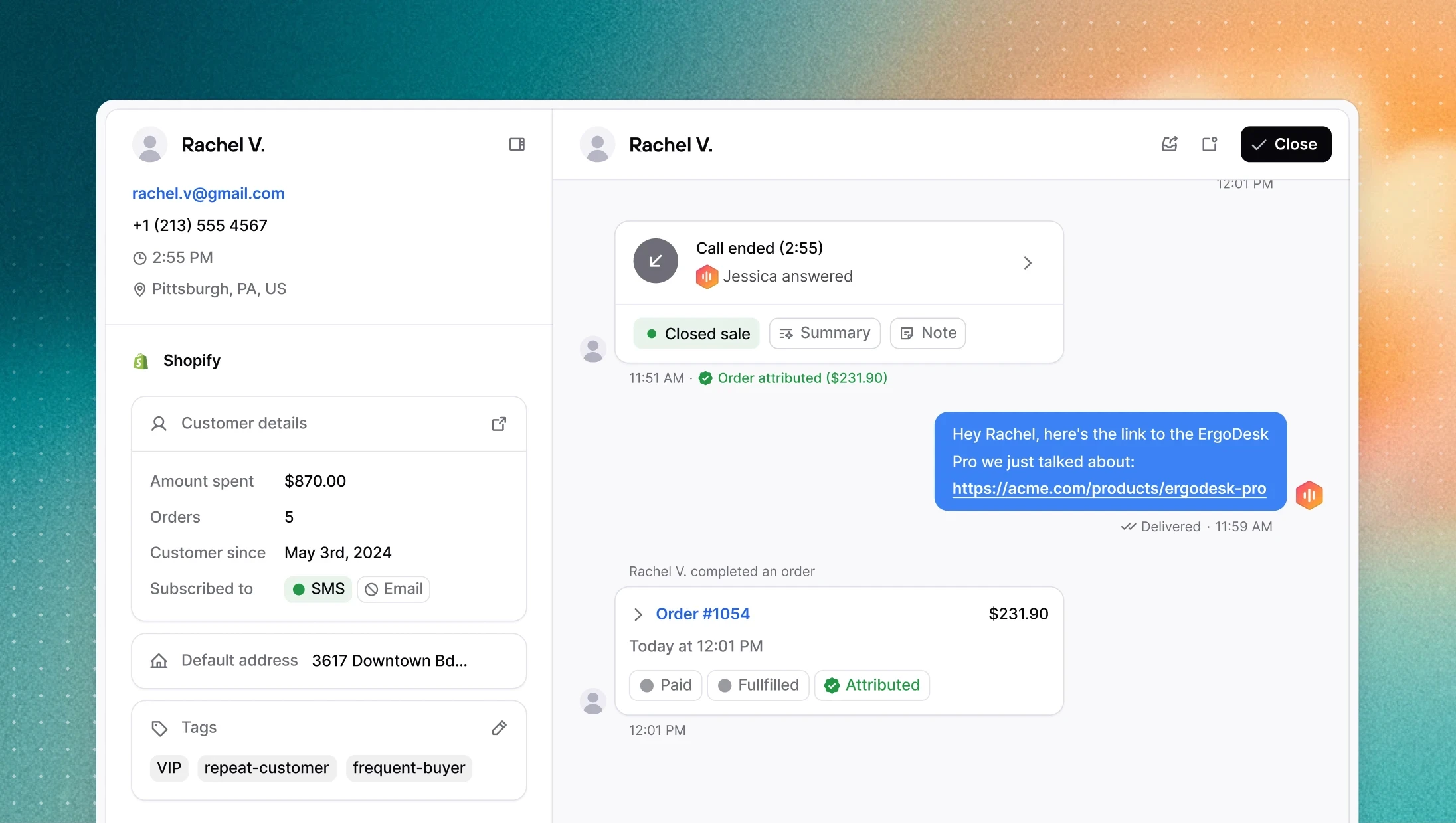
Contacts can now have multiple phone numbers
Consio now supports multiple phone numbers (and email addresses) per contact. Customer records pulled from Shopify and other integrations are matched and merged more accurately, and search across the contact list works across all numbers, not just the primary one.
Other improvements
Audio preview: you can now play and preview voice clips and music directly from the picker before selecting one.
SMS follow-up after dropping a voicemail: the dialer no longer jumps to the next contact automatically after dropping a voicemail, giving you time to send a follow-up SMS first.
Phone number in call details: the phone number associated with an agent is now visible in the call details.
Agent tools UI: updated labels and layout in the agent tools configuration screen.
Notification warning on Windows: if OS-level notifications are blocking browser alerts, a warning now appears in settings with instructions to fix it.
When a customer asks about a product, your AI agent can now text them its exact link (including the specific variant) while the call is live. Previously, agents could send tracking links but didn't always have access to accurate product URLs. That's now fixed, along with improved instructions for how the AI searches the catalog, so it handles edge cases (like empty search results) more reliably.
→ Enable SMS sending in your agent's configuration page
Contacts can now have multiple phone numbers
Consio now supports multiple phone numbers (and email addresses) per contact. Customer records pulled from Shopify and other integrations are matched and merged more accurately, and search across the contact list works across all numbers, not just the primary one.
Other improvements
Audio preview: you can now play and preview voice clips and music directly from the picker before selecting one.
SMS follow-up after dropping a voicemail: the dialer no longer jumps to the next contact automatically after dropping a voicemail, giving you time to send a follow-up SMS first.
Phone number in call details: the phone number associated with an agent is now visible in the call details.
Agent tools UI: updated labels and layout in the agent tools configuration screen.
Notification warning on Windows: if OS-level notifications are blocking browser alerts, a warning now appears in settings with instructions to fix it.
When a customer asks about a product, your AI agent can now text them its exact link (including the specific variant) while the call is live. Previously, agents could send tracking links but didn't always have access to accurate product URLs. That's now fixed, along with improved instructions for how the AI searches the catalog, so it handles edge cases (like empty search results) more reliably.
→ Enable SMS sending in your agent's configuration page
Contacts can now have multiple phone numbers
Consio now supports multiple phone numbers (and email addresses) per contact. Customer records pulled from Shopify and other integrations are matched and merged more accurately, and search across the contact list works across all numbers, not just the primary one.
Other improvements
Audio preview: you can now play and preview voice clips and music directly from the picker before selecting one.
SMS follow-up after dropping a voicemail: the dialer no longer jumps to the next contact automatically after dropping a voicemail, giving you time to send a follow-up SMS first.
Phone number in call details: the phone number associated with an agent is now visible in the call details.
Agent tools UI: updated labels and layout in the agent tools configuration screen.
Notification warning on Windows: if OS-level notifications are blocking browser alerts, a warning now appears in settings with instructions to fix it.
When a customer asks about a product, your AI agent can now text them its exact link (including the specific variant) while the call is live. Previously, agents could send tracking links but didn't always have access to accurate product URLs. That's now fixed, along with improved instructions for how the AI searches the catalog, so it handles edge cases (like empty search results) more reliably.
→ Enable SMS sending in your agent's configuration page
Contacts can now have multiple phone numbers
Consio now supports multiple phone numbers (and email addresses) per contact. Customer records pulled from Shopify and other integrations are matched and merged more accurately, and search across the contact list works across all numbers, not just the primary one.
Other improvements
Audio preview: you can now play and preview voice clips and music directly from the picker before selecting one.
SMS follow-up after dropping a voicemail: the dialer no longer jumps to the next contact automatically after dropping a voicemail, giving you time to send a follow-up SMS first.
Phone number in call details: the phone number associated with an agent is now visible in the call details.
Agent tools UI: updated labels and layout in the agent tools configuration screen.
Notification warning on Windows: if OS-level notifications are blocking browser alerts, a warning now appears in settings with instructions to fix it.
Your AI Voice Agent can now send a tracking link directly to a customer via SMS while the call is still live. When a customer asks where their order is, the AI resolves the inquiry and immediately texts them their tracking link; no handoff needed.
→ Enable it in your agent's tools configuration
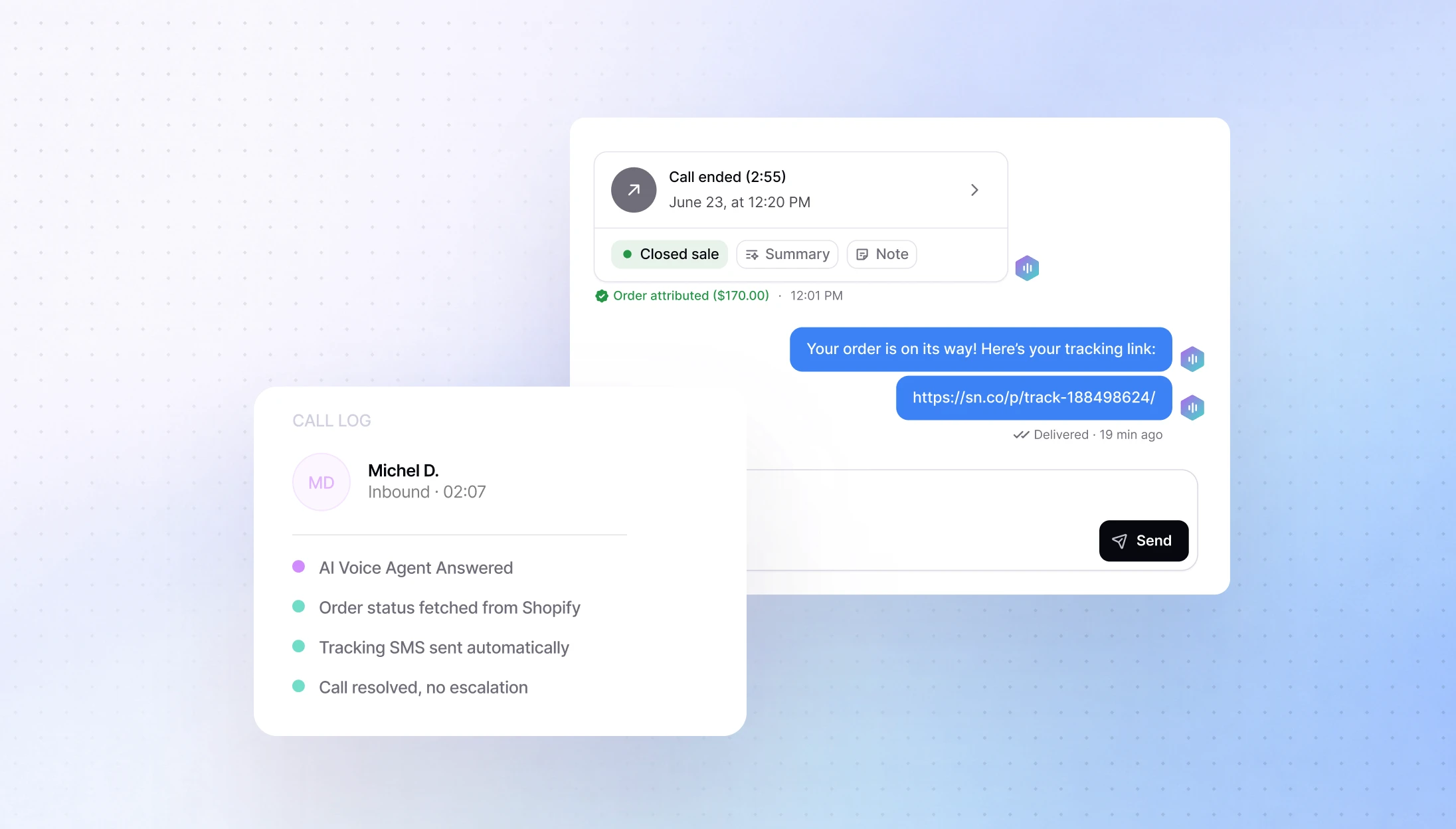
AI Voice Agent have just got smarter
We pushed a significant update to how AI agents reason and act during calls. Here's what changed:
Faster, more accurate product search: AI agents can now find your products much more reliably. Search works across product names and descriptions, so the AI surfaces the right item even when a customer uses different wording. Results are faster and more consistent.
Sales situations: the AI is more active in supporting conversions rather than just answering questions.
Call transfers at the wrong time: the AI no longer offers to transfer a call outside business hours.
Fewer wrong answers: overall reduction in hallucinations, especially around links and product information.
Transparency before acting: the AI now tells the customer before triggering a transfer or sending an SMS, so nothing happens without warning.
All agents are updated automatically.
Call routing improvements
Several fixes to make calls reach the right place more reliably:
Outbound call transfers: your agents can now transfer an outbound call just like an inbound one.
Queued calls: agents who just came online are now correctly assigned calls that were waiting in the queue.
Unavailable agents: callers are now sent to fallback immediately instead of waiting for agents marked as unavailable.
Other improvements
Better transcripts: transcripts are now more accurate and easier to read, with context cues like [laughs] to capture the tone of a conversation.
Refreshed onboarding: the sign-up and login flow has been updated with a cleaner design, working correctly in both light and dark mode.
Multi-currency support: Consio now automatically syncs with your Shopify store’s main currency. Revenue amounts display with the correct currency symbol. Existing workspaces just need to reconnect Shopify to update.
Your AI Voice Agent can now send a tracking link directly to a customer via SMS while the call is still live. When a customer asks where their order is, the AI resolves the inquiry and immediately texts them their tracking link; no handoff needed.
→ Enable it in your agent's tools configuration
AI Voice Agent have just got smarter
We pushed a significant update to how AI agents reason and act during calls. Here's what changed:
Faster, more accurate product search: AI agents can now find your products much more reliably. Search works across product names and descriptions, so the AI surfaces the right item even when a customer uses different wording. Results are faster and more consistent.
Sales situations: the AI is more active in supporting conversions rather than just answering questions.
Call transfers at the wrong time: the AI no longer offers to transfer a call outside business hours.
Fewer wrong answers: overall reduction in hallucinations, especially around links and product information.
Transparency before acting: the AI now tells the customer before triggering a transfer or sending an SMS, so nothing happens without warning.
All agents are updated automatically.
Call routing improvements
Several fixes to make calls reach the right place more reliably:
Outbound call transfers: your agents can now transfer an outbound call just like an inbound one.
Queued calls: agents who just came online are now correctly assigned calls that were waiting in the queue.
Unavailable agents: callers are now sent to fallback immediately instead of waiting for agents marked as unavailable.
Other improvements
Better transcripts: transcripts are now more accurate and easier to read, with context cues like [laughs] to capture the tone of a conversation.
Refreshed onboarding: the sign-up and login flow has been updated with a cleaner design, working correctly in both light and dark mode.
Multi-currency support: Consio now automatically syncs with your Shopify store’s main currency. Revenue amounts display with the correct currency symbol. Existing workspaces just need to reconnect Shopify to update.
Your AI Voice Agent can now send a tracking link directly to a customer via SMS while the call is still live. When a customer asks where their order is, the AI resolves the inquiry and immediately texts them their tracking link; no handoff needed.
→ Enable it in your agent's tools configuration
AI Voice Agent have just got smarter
We pushed a significant update to how AI agents reason and act during calls. Here's what changed:
Faster, more accurate product search: AI agents can now find your products much more reliably. Search works across product names and descriptions, so the AI surfaces the right item even when a customer uses different wording. Results are faster and more consistent.
Sales situations: the AI is more active in supporting conversions rather than just answering questions.
Call transfers at the wrong time: the AI no longer offers to transfer a call outside business hours.
Fewer wrong answers: overall reduction in hallucinations, especially around links and product information.
Transparency before acting: the AI now tells the customer before triggering a transfer or sending an SMS, so nothing happens without warning.
All agents are updated automatically.
Call routing improvements
Several fixes to make calls reach the right place more reliably:
Outbound call transfers: your agents can now transfer an outbound call just like an inbound one.
Queued calls: agents who just came online are now correctly assigned calls that were waiting in the queue.
Unavailable agents: callers are now sent to fallback immediately instead of waiting for agents marked as unavailable.
Other improvements
Better transcripts: transcripts are now more accurate and easier to read, with context cues like [laughs] to capture the tone of a conversation.
Refreshed onboarding: the sign-up and login flow has been updated with a cleaner design, working correctly in both light and dark mode.
Multi-currency support: Consio now automatically syncs with your Shopify store’s main currency. Revenue amounts display with the correct currency symbol. Existing workspaces just need to reconnect Shopify to update.
Your AI Voice Agent can now send a tracking link directly to a customer via SMS while the call is still live. When a customer asks where their order is, the AI resolves the inquiry and immediately texts them their tracking link; no handoff needed.
→ Enable it in your agent's tools configuration
AI Voice Agent have just got smarter
We pushed a significant update to how AI agents reason and act during calls. Here's what changed:
Faster, more accurate product search: AI agents can now find your products much more reliably. Search works across product names and descriptions, so the AI surfaces the right item even when a customer uses different wording. Results are faster and more consistent.
Sales situations: the AI is more active in supporting conversions rather than just answering questions.
Call transfers at the wrong time: the AI no longer offers to transfer a call outside business hours.
Fewer wrong answers: overall reduction in hallucinations, especially around links and product information.
Transparency before acting: the AI now tells the customer before triggering a transfer or sending an SMS, so nothing happens without warning.
All agents are updated automatically.
Call routing improvements
Several fixes to make calls reach the right place more reliably:
Outbound call transfers: your agents can now transfer an outbound call just like an inbound one.
Queued calls: agents who just came online are now correctly assigned calls that were waiting in the queue.
Unavailable agents: callers are now sent to fallback immediately instead of waiting for agents marked as unavailable.
Other improvements
Better transcripts: transcripts are now more accurate and easier to read, with context cues like [laughs] to capture the tone of a conversation.
Refreshed onboarding: the sign-up and login flow has been updated with a cleaner design, working correctly in both light and dark mode.
Multi-currency support: Consio now automatically syncs with your Shopify store’s main currency. Revenue amounts display with the correct currency symbol. Existing workspaces just need to reconnect Shopify to update.
We've got great news to share: Consio is now integrated with Zendesk.
The goal of this integration is simple: bring your calls into Zendesk tickets, where your team already works, to save time and keep full context across every customer interaction.
What you're getting, starting today
Automatic ticket creation: every completed call in Consio creates a Zendesk ticket (inbound or outbound)
Ticket updates:
when the customer is identified/linked in Zendesk,
when the call’s AI summary is generated (posted as an internal note: “Call was summarized on Consio.”),
when the call is logged (posted as an internal note: “Call was logged on Consio.” with disposition + notes),
the call details are posted as an internal note: “A new call was completed on Consio” (customer, agent, duration, direction, phone number),
Zendesk → Consio link: open the full call record in Consio in one click if you need to dig deeper.
Why it’s useful
Everything in one place: calls now live in Zendesk alongside your other support tickets, so agents stay in one workspace.
Less friction: your team sees the full call context (details + disposition/notes + AI summary) directly inside the ticket.
More action: with AI summaries in Zendesk, agents know exactly what to do next without re-listening to calls.
We've got great news to share: Consio is now integrated with Zendesk.
The goal of this integration is simple: bring your calls into Zendesk tickets, where your team already works, to save time and keep full context across every customer interaction.
What you're getting, starting today
Automatic ticket creation: every completed call in Consio creates a Zendesk ticket (inbound or outbound)
Ticket updates:
when the customer is identified/linked in Zendesk,
when the call’s AI summary is generated (posted as an internal note: “Call was summarized on Consio.”),
when the call is logged (posted as an internal note: “Call was logged on Consio.” with disposition + notes),
the call details are posted as an internal note: “A new call was completed on Consio” (customer, agent, duration, direction, phone number),
Zendesk → Consio link: open the full call record in Consio in one click if you need to dig deeper.
Why it’s useful
Everything in one place: calls now live in Zendesk alongside your other support tickets, so agents stay in one workspace.
Less friction: your team sees the full call context (details + disposition/notes + AI summary) directly inside the ticket.
More action: with AI summaries in Zendesk, agents know exactly what to do next without re-listening to calls.
We've got great news to share: Consio is now integrated with Zendesk.
The goal of this integration is simple: bring your calls into Zendesk tickets, where your team already works, to save time and keep full context across every customer interaction.
What you're getting, starting today
Automatic ticket creation: every completed call in Consio creates a Zendesk ticket (inbound or outbound)
Ticket updates:
when the customer is identified/linked in Zendesk,
when the call’s AI summary is generated (posted as an internal note: “Call was summarized on Consio.”),
when the call is logged (posted as an internal note: “Call was logged on Consio.” with disposition + notes),
the call details are posted as an internal note: “A new call was completed on Consio” (customer, agent, duration, direction, phone number),
Zendesk → Consio link: open the full call record in Consio in one click if you need to dig deeper.
Why it’s useful
Everything in one place: calls now live in Zendesk alongside your other support tickets, so agents stay in one workspace.
Less friction: your team sees the full call context (details + disposition/notes + AI summary) directly inside the ticket.
More action: with AI summaries in Zendesk, agents know exactly what to do next without re-listening to calls.
We've got great news to share: Consio is now integrated with Zendesk.
The goal of this integration is simple: bring your calls into Zendesk tickets, where your team already works, to save time and keep full context across every customer interaction.
What you're getting, starting today
Automatic ticket creation: every completed call in Consio creates a Zendesk ticket (inbound or outbound)
Ticket updates:
when the customer is identified/linked in Zendesk,
when the call’s AI summary is generated (posted as an internal note: “Call was summarized on Consio.”),
when the call is logged (posted as an internal note: “Call was logged on Consio.” with disposition + notes),
the call details are posted as an internal note: “A new call was completed on Consio” (customer, agent, duration, direction, phone number),
Zendesk → Consio link: open the full call record in Consio in one click if you need to dig deeper.
Why it’s useful
Everything in one place: calls now live in Zendesk alongside your other support tickets, so agents stay in one workspace.
Less friction: your team sees the full call context (details + disposition/notes + AI summary) directly inside the ticket.
More action: with AI summaries in Zendesk, agents know exactly what to do next without re-listening to calls.
Live Monitoring
You can now monitor your call center in real time. The new Live Monitoring page gives you a live view of all calls happening today, with key metrics at a glance and a table ordered by most recent activity. Duration updates in real time so you always know what's in progress.
Go to: Consio → Live Monitoring
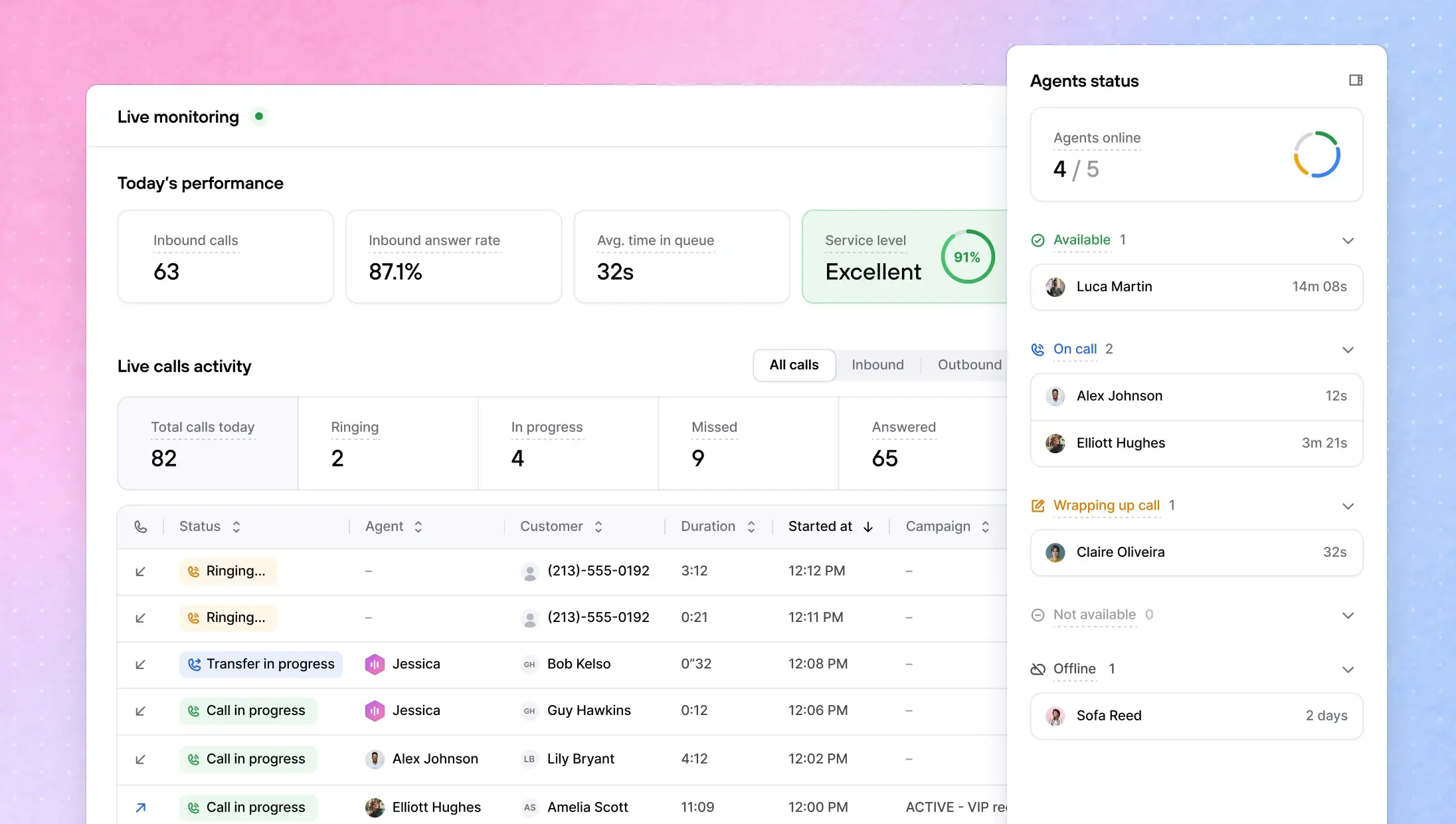
AI Dialer Assistant
We have just launched the AI Dialer Assistant, a smart companion that helps human agents during calls. It surfaces the right campaign script at the right moment, helps agents stay on-track with what to say next, and makes it easy to follow a consistent pitch without tab-switching.
Campaign Scripts now replace Cue Cards as a simple, editable script document to guide outbound calls, easy to maintain, easy to use live.
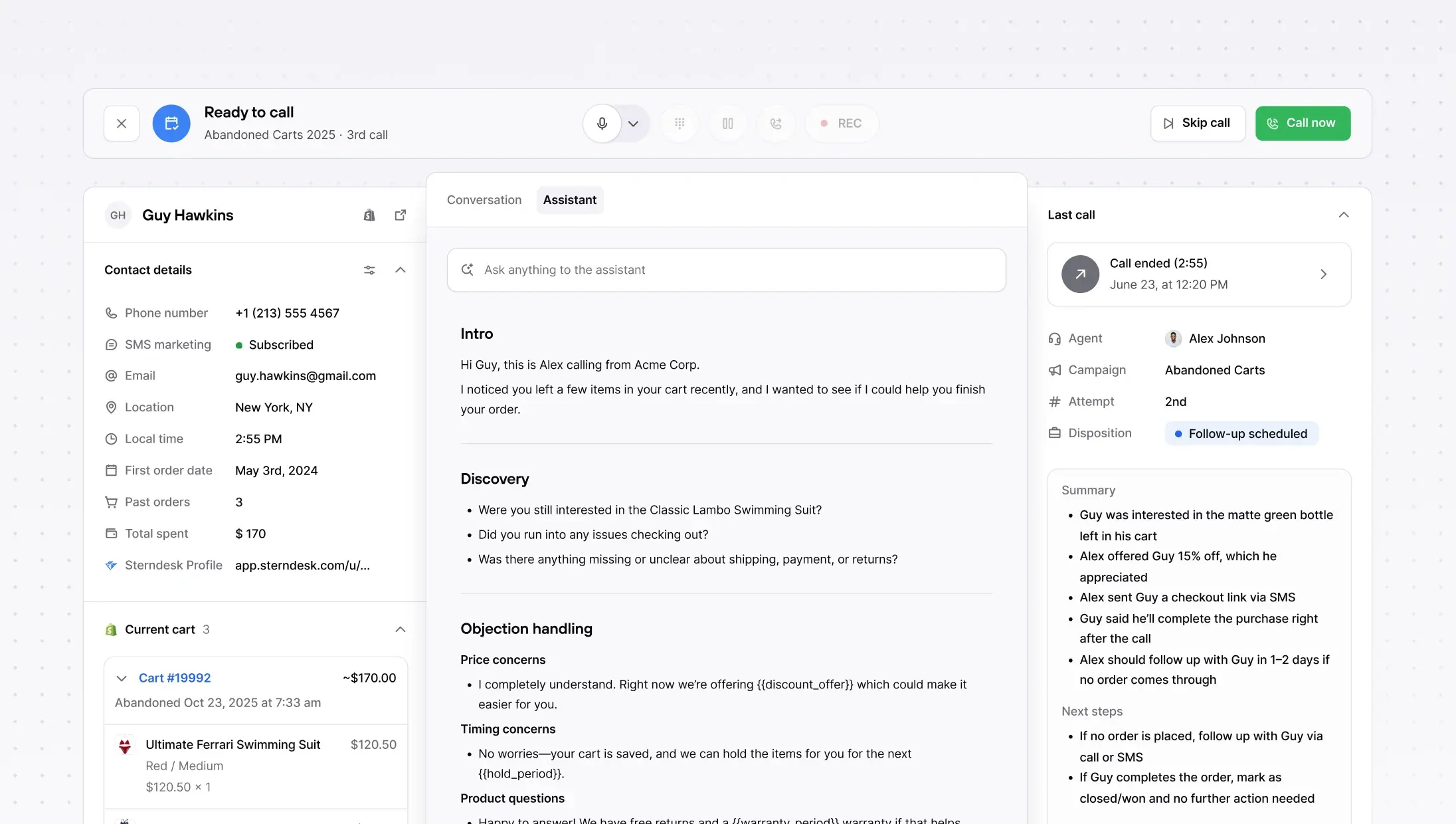
AI Voice Agents: much richer customer context + safer prompting
Two upgrades to how your AI Voice Agents handle calls:
More context, better answers. AI Agents now have access to a customer's full order history and previous call history, not just the most recent order. Most calls are order inquiries, and your AI can now handle them end to end with the full picture.
Safer, more reliable prompting. We've migrated to system prompt overrides, which means your agents' instructions are passed more reliably on every call. This fixes edge cases where dynamic variables caused calls to fail silently.
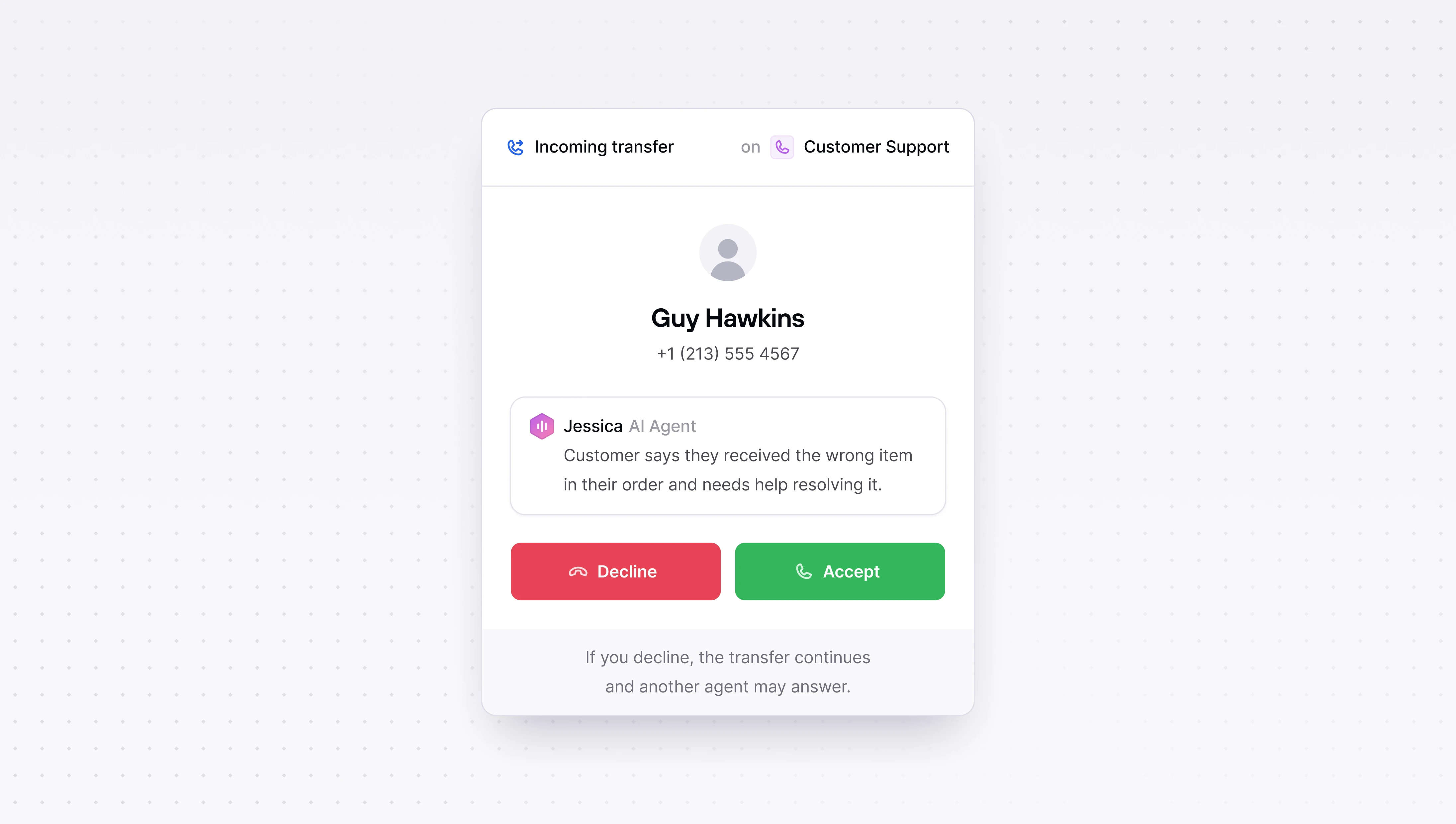
Block inbound calls + SMS (new blocklist)
We've replaced the DNC list with a unified Blocklist that works across all directions and channels. You can now block a customer for inbound calls, outbound calls, or both, and the same applies to SMS. One place to manage all blocking, no confusion about what's covered.
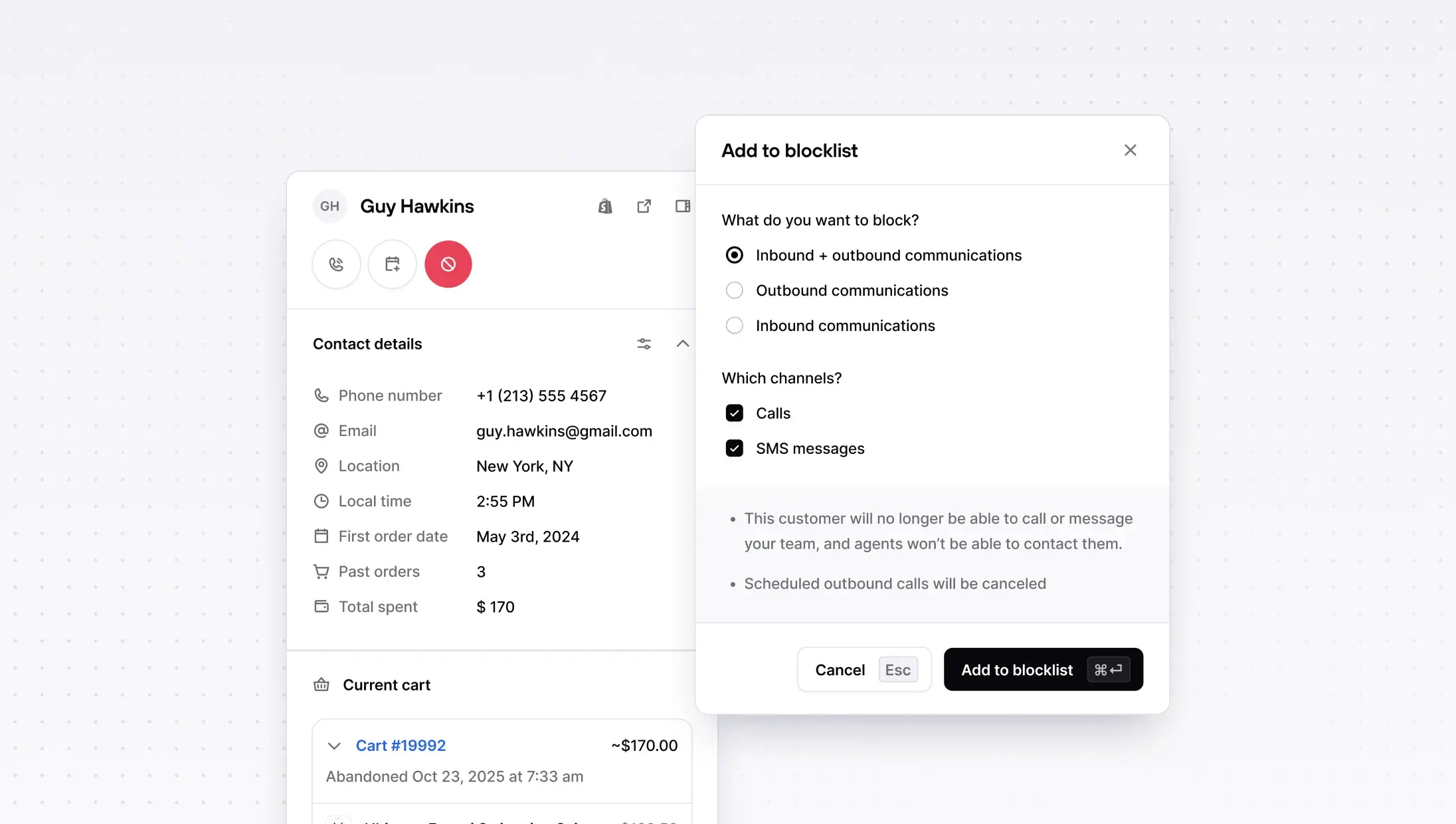
Other improvements
AI can now transfer to external numbers, route callers to any phone number, not just Consio-registered agents. Great for multi-location setups.
Customer auto-merging, duplicate profiles caused by mismatched phone numbers or emails are now automatically merged when Shopify webhooks confirm the correct contact info.
Campaign script improvements, AI-generated scripts, unsaved changes warnings, loading skeletons, and duplicating a campaign now copies its script.
Inbox improvements, hover actions on inbox items (move, close, mark as read) directly from the sidebar.
Calls & transfers, better call transfer UX, support for both call and voicemail recordings on the same call, and external transfers now show the customer's caller ID.
Live Monitoring
You can now monitor your call center in real time. The new Live Monitoring page gives you a live view of all calls happening today, with key metrics at a glance and a table ordered by most recent activity. Duration updates in real time so you always know what's in progress.
Go to: Consio → Live Monitoring
AI Dialer Assistant
We have just launched the AI Dialer Assistant, a smart companion that helps human agents during calls. It surfaces the right campaign script at the right moment, helps agents stay on-track with what to say next, and makes it easy to follow a consistent pitch without tab-switching.
Campaign Scripts now replace Cue Cards as a simple, editable script document to guide outbound calls, easy to maintain, easy to use live.
AI Voice Agents: much richer customer context + safer prompting
Two upgrades to how your AI Voice Agents handle calls:
More context, better answers. AI Agents now have access to a customer's full order history and previous call history, not just the most recent order. Most calls are order inquiries, and your AI can now handle them end to end with the full picture.
Safer, more reliable prompting. We've migrated to system prompt overrides, which means your agents' instructions are passed more reliably on every call. This fixes edge cases where dynamic variables caused calls to fail silently.
Block inbound calls + SMS (new blocklist)
We've replaced the DNC list with a unified Blocklist that works across all directions and channels. You can now block a customer for inbound calls, outbound calls, or both, and the same applies to SMS. One place to manage all blocking, no confusion about what's covered.
Other improvements
AI can now transfer to external numbers, route callers to any phone number, not just Consio-registered agents. Great for multi-location setups.
Customer auto-merging, duplicate profiles caused by mismatched phone numbers or emails are now automatically merged when Shopify webhooks confirm the correct contact info.
Campaign script improvements, AI-generated scripts, unsaved changes warnings, loading skeletons, and duplicating a campaign now copies its script.
Inbox improvements, hover actions on inbox items (move, close, mark as read) directly from the sidebar.
Calls & transfers, better call transfer UX, support for both call and voicemail recordings on the same call, and external transfers now show the customer's caller ID.
Live Monitoring
You can now monitor your call center in real time. The new Live Monitoring page gives you a live view of all calls happening today, with key metrics at a glance and a table ordered by most recent activity. Duration updates in real time so you always know what's in progress.
Go to: Consio → Live Monitoring
AI Dialer Assistant
We have just launched the AI Dialer Assistant, a smart companion that helps human agents during calls. It surfaces the right campaign script at the right moment, helps agents stay on-track with what to say next, and makes it easy to follow a consistent pitch without tab-switching.
Campaign Scripts now replace Cue Cards as a simple, editable script document to guide outbound calls, easy to maintain, easy to use live.
AI Voice Agents: much richer customer context + safer prompting
Two upgrades to how your AI Voice Agents handle calls:
More context, better answers. AI Agents now have access to a customer's full order history and previous call history, not just the most recent order. Most calls are order inquiries, and your AI can now handle them end to end with the full picture.
Safer, more reliable prompting. We've migrated to system prompt overrides, which means your agents' instructions are passed more reliably on every call. This fixes edge cases where dynamic variables caused calls to fail silently.
Block inbound calls + SMS (new blocklist)
We've replaced the DNC list with a unified Blocklist that works across all directions and channels. You can now block a customer for inbound calls, outbound calls, or both, and the same applies to SMS. One place to manage all blocking, no confusion about what's covered.
Other improvements
AI can now transfer to external numbers, route callers to any phone number, not just Consio-registered agents. Great for multi-location setups.
Customer auto-merging, duplicate profiles caused by mismatched phone numbers or emails are now automatically merged when Shopify webhooks confirm the correct contact info.
Campaign script improvements, AI-generated scripts, unsaved changes warnings, loading skeletons, and duplicating a campaign now copies its script.
Inbox improvements, hover actions on inbox items (move, close, mark as read) directly from the sidebar.
Calls & transfers, better call transfer UX, support for both call and voicemail recordings on the same call, and external transfers now show the customer's caller ID.
Live Monitoring
You can now monitor your call center in real time. The new Live Monitoring page gives you a live view of all calls happening today, with key metrics at a glance and a table ordered by most recent activity. Duration updates in real time so you always know what's in progress.
Go to: Consio → Live Monitoring
AI Dialer Assistant
We have just launched the AI Dialer Assistant, a smart companion that helps human agents during calls. It surfaces the right campaign script at the right moment, helps agents stay on-track with what to say next, and makes it easy to follow a consistent pitch without tab-switching.
Campaign Scripts now replace Cue Cards as a simple, editable script document to guide outbound calls, easy to maintain, easy to use live.
AI Voice Agents: much richer customer context + safer prompting
Two upgrades to how your AI Voice Agents handle calls:
More context, better answers. AI Agents now have access to a customer's full order history and previous call history, not just the most recent order. Most calls are order inquiries, and your AI can now handle them end to end with the full picture.
Safer, more reliable prompting. We've migrated to system prompt overrides, which means your agents' instructions are passed more reliably on every call. This fixes edge cases where dynamic variables caused calls to fail silently.
Block inbound calls + SMS (new blocklist)
We've replaced the DNC list with a unified Blocklist that works across all directions and channels. You can now block a customer for inbound calls, outbound calls, or both, and the same applies to SMS. One place to manage all blocking, no confusion about what's covered.
Other improvements
AI can now transfer to external numbers, route callers to any phone number, not just Consio-registered agents. Great for multi-location setups.
Customer auto-merging, duplicate profiles caused by mismatched phone numbers or emails are now automatically merged when Shopify webhooks confirm the correct contact info.
Campaign script improvements, AI-generated scripts, unsaved changes warnings, loading skeletons, and duplicating a campaign now copies its script.
Inbox improvements, hover actions on inbox items (move, close, mark as read) directly from the sidebar.
Calls & transfers, better call transfer UX, support for both call and voicemail recordings on the same call, and external transfers now show the customer's caller ID.
AI IVR & smart call routing
Inbound calls are too valuable to send to a phone tree.
Consio AI Voice agent for Shopify can now answer instantly, understand what callers want, answer mst of it, and route them automatically to an AI agent, a human agent, the right team, or voicemail.
No “Press 1 for…”. Callers just speak naturally (“order status”, “returns”, “sales”, “VIP”) and Consio handles the rest.
Set call routing options directly from your AI agent, using natural language to determin which path of escalations conversations handed to.
Go to: Consio → Phone numbers → AI IVR & smart call routing
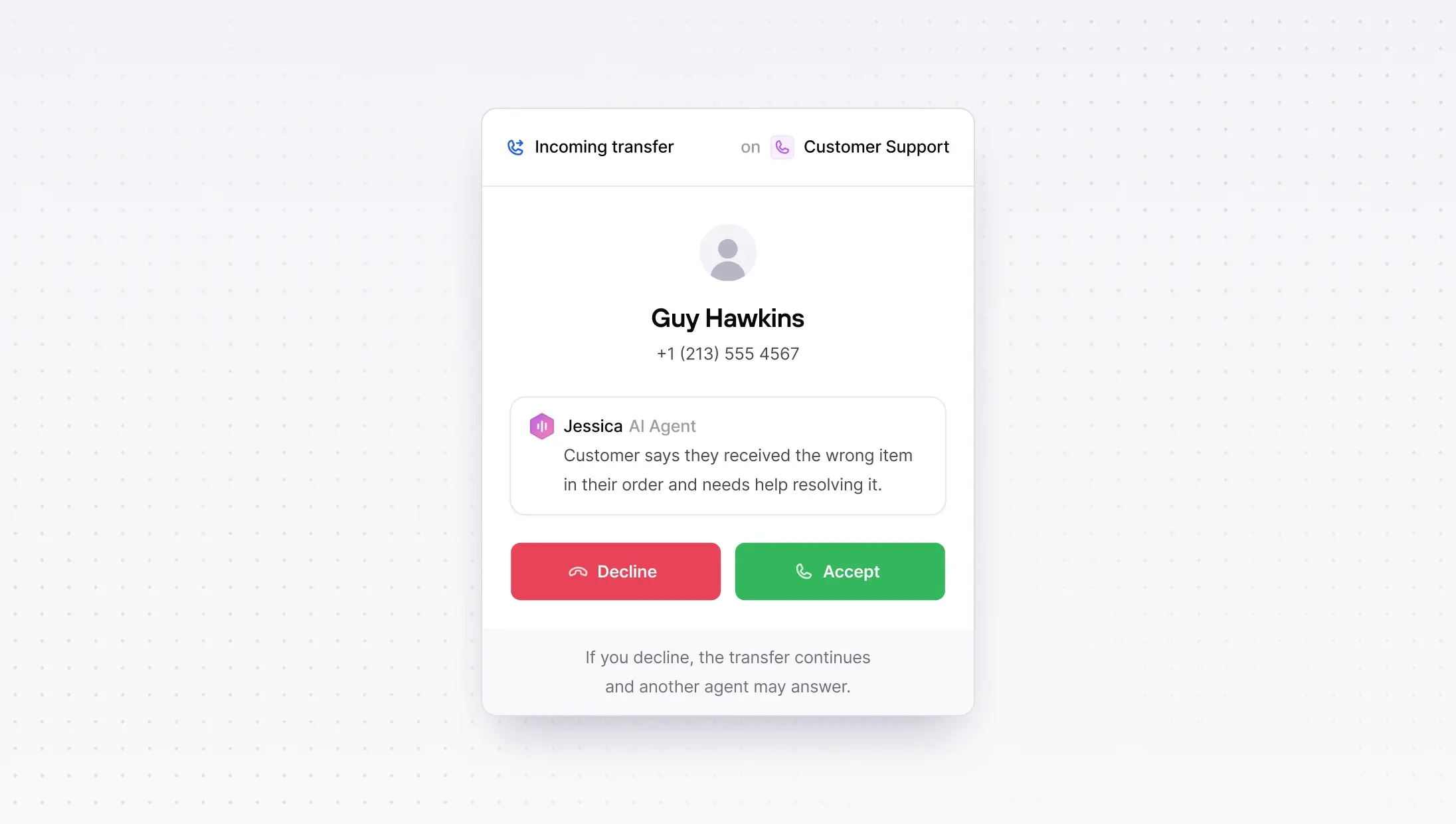
Attributed Orders
If you run phone + SMS, you shouldn’t have to bounce between pages to answer one question: what actually drove revenue?
Attributed Orders gives you a clean snapshot for any date range (total revenue, total orders, AOV), then breaks it down order-by-order with the exact touchpoint (Connected call / Voicemail / SMS), plus the agent and campaign behind it.
Click into an order and you’ve got the context in seconds. No more guessing.
Go to: Consio → Attributed orders
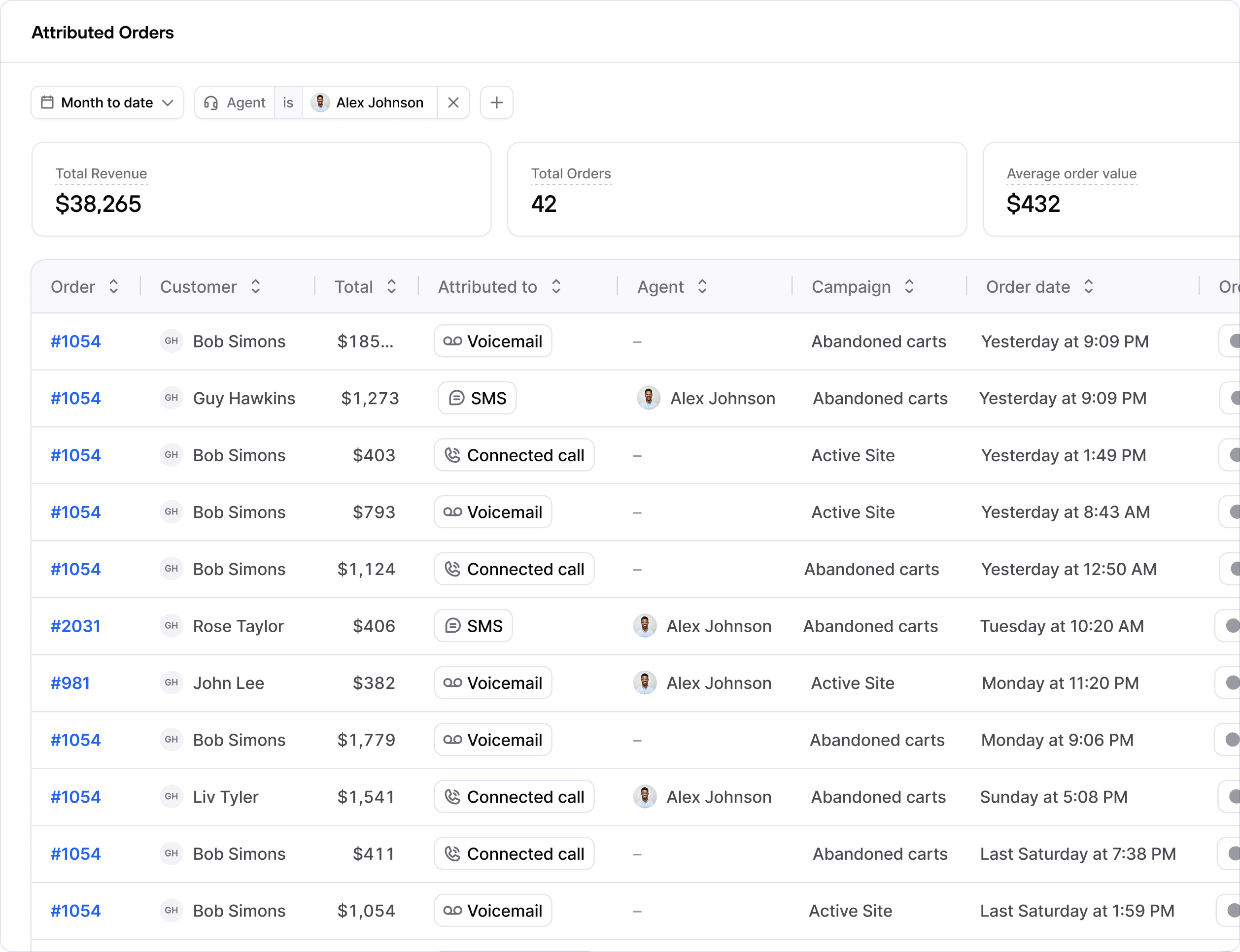
Call transfers & smarter inbound routing
Some calls shouldn’t stay with the first person who picks up, and now they don’t have to.
You can now transfer a live customer call to the right teammate, and admins can route inbound calls to a phone number.
Go to: Consio → AI agent → Call transfers
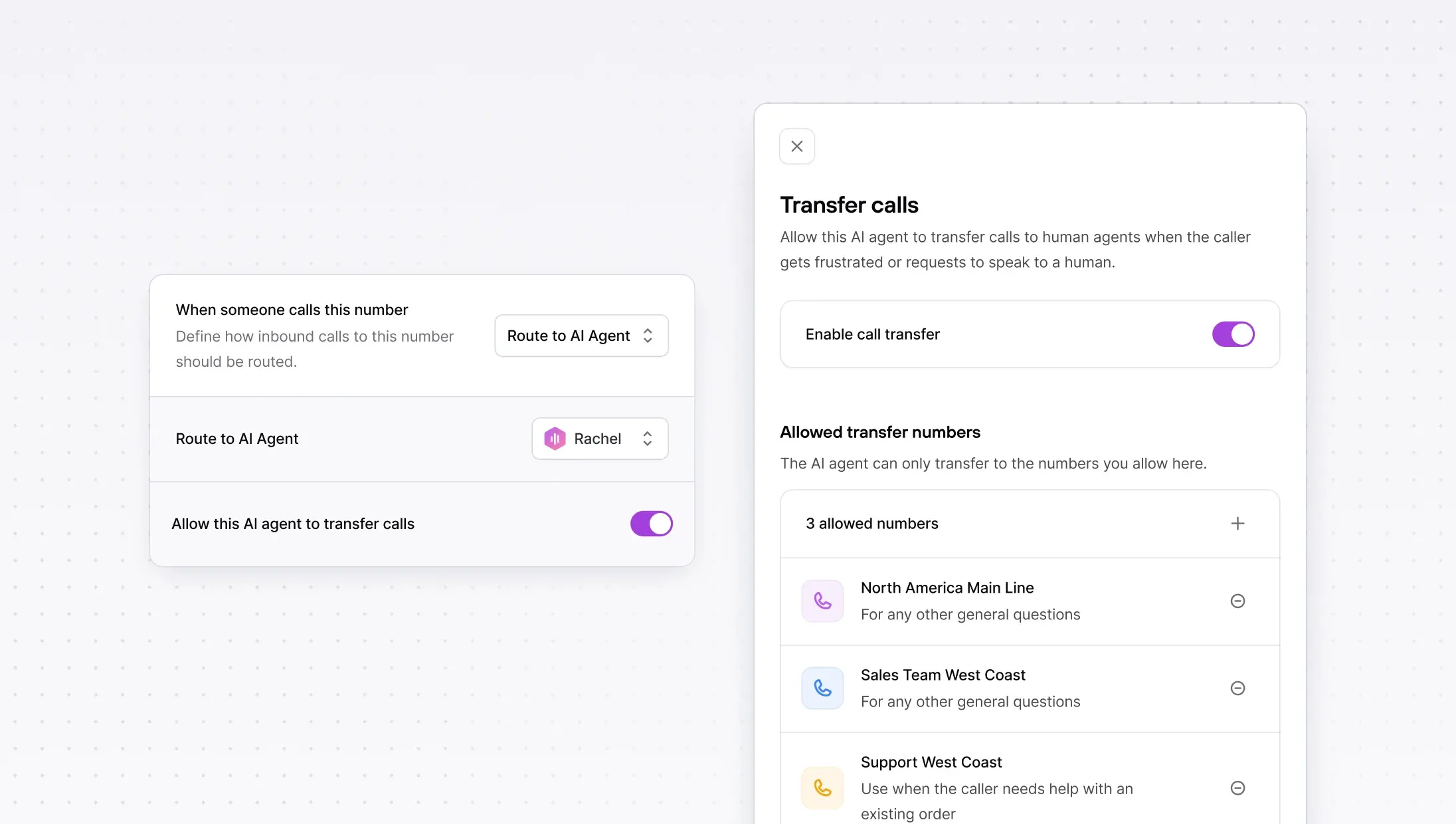
Other improvements
Multiple phone inboxes (Advanced inboxes v0) — a cleaner multi-inbox experience, plus new inbox actions (like bulk actions and quick access to inbox settings) to manage multiple numbers faster.
AI IVR & smart call routing
Inbound calls are too valuable to send to a phone tree.
Consio AI Voice agent for Shopify can now answer instantly, understand what callers want, answer mst of it, and route them automatically to an AI agent, a human agent, the right team, or voicemail.
No “Press 1 for…”. Callers just speak naturally (“order status”, “returns”, “sales”, “VIP”) and Consio handles the rest.
Set call routing options directly from your AI agent, using natural language to determin which path of escalations conversations handed to.
Go to: Consio → Phone numbers → AI IVR & smart call routing
Attributed Orders
If you run phone + SMS, you shouldn’t have to bounce between pages to answer one question: what actually drove revenue?
Attributed Orders gives you a clean snapshot for any date range (total revenue, total orders, AOV), then breaks it down order-by-order with the exact touchpoint (Connected call / Voicemail / SMS), plus the agent and campaign behind it.
Click into an order and you’ve got the context in seconds. No more guessing.
Go to: Consio → Attributed orders
Call transfers & smarter inbound routing
Some calls shouldn’t stay with the first person who picks up, and now they don’t have to.
You can now transfer a live customer call to the right teammate, and admins can route inbound calls to a phone number.
Go to: Consio → AI agent → Call transfers
Other improvements
Multiple phone inboxes (Advanced inboxes v0) — a cleaner multi-inbox experience, plus new inbox actions (like bulk actions and quick access to inbox settings) to manage multiple numbers faster.
AI IVR & smart call routing
Inbound calls are too valuable to send to a phone tree.
Consio AI Voice agent for Shopify can now answer instantly, understand what callers want, answer mst of it, and route them automatically to an AI agent, a human agent, the right team, or voicemail.
No “Press 1 for…”. Callers just speak naturally (“order status”, “returns”, “sales”, “VIP”) and Consio handles the rest.
Set call routing options directly from your AI agent, using natural language to determin which path of escalations conversations handed to.
Go to: Consio → Phone numbers → AI IVR & smart call routing
Attributed Orders
If you run phone + SMS, you shouldn’t have to bounce between pages to answer one question: what actually drove revenue?
Attributed Orders gives you a clean snapshot for any date range (total revenue, total orders, AOV), then breaks it down order-by-order with the exact touchpoint (Connected call / Voicemail / SMS), plus the agent and campaign behind it.
Click into an order and you’ve got the context in seconds. No more guessing.
Go to: Consio → Attributed orders
Call transfers & smarter inbound routing
Some calls shouldn’t stay with the first person who picks up, and now they don’t have to.
You can now transfer a live customer call to the right teammate, and admins can route inbound calls to a phone number.
Go to: Consio → AI agent → Call transfers
Other improvements
Multiple phone inboxes (Advanced inboxes v0) — a cleaner multi-inbox experience, plus new inbox actions (like bulk actions and quick access to inbox settings) to manage multiple numbers faster.
AI IVR & smart call routing
Inbound calls are too valuable to send to a phone tree.
Consio AI Voice agent for Shopify can now answer instantly, understand what callers want, answer mst of it, and route them automatically to an AI agent, a human agent, the right team, or voicemail.
No “Press 1 for…”. Callers just speak naturally (“order status”, “returns”, “sales”, “VIP”) and Consio handles the rest.
Set call routing options directly from your AI agent, using natural language to determin which path of escalations conversations handed to.
Go to: Consio → Phone numbers → AI IVR & smart call routing
Attributed Orders
If you run phone + SMS, you shouldn’t have to bounce between pages to answer one question: what actually drove revenue?
Attributed Orders gives you a clean snapshot for any date range (total revenue, total orders, AOV), then breaks it down order-by-order with the exact touchpoint (Connected call / Voicemail / SMS), plus the agent and campaign behind it.
Click into an order and you’ve got the context in seconds. No more guessing.
Go to: Consio → Attributed orders
Call transfers & smarter inbound routing
Some calls shouldn’t stay with the first person who picks up, and now they don’t have to.
You can now transfer a live customer call to the right teammate, and admins can route inbound calls to a phone number.
Go to: Consio → AI agent → Call transfers
Other improvements
Multiple phone inboxes (Advanced inboxes v0) — a cleaner multi-inbox experience, plus new inbox actions (like bulk actions and quick access to inbox settings) to manage multiple numbers faster.
We've got great news to share: Consio is now integrated with Richpanel.
The goal of this integration is simple: bring your calls into Richpanel, where your support team already manages customer conversations, to save time and keep full context across every channel.

What you're getting, starting today
Automatic conversation creation: every completed call in Consio creates a Richpanel conversation (inbound or outbound).
Conversation updates:
when the customer is identified/linked in Richpanel,
when the call’s AI summary is generated (added as a conversation message),
for any inbound voicemail, a message is posted in the conversation,
missed call transcripts are available directly in Richpanel.
Richpanel → Consio link: access the full call record in Consio in one click if you need to dig deeper.
Why it’s useful
Everything in one place: calls now live in Richpanel alongside email, chat, social, and messaging conversations—so agents stay in a single workspace.
Less friction: support teams keep the full customer context (order, history, conversations, and now calls) without switching tools.
More action: with AI call summaries directly in Richpanel, agents know exactly what to do next without re-listening to calls.
We've got great news to share: Consio is now integrated with Richpanel.
The goal of this integration is simple: bring your calls into Richpanel, where your support team already manages customer conversations, to save time and keep full context across every channel.
What you're getting, starting today
Automatic conversation creation: every completed call in Consio creates a Richpanel conversation (inbound or outbound).
Conversation updates:
when the customer is identified/linked in Richpanel,
when the call’s AI summary is generated (added as a conversation message),
for any inbound voicemail, a message is posted in the conversation,
missed call transcripts are available directly in Richpanel.
Richpanel → Consio link: access the full call record in Consio in one click if you need to dig deeper.
Why it’s useful
Everything in one place: calls now live in Richpanel alongside email, chat, social, and messaging conversations—so agents stay in a single workspace.
Less friction: support teams keep the full customer context (order, history, conversations, and now calls) without switching tools.
More action: with AI call summaries directly in Richpanel, agents know exactly what to do next without re-listening to calls.
We've got great news to share: Consio is now integrated with Richpanel.
The goal of this integration is simple: bring your calls into Richpanel, where your support team already manages customer conversations, to save time and keep full context across every channel.
What you're getting, starting today
Automatic conversation creation: every completed call in Consio creates a Richpanel conversation (inbound or outbound).
Conversation updates:
when the customer is identified/linked in Richpanel,
when the call’s AI summary is generated (added as a conversation message),
for any inbound voicemail, a message is posted in the conversation,
missed call transcripts are available directly in Richpanel.
Richpanel → Consio link: access the full call record in Consio in one click if you need to dig deeper.
Why it’s useful
Everything in one place: calls now live in Richpanel alongside email, chat, social, and messaging conversations—so agents stay in a single workspace.
Less friction: support teams keep the full customer context (order, history, conversations, and now calls) without switching tools.
More action: with AI call summaries directly in Richpanel, agents know exactly what to do next without re-listening to calls.
We've got great news to share: Consio is now integrated with Richpanel.
The goal of this integration is simple: bring your calls into Richpanel, where your support team already manages customer conversations, to save time and keep full context across every channel.
What you're getting, starting today
Automatic conversation creation: every completed call in Consio creates a Richpanel conversation (inbound or outbound).
Conversation updates:
when the customer is identified/linked in Richpanel,
when the call’s AI summary is generated (added as a conversation message),
for any inbound voicemail, a message is posted in the conversation,
missed call transcripts are available directly in Richpanel.
Richpanel → Consio link: access the full call record in Consio in one click if you need to dig deeper.
Why it’s useful
Everything in one place: calls now live in Richpanel alongside email, chat, social, and messaging conversations—so agents stay in a single workspace.
Less friction: support teams keep the full customer context (order, history, conversations, and now calls) without switching tools.
More action: with AI call summaries directly in Richpanel, agents know exactly what to do next without re-listening to calls.
Knowledge Base: Text & Website sources, powered by RAG
Create knowledge sources from rich-text or a website. Consio cleans and extracts the content and sends it to our RAG system, so your AI agents answer with brand-accurate information.
Tip: add policies, FAQs, shipping & returns, promos, anything your team references.
Go to: Consio → Knowledge Base → Add knowledge source
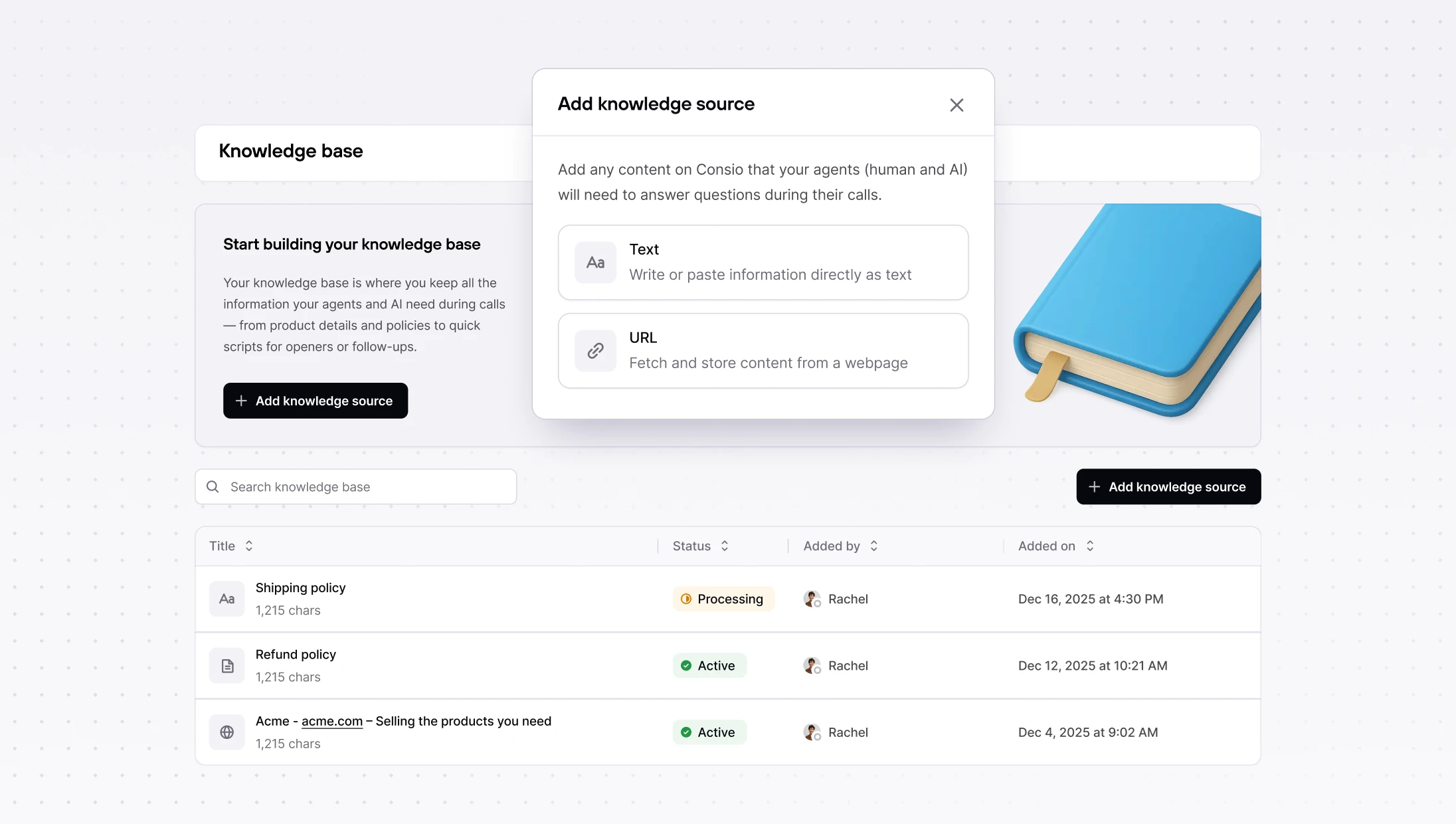
New Analytics: inbound, outbound & SMS in one place
Meet your dedicated Analytics page with clearer metrics: totals, answer/connection/conversion rates, average time in queue for inbound, and SMS volume & conversion. Campaign headers and filters were tightened up for more accurate stats.
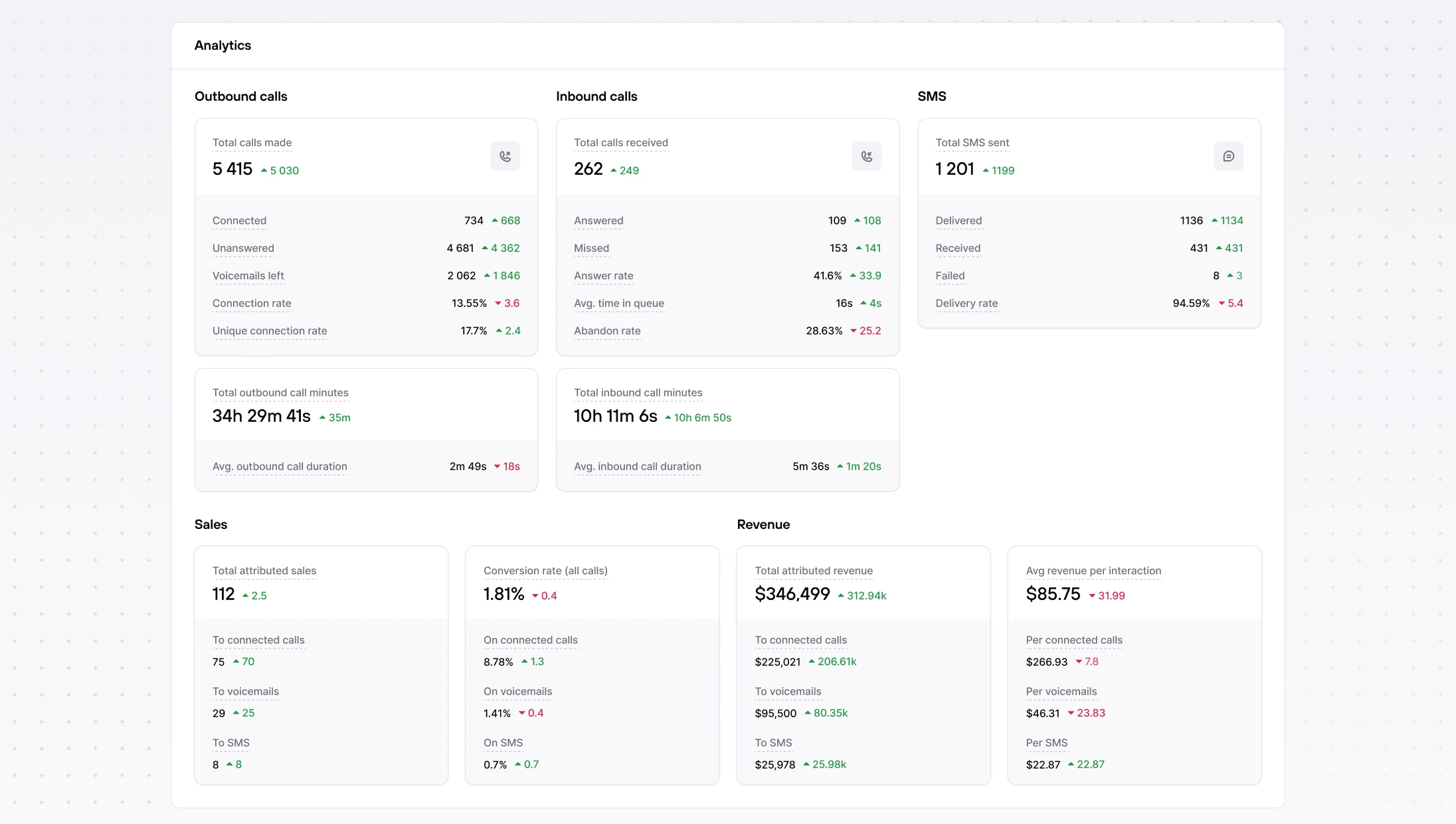
Revenue attribution & timeline badges
You’ll now see call & SMS attribution details and badges directly in the customer timeline, making it obvious which interactions drove sales and where revenue came from.
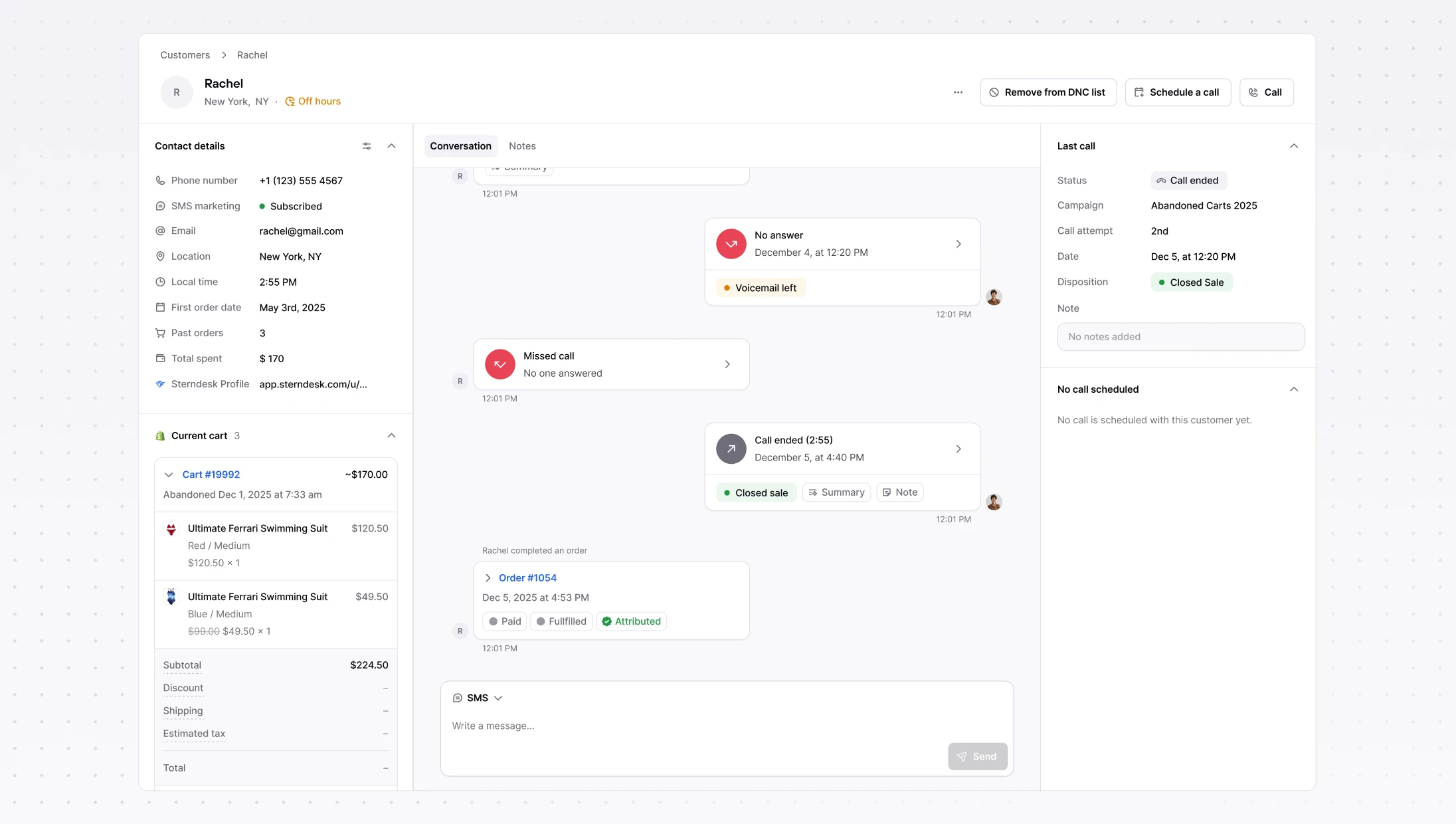
Other improvements
Shopify upgrades – Shopify presentment currency and shipping info now show in the customer panel.
Klaviyo upgrades : we display multiple profiles when they exist and create standard segments automatically on connect.
Knowledge Base: Text & Website sources, powered by RAG
Create knowledge sources from rich-text or a website. Consio cleans and extracts the content and sends it to our RAG system, so your AI agents answer with brand-accurate information.
Tip: add policies, FAQs, shipping & returns, promos, anything your team references.
Go to: Consio → Knowledge Base → Add knowledge source
New Analytics: inbound, outbound & SMS in one place
Meet your dedicated Analytics page with clearer metrics: totals, answer/connection/conversion rates, average time in queue for inbound, and SMS volume & conversion. Campaign headers and filters were tightened up for more accurate stats.
Revenue attribution & timeline badges
You’ll now see call & SMS attribution details and badges directly in the customer timeline, making it obvious which interactions drove sales and where revenue came from.
Other improvements
Shopify upgrades – Shopify presentment currency and shipping info now show in the customer panel.
Klaviyo upgrades : we display multiple profiles when they exist and create standard segments automatically on connect.
Knowledge Base: Text & Website sources, powered by RAG
Create knowledge sources from rich-text or a website. Consio cleans and extracts the content and sends it to our RAG system, so your AI agents answer with brand-accurate information.
Tip: add policies, FAQs, shipping & returns, promos, anything your team references.
Go to: Consio → Knowledge Base → Add knowledge source
New Analytics: inbound, outbound & SMS in one place
Meet your dedicated Analytics page with clearer metrics: totals, answer/connection/conversion rates, average time in queue for inbound, and SMS volume & conversion. Campaign headers and filters were tightened up for more accurate stats.
Revenue attribution & timeline badges
You’ll now see call & SMS attribution details and badges directly in the customer timeline, making it obvious which interactions drove sales and where revenue came from.
Other improvements
Shopify upgrades – Shopify presentment currency and shipping info now show in the customer panel.
Klaviyo upgrades : we display multiple profiles when they exist and create standard segments automatically on connect.
Knowledge Base: Text & Website sources, powered by RAG
Create knowledge sources from rich-text or a website. Consio cleans and extracts the content and sends it to our RAG system, so your AI agents answer with brand-accurate information.
Tip: add policies, FAQs, shipping & returns, promos, anything your team references.
Go to: Consio → Knowledge Base → Add knowledge source
New Analytics: inbound, outbound & SMS in one place
Meet your dedicated Analytics page with clearer metrics: totals, answer/connection/conversion rates, average time in queue for inbound, and SMS volume & conversion. Campaign headers and filters were tightened up for more accurate stats.
Revenue attribution & timeline badges
You’ll now see call & SMS attribution details and badges directly in the customer timeline, making it obvious which interactions drove sales and where revenue came from.
Other improvements
Shopify upgrades – Shopify presentment currency and shipping info now show in the customer panel.
Klaviyo upgrades : we display multiple profiles when they exist and create standard segments automatically on connect.
Customer context for AI Voice Agent
The AI now has full Shopify customer context, including order and shipping and is able to solve full inquiries on it's own. It behaves like a true teammate. The AI agent appears as the agent who took the call and leaves a complete trail in the Inbox. This gives you better visibility into AI-handled calls. Also, you can now run multiple specialized AI agents, for example, one for support and one for sales.
Send and receive SMS in Consio
Send and receive SMS right in Consio. Messages appear in the customer timeline and the Inbox, with clear Sent/Delivered states and friendly error handling.
You can use Consio to track all revenue attributed to SMS handled by agents.
Enable SMS → Settings → Trust Center → Register your numbers for SMS
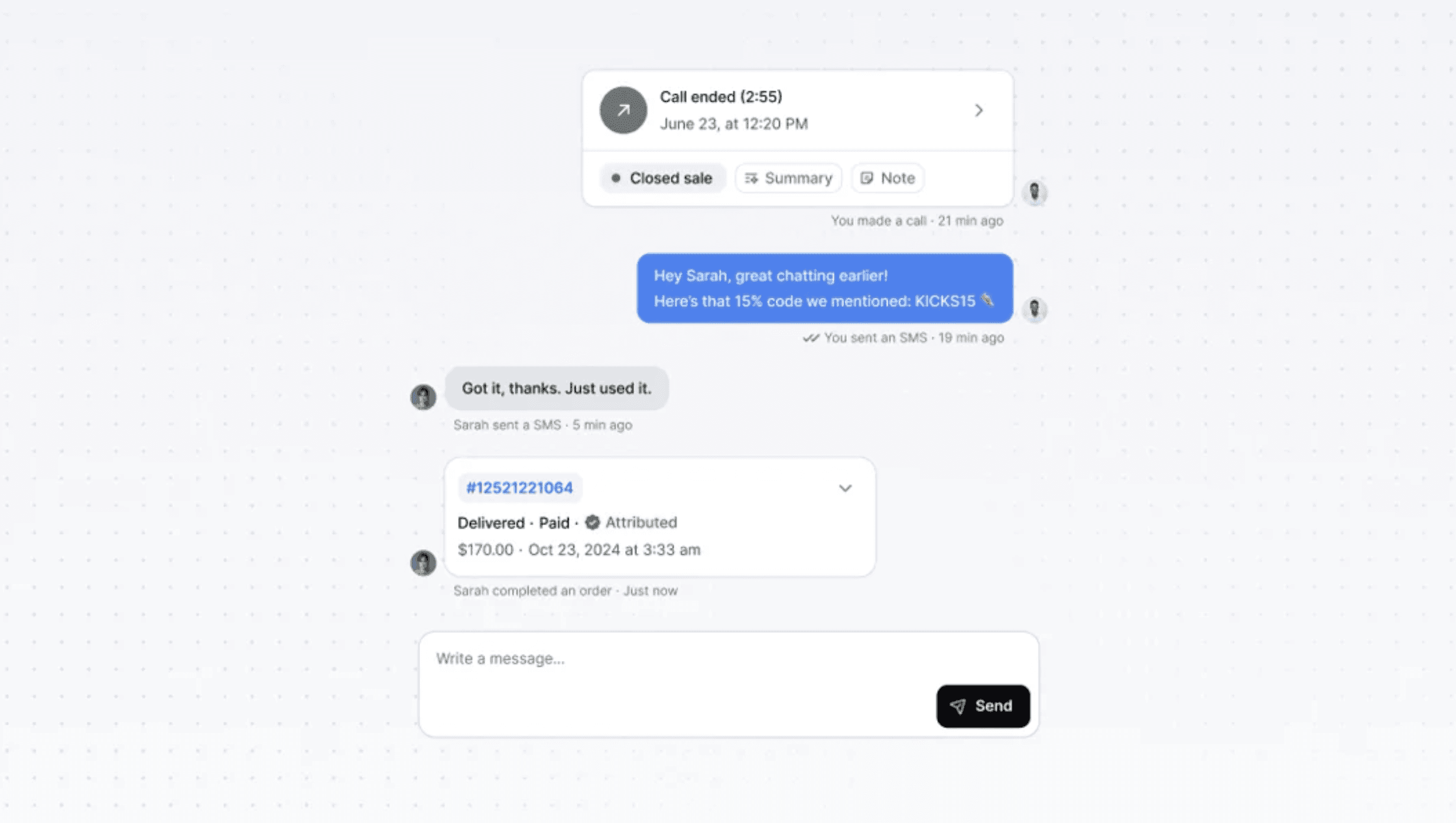
Multiple phone numbers & smarter routing
Add several numbers, set a default, and assign numbers per campaign. Spontaneous/outbound calls auto-pick the right number (reuse the last one used with that customer, otherwise the default). You can also link a phone number to each AI Agent and manage Caller ID name.
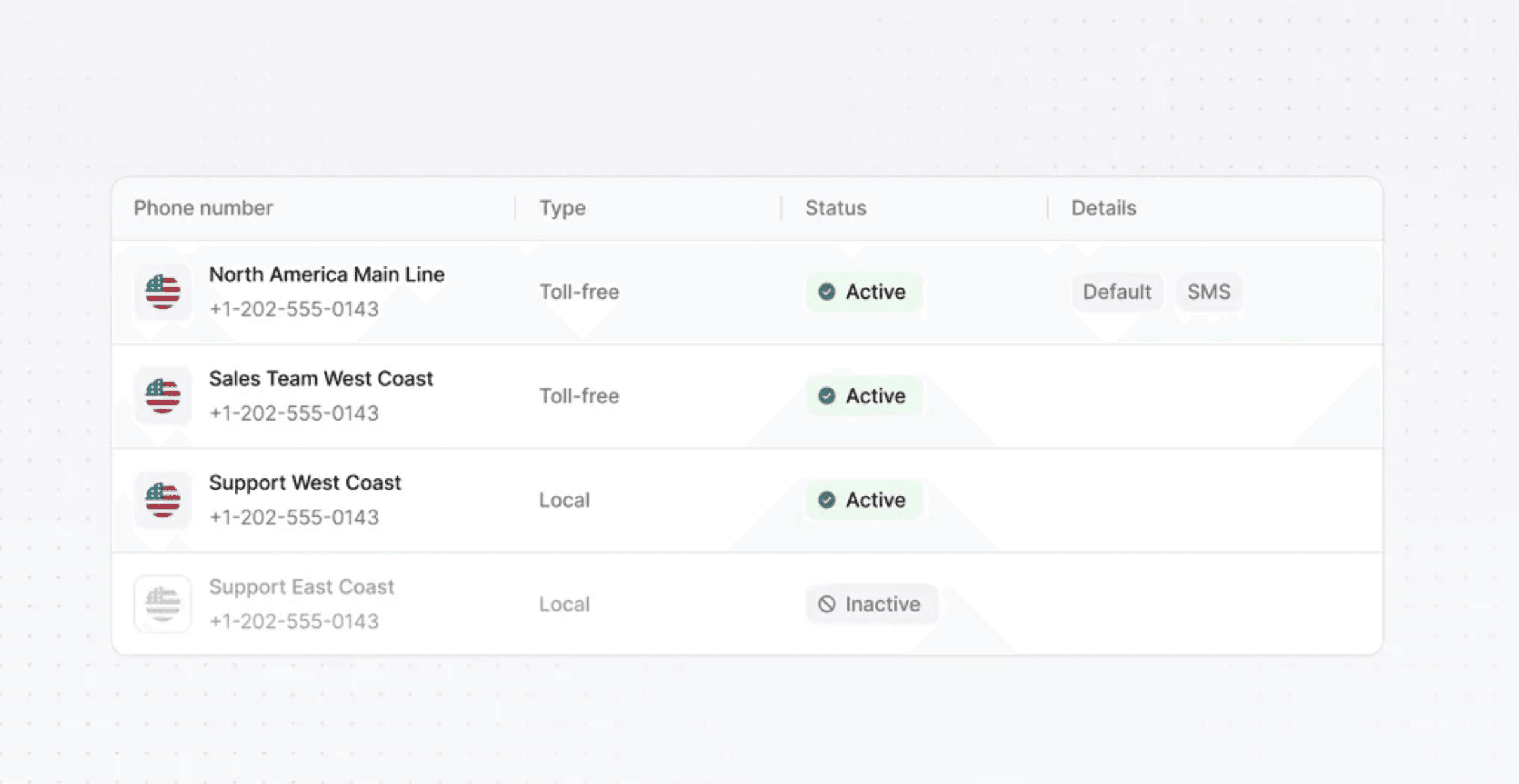
Other improvements
Gorgias Integration : Automatically create tickets for SMS and Connected calls
Kustomer Integration : Automatically create tickets for SMS and Connected calls
Interface & notifications: Browser alerts for inbound calls, “Missed”, “Voicemail”, “SMS ” filters, Read all, open-conversation badge.
Shopify Metafields : Consio now stores a last_connected_at customer metafield so you can segment by recent conversations.
Customer context for AI Voice Agent
The AI now has full Shopify customer context, including order and shipping and is able to solve full inquiries on it's own. It behaves like a true teammate. The AI agent appears as the agent who took the call and leaves a complete trail in the Inbox. This gives you better visibility into AI-handled calls. Also, you can now run multiple specialized AI agents, for example, one for support and one for sales.
Send and receive SMS in Consio
Send and receive SMS right in Consio. Messages appear in the customer timeline and the Inbox, with clear Sent/Delivered states and friendly error handling.
You can use Consio to track all revenue attributed to SMS handled by agents.
Enable SMS → Settings → Trust Center → Register your numbers for SMS
Multiple phone numbers & smarter routing
Add several numbers, set a default, and assign numbers per campaign. Spontaneous/outbound calls auto-pick the right number (reuse the last one used with that customer, otherwise the default). You can also link a phone number to each AI Agent and manage Caller ID name.
Other improvements
Gorgias Integration : Automatically create tickets for SMS and Connected calls
Kustomer Integration : Automatically create tickets for SMS and Connected calls
Interface & notifications: Browser alerts for inbound calls, “Missed”, “Voicemail”, “SMS ” filters, Read all, open-conversation badge.
Shopify Metafields : Consio now stores a last_connected_at customer metafield so you can segment by recent conversations.
Customer context for AI Voice Agent
The AI now has full Shopify customer context, including order and shipping and is able to solve full inquiries on it's own. It behaves like a true teammate. The AI agent appears as the agent who took the call and leaves a complete trail in the Inbox. This gives you better visibility into AI-handled calls. Also, you can now run multiple specialized AI agents, for example, one for support and one for sales.
Send and receive SMS in Consio
Send and receive SMS right in Consio. Messages appear in the customer timeline and the Inbox, with clear Sent/Delivered states and friendly error handling.
You can use Consio to track all revenue attributed to SMS handled by agents.
Enable SMS → Settings → Trust Center → Register your numbers for SMS
Multiple phone numbers & smarter routing
Add several numbers, set a default, and assign numbers per campaign. Spontaneous/outbound calls auto-pick the right number (reuse the last one used with that customer, otherwise the default). You can also link a phone number to each AI Agent and manage Caller ID name.
Other improvements
Gorgias Integration : Automatically create tickets for SMS and Connected calls
Kustomer Integration : Automatically create tickets for SMS and Connected calls
Interface & notifications: Browser alerts for inbound calls, “Missed”, “Voicemail”, “SMS ” filters, Read all, open-conversation badge.
Shopify Metafields : Consio now stores a last_connected_at customer metafield so you can segment by recent conversations.
Customer context for AI Voice Agent
The AI now has full Shopify customer context, including order and shipping and is able to solve full inquiries on it's own. It behaves like a true teammate. The AI agent appears as the agent who took the call and leaves a complete trail in the Inbox. This gives you better visibility into AI-handled calls. Also, you can now run multiple specialized AI agents, for example, one for support and one for sales.
Send and receive SMS in Consio
Send and receive SMS right in Consio. Messages appear in the customer timeline and the Inbox, with clear Sent/Delivered states and friendly error handling.
You can use Consio to track all revenue attributed to SMS handled by agents.
Enable SMS → Settings → Trust Center → Register your numbers for SMS
Multiple phone numbers & smarter routing
Add several numbers, set a default, and assign numbers per campaign. Spontaneous/outbound calls auto-pick the right number (reuse the last one used with that customer, otherwise the default). You can also link a phone number to each AI Agent and manage Caller ID name.
Other improvements
Gorgias Integration : Automatically create tickets for SMS and Connected calls
Kustomer Integration : Automatically create tickets for SMS and Connected calls
Interface & notifications: Browser alerts for inbound calls, “Missed”, “Voicemail”, “SMS ” filters, Read all, open-conversation badge.
Shopify Metafields : Consio now stores a last_connected_at customer metafield so you can segment by recent conversations.