Shopify customer sidebar redesigned
The Shopify customer sidebar has been redesigned from the ground up to make it easier to find the right information at a glance. The layout is cleaner and more structured, and we added a lot of new Shopify fields that were not visible before so agents have the full picture without having to open it in Shopify.
Consider this the end of "let me just check that in Shopify real quick".
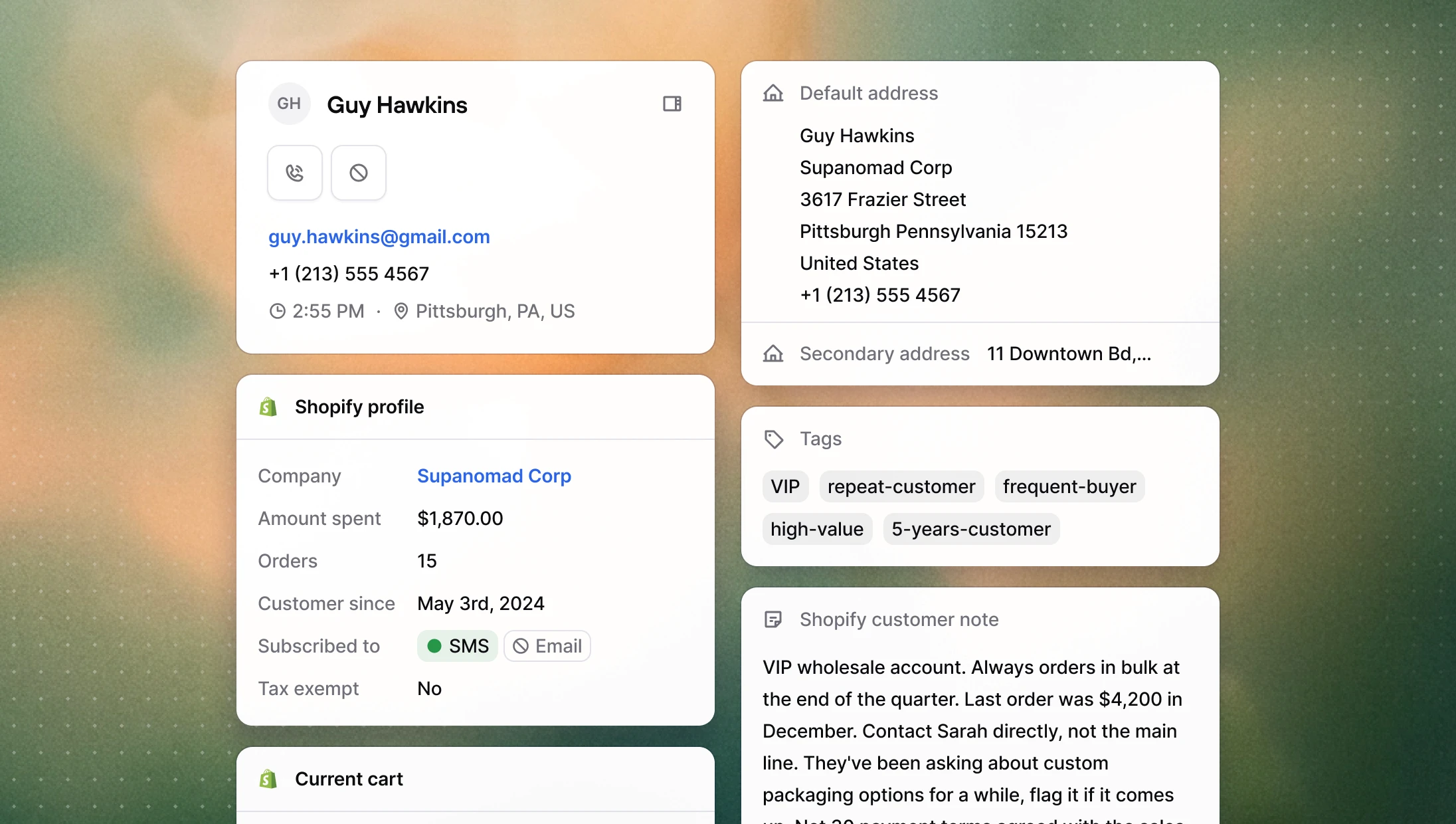
Here's what was added:
Addresses: a new collapsible section showing all Shopify addresses, with individual field copy buttons and a one-click option to copy the full formatted address.
Tags: customer tags from Shopify, displayed read-only.
Customer note: the internal note attached to the customer in Shopify.
Marketing consent: SMS and email subscription status, so agents know whether a customer can be contacted on those channels.
Tax exempt: whether the customer is marked as tax exempt in Shopify.
Company: the customer's associated Shopify company, with a direct link to open it in Shopify admin.
New dispositions for inbound calls
Three new call dispositions are now available for all calls:
Issue resolved: for calls where the customer's request was fully handled.
Warm lead: for contacts who showed interest but didn't convert and no follow-up was scheduled yet.
Spam: for irrelevant inbound calls. Selecting it automatically adds the number to your blocklist.
Waiting music presets
Custom waiting music now includes a selection of built-in presets to choose from, in addition to uploading your own file. Your customers might actually enjoy being kept waiting for once 🪇
→ Configure it in your phone number settings
Other improvements
Dialer: Navigating away or closing the tab while a call is unlogged now triggers a warning, so calls are less likely to remain unlogged.
Dialer: Fixed a bug where call disposition notes couldn't be saved for contacts with a follow-up already scheduled.
Phone numbers: Fixed an issue where customer phone numbers were sometimes formatted incorrectly on outbound calls.